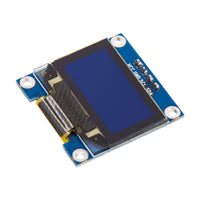
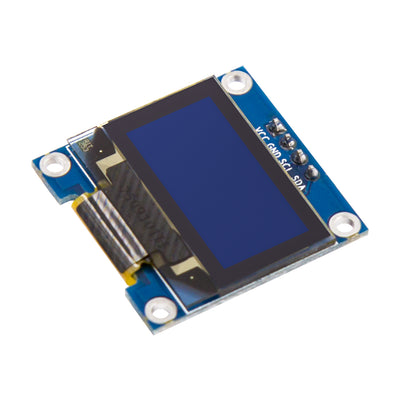
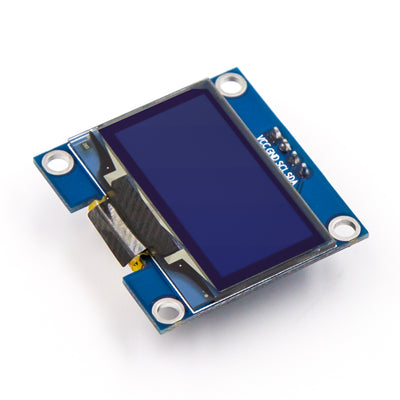
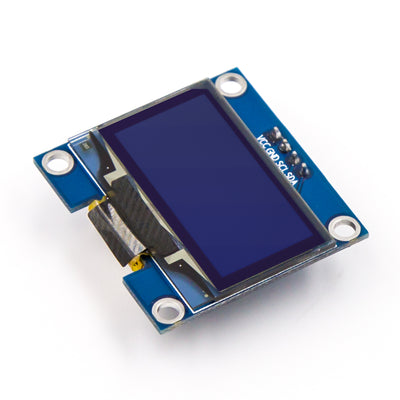
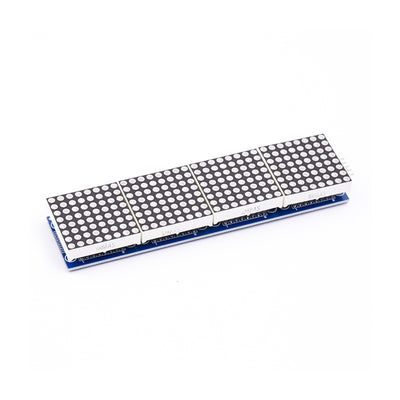
SSD1306 0.96" Blue I2C OLED Display Module 4-Pin for Arduino, Raspberry Pi & ESP32

SKU AA139

$6.89 USD Shipping & tax calculated at checkout
In stock· Order by 3pm ET and it ships today

SSD1306 0.96in 128x64 blue I2C OLED display module for sensor data, menus, status screens and graphics with Arduino, Raspberry Pi, and ESP32; ideal for robotics, home automation, wearables, prototyping.

Bulk eligible

Mix any Bulk eligible products — discount applies to your total quantity across the cart.
Auto-applied at checkout
Buy 5+ $6.55 each Save 5%
Buy 10+ $6.21 each Save 10%
View all bulk eligible products →
  • Free Ground Shipping U.S. orders $35+
  • Ships from USA Domestic fulfillment
  • 30-day returns Free defect replacement
  • 7-day support Fast email replies
Frequently bought together
angled close-up of blue I2C OLED display module SSD1306 0.96 inch for Arduino ESP32 SSD1306 0.96" Blue I2C OLED Display Module 4-Pin for Arduino, Raspberry Pi & ESP32No reviews yet $6.89 This item
Top front view of Raspberry Pi Pico 2 with pre-soldered headers by ShillehTek Raspberry Pi Pico 2 with Pre-Soldered Headers ★★★★★ (1) $11.99
Total for 4 items
$32.86

Products related to this item

Product Overview

The SSD1306 OLED display module is a compact 0.96-inch 128x64 blue display for showing sensor data, menus, status screens, and simple graphics in embedded electronics projects. The 128x64 resolution is well suited to compact dashboards, debug output, and real-time readouts. Using a 4-pin I2C interface with the built-in SSD1306 driver, it simplifies wiring with VCC, GND, SDA, and SCL connections for fast integration with Arduino, Raspberry Pi, ESP32, and other microcontroller or SBC platforms. Ideal for prototyping, robotics, home automation, and portable devices, this small OLED adds clear text and icons without the complexity of larger display modules.

Frequently asked questions

This 4-pin I2C OLED display is intended for Arduino, Raspberry Pi, ESP32, and similar microcontroller or SBC platforms that support I2C communication. Use the appropriate SSD1306 display library or driver for your board and programming environment.
The module uses a simple 4-pin header layout: VCC, GND, SDA, and SCL. Because it communicates over I2C, setup typically requires only power, ground, and two signal wires, plus an SSD1306-compatible software library.
This display communicates over the I2C bus using the built-in SSD1306 driver. The product information does not specify an operating voltage, so verify your module markings and match VCC and I2C logic levels to your controller.
The 0.96-inch 128x64 blue OLED is suitable for compact sensor readouts, menus, device status screens, simple icons, and debug messages. It is commonly used in robotics, home automation, portable devices, and embedded prototyping projects.
If the screen stays blank, check VCC, GND, SDA, and SCL wiring, confirm your code uses an SSD1306-compatible library, and scan the I2C bus for the display address. Also verify the controller’s I2C pins are configured correctly.

Have other questions?

Chat with our US-based team — we usually reply fast.

Features & Specs

OLED Driver SSD1306 controller supports I2C communication for compact OLED display integration.

Screen Size 0.96-inch blue OLED panel provides a 128x64 pixel display for text, icons, and simple graphics.

I2C Interface 4-pin connection uses VCC, GND, SDA, and SCL for simple I2C wiring.

Platform Compatibility Compatible with Arduino, Raspberry Pi, ESP32, and other I2C-capable microcontrollers or single-board computers.

Display Functions Designed for sensor data, status screens, menus, debug output, and real-time readouts.

Project Use Well suited for prototyping, robotics, home automation, and portable embedded devices.

Documents

Full Product Manual SSD1306 0.96" Blue I2C OLED Display Module 4-Pin for Arduino, Raspberry Pi & ESP32 | ShillehTek Product Manual In-depth setup guide with wiring, code examples, and troubleshooting.

Related Tutorials

Arduino Uno VL53L0X: Show Distance on SSD1306 OLED
Apr 24, 2026Tutorial

Arduino Uno VL53L0X: Show Distance on SSD1306 OLED

Build an Arduino Uno distance meter using the VL53L0X ToF sensor and SSD1306 OLED to display real-time millimeter rea...
Arduino SSD1306 OLED: Display Text and Graphics
May 14, 2026Tutorial

Arduino SSD1306 OLED: Display Text and Graphics

Wire an Arduino to an SSD1306 0.96 inch I2C OLED and upload a simple sketch to display text and graphics on a crisp 1...
Arduino Nano RC522 RFID: Smart Door Lock with OLED
May 17, 2026Tutorial

Arduino Nano RC522 RFID: Smart Door Lock with OLED

Build an Arduino Nano RC522 RFID smart door lock with an OLED status screen and servo latch action, using simple wiri...
ESP32 MQ-135: Air Quality Dashboard with OLED
May 19, 2026Tutorial

ESP32 MQ-135: Air Quality Dashboard with OLED

Build an ESP32 air quality dashboard using an MQ-135, DHT22, and SSD1306 OLED, with live readings on-screen and on a ...
Arduino Nano NEO-6M GPS: OLED Speedometer Display
May 20, 2026Tutorial

Arduino Nano NEO-6M GPS: OLED Speedometer Display

Build an Arduino Nano GPS speedometer using a NEO-6M module and SSD1306 OLED for a clear, wheel-sensor-free speed rea...
Arduino Nano MAX30102: OLED Pulse Oximeter Build
May 22, 2026Tutorial

Arduino Nano MAX30102: OLED Pulse Oximeter Build

Build an Arduino Nano MAX30102 pulse oximeter with an SSD1306 OLED for live BPM and SpO2 readout using simple I2C wir...
Arduino Nano DS18B20: Automated Aquarium Control
May 22, 2026Tutorial

Arduino Nano DS18B20: Automated Aquarium Control

Build an Arduino Nano aquarium controller using a DS18B20 probe, DS3231 RTC, relays, and OLED to automate heater cont...
ESP32 DS18B20: Wi-Fi Smoker Thermometer Alerts
May 26, 2026Tutorial

ESP32 DS18B20: Wi-Fi Smoker Thermometer Alerts

Build an ESP32 DS18B20 Wi-Fi BBQ thermometer with OLED readout and Telegram alerts, so you can monitor long smoker co...
Arduino Nano INA219 OLED: Live Bench Supply Display
May 26, 2026Tutorial

Arduino Nano INA219 OLED: Live Bench Supply Display

Build an Arduino Nano bench supply with LM2596 regulation, INA219 current sensing, and an SSD1306 OLED for live volta...
Arduino Nano DS3231: Timed pill dispenser alerts
May 27, 2026Tutorial

Arduino Nano DS3231: Timed pill dispenser alerts

Build an Arduino Nano DS3231 pill dispenser with servo indexing, buzzer alerts, and an SSD1306 OLED so scheduled dose...
ESP32 ADS1115: Monitor 4 Soil Sensors via Wi-Fi
May 27, 2026Tutorial

ESP32 ADS1115: Monitor 4 Soil Sensors via Wi-Fi

Build an ESP32 + ADS1115 multi-plant soil monitor that reads 4 moisture sensors and serves live Wi-Fi dashboard value...
Arduino Nano DS3231: Build a Sunrise Alarm Clock
May 29, 2026Tutorial

Arduino Nano DS3231: Build a Sunrise Alarm Clock

Build an Arduino Nano DS3231 sunrise alarm clock with an LED fade-in, relay control, and OLED display for a gentler w...
Arduino Nano MAX6675 Thermocouple: Read Up to 1024�b0C
Jun 10, 2026Tutorial

Arduino Nano MAX6675 Thermocouple: Read Up to 1024b0C

Build an Arduino Nano MAX6675 K-type thermocouple reader with OLED display and optional over-temp relay cutoff for sa...
Arduino Nano TCA9548A: Run 8 Identical I2C Devices
Jun 10, 2026Tutorial

Arduino Nano TCA9548A: Run 8 Identical I2C Devices

Wire an Arduino Nano to a TCA9548A I2C multiplexer to run up to eight identical 0x3C OLEDs or sensors without address...
Arduino Nano KY-040 Rotary Encoder: OLED Menu UI
Jun 10, 2026Tutorial

Arduino Nano KY-040 Rotary Encoder: OLED Menu UI

Build an Arduino Nano menu UI using a KY-040 rotary encoder and SSD1306 OLED for smooth scroll-and-click navigation w...
Arduino MAX30102: Heart Rate and SpO2 on OLED
Jun 13, 2026Tutorial

Arduino MAX30102: Heart Rate and SpO2 on OLED

Build an Arduino Nano MAX30102 pulse oximeter that shows live BPM and optional SpO2 on an SSD1306 OLED, using the Spa...
Arduino MAX30102 vs MAX30100: Choose the best sensor
Jun 14, 2026Tutorial

Arduino MAX30102 vs MAX30100: Choose the best sensor

Compare MAX30100 vs MAX30102 pulse oximeter modules for Arduino wearables, focusing on ADC, FIFO, and libraries so yo...
Arduino TM1637, SSD1306, E-Paper: Pick a Display
Jun 14, 2026Tutorial

Arduino TM1637, SSD1306, E-Paper: Pick a Display

Compare TM1637, SSD1306 OLED, and 2.13-inch e-paper to pick the right Arduino display based on power, refresh rate, r...

Related Videos

Customer Reviews