

Project Overview
ESP32 + MQ-135 + DHT22 + SSD1306 OLED: Build an indoor air quality dashboard where the MQ-135 tracks gas and smoke trends, the DHT22 measures temperature and humidity, and an OLED plus Wi-Fi web page shows the readings live.
This gives you a quick, desk-friendly way to spot stale indoor air without relying on a cloud app.
- Time: ~1.5 hours
- Skill level: Intermediate
- What you will build: A desk-mounted air quality station with OLED + Wi-Fi dashboard.

Parts List
From ShillehTek
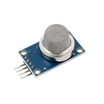
- MQ-135 Air Quality Gas Sensor - provides an analog air quality trend signal (CO2/NOx/ammonia/smoke sensitivity).
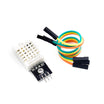
- DHT22 Temperature & Humidity Sensor - measures ambient temperature and humidity.
- 0.96" I²C SSD1306 OLED - shows live readings locally on the device.
- ESP32-WROOM Dev Board - reads sensors and hosts a simple web dashboard over Wi-Fi.
- 120 PCS Dupont Jumper Wires - makes breadboard wiring quick and reliable.
External
- USB power supply
- Wi-Fi network
Note: MQ-135 needs about 24 hours of burn-in the first time you power it up. Readings stabilise after that.
Step-by-Step Guide
Step 1 - Gather the components
Goal: Make sure you have the ESP32, MQ-135, DHT22, and SSD1306 OLED ready before wiring.
What to do: Lay out the parts on your bench and confirm you have jumper wires and USB power for the ESP32.

Expected result: All modules are identified and ready to connect.
Step 2 - Wire the MQ-135, DHT22, and OLED to the ESP32
Goal: Connect each module to the correct ESP32 pins for analog input, a digital GPIO, and I2C.
What to do: Wire the MQ-135 analog output (AOUT) to GPIO 36. Wire the DHT22 data pin to GPIO 4. Connect the OLED on I2C using GPIO 21 (SDA) and GPIO 22 (SCL). Provide power and ground to each module as required by your boards.

Expected result: The full circuit is wired and ready to power on without loose connections.
Step 3 - Assemble the station on the breadboard
Goal: Turn the wired modules into a stable, desk-ready build.
What to do: Mount the ESP32, MQ-135, DHT22, and OLED on a breadboard so the wiring is secure and the OLED is visible from the front.

Expected result: A compact build that can sit on a desk and run from USB power.
Step 4 - Upload the sketch
Goal: Program the ESP32 to read the MQ-135 analog value, read temperature and humidity from the DHT22, display results on the OLED, and serve a basic web dashboard.
What to do: In your Arduino IDE (or compatible ESP32 toolchain), paste the sketch below. Update SSID and PASS with your Wi-Fi credentials, then compile and upload to the ESP32.
Code:
#include <WiFi.h>
#include <WebServer.h>
#include <DHT.h>
#include <Wire.h>
#include <Adafruit_SSD1306.h>
DHT dht(4, DHT22);
Adafruit_SSD1306 oled(128, 64, &Wire, -1);
WebServer server(80);
const int MQ_PIN = 36;
float t=0, h=0; int aq=0;
void handle() {
  server.send(200, "text/html",
    "<h1>Air Quality</h1><p>T: " + String(t) + " C</p><p>H: " + String(h) +
    "%</p><p>AQ: " + String(aq) + "</p>");
}
void setup() {
  Serial.begin(115200); dht.begin();
  oled.begin(SSD1306_SWITCHCAPVCC, 0x3C);
  WiFi.begin("SSID","PASS");
  while (WiFi.status() != WL_CONNECTED) delay(500);
  server.on("/", handle); server.begin();
}
void loop() {
  t = dht.readTemperature(); h = dht.readHumidity();
  aq = analogRead(MQ_PIN);
  oled.clearDisplay();
  oled.setTextSize(1); oled.setTextColor(SSD1306_WHITE); oled.setCursor(0,0);
  oled.printf("T: %.1f C\nH: %.1f%%\nAQ: %d\n%s", t, h, aq, WiFi.localIP().toString().c_str());
  oled.display();
  server.handleClient();
  delay(2000);
}
Expected result: The ESP32 connects to Wi-Fi, the OLED updates every couple seconds, and the serial monitor shows normal startup output.
Step 5 - View the OLED and open the web dashboard
Goal: Confirm the readings appear locally on the OLED and remotely in a browser.
What to do: Power the device and check the OLED for temperature, humidity, air quality value (analog reading), and the ESP32 IP address. On a phone or computer on the same Wi-Fi network, open the ESP32 IP address in a browser.


Expected result: You see live values on the OLED and the same values on the web page served by the ESP32.
Step 6 - Extend the project
Goal: Plan safe, practical next upgrades once the base station works.
What to do: Pick one improvement and implement it after your baseline readings are stable.
- Log readings to ThingSpeak for long-term graphs
- Trigger a relay-controlled fan above AQ threshold
- Add a second MQ sensor for CO specifically (MQ-7)
- Send a Telegram alert when CO2 exceeds a danger threshold
Expected result: You have a clear path for turning a simple dashboard into a more complete monitoring system.
Conclusion
You built an ESP32 air quality dashboard that reads an MQ-135 for air quality trends, uses a DHT22 for temperature and humidity, and shows everything on an SSD1306 OLED plus a Wi-Fi web page.
Want the exact parts used in this build? Grab them from ShillehTek.com. If you want help customizing this project or building something for your product, check out our IoT consulting services.
Credit: This build is based on a reference guide from Instructables.





.png?v=25000753014097803521791168436)

.png?v=68677308723310773341791168436)


