

Project Overview
Arduino Nano + DS3231 sunrise alarm clock: Build a bedside clock that starts a 30-minute LED light fade before your alarm time, then triggers a buzzer at the alarm as a backup.
A DS3231 RTC keeps accurate time, an SSD1306 OLED shows the current time and alarm time, and a relay switches the lamp side while the sketch ramps brightness with PWM-style fading.
- Time: ~2 hours
- Skill level: Intermediate
- What you will build: A bedside alarm clock with a 30-minute light fade-in that mimics the sunrise.

Parts List
From ShillehTek
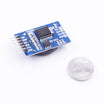
- DS3231 Precision RTC - keeps accurate time for the alarm schedule
- 1-Channel 5V Relay Module - switches the lamp or LED load
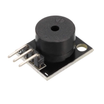
- KY-006 Passive Buzzer - audible backup at the actual alarm time
- 0.96" SSD1306 OLED - displays current time and alarm time over I2C
- Arduino Nano V3.0 - runs the clock logic, fade timing, and output control
- Dupont Jumper Wires - quick prototyping and clean connections
External
- Dimmable LED bulb (the kind that responds to PWM) + lamp socket
- 2 push-buttons (snooze + dismiss)
- 5V USB power
Safety: If using a real mains-powered bulb, you switch through the relay using proper mains-safety practices. For a lower-risk option, use a 12V LED strip + MOSFET instead of mains.
Step-by-Step Guide
Step 1 - Gather the components
Goal: Confirm you have the modules and the form factor you want before wiring.
What to do: Lay out the Arduino Nano, DS3231 RTC module, SSD1306 OLED, relay module, buzzer, and buttons. Decide whether you are controlling a mains lamp through the relay or using a low-voltage LED strip + driver.

Expected result: All modules are ready and you know what load you will switch (mains lamp or low-voltage LEDs).
Step 2 - Wire the modules
Goal: Connect I2C devices, outputs, and buttons to the Arduino Nano pins used by the sketch.
What to do: Wire the DS3231 RTC and SSD1306 OLED to the Arduino Nano I2C pins (SDA/SCL) and power. Wire the relay input to D3 and the buzzer signal to D8. Wire the two buttons to D2 and D7 as shown in the diagram.

Expected result: Power, I2C, and signal wiring matches the diagram, and the hardware is ready for programming.
Step 3 - Upload the Arduino sketch
Goal: Program the Nano to track time from the DS3231, fade the light before the alarm, and display time on the OLED.
What to do: Install the required libraries (RTClib, Adafruit GFX, and Adafruit SSD1306), then compile and upload the sketch. Set ALARM_HOUR, ALARM_MIN, and FADE_MIN as needed.
Code:
#include <Wire.h>
#include <RTClib.h>
#include <Adafruit_GFX.h>
#include <Adafruit_SSD1306.h>
RTC_DS3231 rtc;
Adafruit_SSD1306 oled(128, 64, &Wire, -1);
const int RELAY = 3, BUZZ = 8;
const int ALARM_HOUR = 7, ALARM_MIN = 0;
const int FADE_MIN = 30;   // start fade-in 30 min before alarm
bool dawnRunning = false;
unsigned long dawnStart = 0;

void setup() {
  Wire.begin(); rtc.begin();
  oled.begin(SSD1306_SWITCHCAPVCC, 0x3C);
  pinMode(RELAY, OUTPUT); pinMode(BUZZ, OUTPUT);
}

void loop() {
  DateTime now = rtc.now();
  int totalNow = now.hour() * 60 + now.minute();
  int alarmNow = ALARM_HOUR * 60 + ALARM_MIN;
  int diff = alarmNow - totalNow;

  if (diff >= 0 && diff <= FADE_MIN) {
    // PWM the relay/MOSFET - fade from 0 to 255 over FADE_MIN minutes
    float progress = 1.0 - (float)diff / FADE_MIN;
    analogWrite(RELAY, (int)(progress * 255));
  } else if (diff < 0 && diff > -2) {
    // Buzzer kicks in at actual alarm time
    tone(BUZZ, 1000, 200); delay(400);
  } else {
    analogWrite(RELAY, 0); noTone(BUZZ);
  }

  oled.clearDisplay(); oled.setTextSize(2); oled.setTextColor(SSD1306_WHITE);
  oled.setCursor(0, 8);
  oled.printf("%02d:%02d", now.hour(), now.minute());
  oled.setTextSize(1); oled.setCursor(0, 50);
  oled.printf("Alarm: %02d:%02d", ALARM_HOUR, ALARM_MIN);
  oled.display();
  delay(1000);
}
Expected result: The OLED shows the current time and alarm time, the fade starts within the configured pre-alarm window, and the buzzer chirps at the alarm.
Step 4 - Assemble the enclosure
Goal: Package the clock so it works reliably at the bedside.
What to do: Mount the Arduino Nano, modules, buttons, and display in your enclosure. Route wiring neatly, and keep mains wiring isolated and strain-relieved if you are switching a mains lamp through the relay.

Expected result: A finished unit with a stable display, accessible buttons, and secure wiring.
Step 5 - Set it by your bed and run it
Goal: Verify the dawn fade and alarm behavior in real use.
What to do: Place the lamp where it can light the room comfortably. As the alarm approaches, the light should gradually brighten during the fade window, then the buzzer should sound at the alarm time.

Expected result: A gentle wake-up from light first, with the buzzer only as a backup at the alarm time.
Step 6 - Optional enhancements
Goal: Plan upgrades without changing the core build.
What to do: If you want to extend the project, consider these next steps:
- Multi-alarm support - weekday vs weekend schedules stored in DS3231 EEPROM
- RGB version - warm-amber to cool-white spectrum during the fade
- Soothing sleep-soundscape playback via DFPlayer + TPA3118 amp
- Pair with our sleep tracker to create a smart wake-up window (light during light-sleep stage)
Expected result: A clear roadmap for improvements while keeping the current design intact.
Conclusion
You built an Arduino Nano sunrise alarm clock using a DS3231 RTC, a relay-controlled light fade, and an SSD1306 OLED time display. The result is a wake-up routine that starts with light and only uses a buzzer as a backup.
Want the exact parts used in this build? Grab them from ShillehTek.com. If you want help customizing this project or building something for your product, check out our IoT consulting services.
Reference credit: based on the original guide on Instructables.






.png?v=25000753014097803521791168436)

.png?v=68677308723310773341791168436)


