

Project Overview
DIY Lab Bench Power Supply: Use an Arduino Nano with an INA219 current/voltage monitor and a 0.96 inch SSD1306 OLED to build an adjustable LM2596-based bench supply with live voltage, current, and power readout.
Instead of buying a commercial unit for $80+, this build uses a 24V power brick, an LM2596 adjustable buck converter, an INA219 monitor, an OLED display, and a 10ka9 potentiometer for smoother voltage control.
- Time: ~3 hours
- Skill level: Intermediate / Advanced
- What you will build: A 1.25-22V adjustable bench supply with live voltage, current, and power readout on an OLED.

Parts List
From ShillehTek
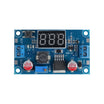
- LM2596 Adjustable Buck Converter - steps 24V down to your adjustable output voltage.
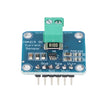
- INA219 Current/Voltage Monitor - measures output bus voltage, current draw, and power.
- 0.96" I b2C SSD1306 OLED - displays voltage, current, and power in real time.
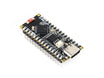
- Arduino Nano V3.0 - reads INA219 data over I b2C and updates the OLED.
- 120 PCS Dupont Jumper Wires - wiring for I b2C and power connections during prototyping.
External
- 24V / 2-3A AC-DC brick (laptop charger works)
- Banana jacks (red + black) for output binding posts
- 10ka9 multi-turn potentiometer (replaces the LM2596 trim-pot for fine voltage control)
- SPST power switch + DC barrel jack
- Project enclosure
Note: The LM2596 is buck-only (step-down). It can only drop voltage, not boost. Input must be at least ~2V higher than your target output. A 24V brick lets you output roughly 1.25V to 22V.
Step-by-Step Guide
Step 1 - Gather the modules
Goal: Confirm you have all core modules before wiring and mounting.
What to do: Lay out the LM2596 buck converter, INA219 sensor, SSD1306 OLED, Arduino Nano, and wiring. Identify the power-path terminals on the LM2596 and the Vin+ / Vin- terminals on the INA219.

Expected result: You can clearly identify each module and its key pins/terminals.
Step 2 - Wire the power path (brick to output jacks)
Goal: Route power through the buck converter and current sensor so the INA219 measures the load current.
What to do: Wire the high-current path in this order: 24V input into the LM2596, LM2596 output into INA219 Vin+, and then from the INA219 to the output banana jacks. Tie the return/ground so the output negative passes through the INA219 ground as shown.

- 24V brick de DC jack de power switch de LM2596 IN+/IN-
- LM2596 OUT+ de INA219 Vin+ de red banana jack
- Black banana jack de INA219 GND de LM2596 OUT-
- Replace the LM2596 trim-pot with a 10ka9 multi-turn pot for smoother voltage adjustment
Expected result: Turning the potentiometer changes the LM2596 output voltage (do this without a load first).
Step 3 - Wire the monitoring (Arduino, INA219, OLED)
Goal: Put the INA219 and OLED on the Arduino Nano I b2C bus so the Nano can read measurements and display them.
What to do: Power the Arduino Nano from the input side using a suitable 5V supply method (as described below), then connect SDA/SCL for both the INA219 and OLED to the Nanobccfs I b2C pins.
- Arduino Vin (or 5V) from a small linear regulator off the 24V input
- INA219 SDA de A4, SCL de A5
- OLED SDA de A4, SCL de A5 (shared I b2C bus)
Expected result: The Arduino is powered and both I b2C devices share A4 (SDA) and A5 (SCL).
Step 4 - Build the enclosure and mount the hardware
Goal: Make the project durable and safe to use on the bench.
What to do: Lay out the front panel for the OLED, output banana jacks, power switch, and voltage control knob. Mount modules inside the enclosure and keep airflow in mind.


Expected result: Everything fits securely, and the front panel controls and display are accessible.
Step 5 - Upload the monitoring sketch
Goal: Read bus voltage/current/power from the INA219 and print it on the SSD1306 OLED.
What to do: Compile and upload the sketch below to your Arduino Nano (with the appropriate libraries installed) and verify the OLED updates.
Code:
#include <Wire.h>
#include <Adafruit_INA219.h>
#include <Adafruit_GFX.h>
#include <Adafruit_SSD1306.h>
Adafruit_INA219 ina;
Adafruit_SSD1306 oled(128, 64, &Wire, -1);
void setup() {
  ina.begin();
  oled.begin(SSD1306_SWITCHCAPVCC, 0x3C);
}
void loop() {
  float v = ina.getBusVoltage_V();
  float mA = ina.getCurrent_mA();
  float mW = ina.getPower_mW();
  oled.clearDisplay(); oled.setTextColor(SSD1306_WHITE);
  oled.setTextSize(2); oled.setCursor(0, 0);
  oled.print(v, 2); oled.println(" V");
  oled.setTextSize(1);
  oled.print(mA, 0); oled.println(" mA");
  oled.print(mW, 0); oled.println(" mW");
  oled.display();
  delay(250);
}
Expected result: The OLED shows live voltage (V), current (mA), and power (mW) updating about four times per second.
Step 6 - Power up and use the supply
Goal: Adjust output voltage and observe real-time current draw while powering a project.
What to do: Turn on the supply, set a safe output voltage with the knob, then connect your load to the banana jacks. Watch the OLED as the load draws current.

Expected result: The displayed current and power change as your project load changes.
Step 7 - Optional upgrades to take it further
Goal: Identify safe, practical extensions if you want more capability.
What to do: If you want to expand the project, consider these add-ons:
- Add a coarse + fine voltage knob (two pots in series) for precision setpoints
- Add a current-limit knob (constant-current mode) via a second LM2596 in CC mode
- Replace Arduino with ESP32 (for example: log every session to a CSV via Wi-Fi)
- Add USB outputs (5V via a separate MT3608) for charging stations
Expected result: You have a clear path for upgrading the supply based on your bench needs.
Conclusion
You built an Arduino Nano bench power supply using an LM2596 buck converter, INA219 current/voltage monitoring, and an SSD1306 OLED for live voltage, current, and power readouts.
Want the exact parts used in this build? Grab them from ShillehTek.com. If you want help customizing this project or building something for your product, check out our IoT consulting services.
Credit: This build was adapted from a reference guide on Instructables.





.png?v=25000753014097803521791168436)

.png?v=68677308723310773341791168436)


