

Project Overview
Arduino Nano + DS3231 RTC automatic pill dispenser: The DS3231 real-time clock tracks medication times, a servo rotates a multi-compartment pill carousel, and a KY-006 buzzer alerts when it is time for the next dose while an SSD1306 OLED displays status.
This build is intended as a maker reminder system for scheduled dispensing and alerts for daily medication routines.
- Time: ~3 hours
- Skill level: Intermediate
- What you will build: A 7-day medication dispenser with audible alerts, scheduled dispensing, and an OLED status display.

Parts List
From ShillehTek
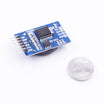
- DS3231 Precision RTC - keeps accurate time for scheduled doses.
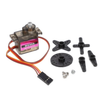
- MG90S Metal-Gear Servo - rotates the carousel to the next compartment.
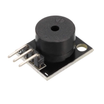
- KY-006 Passive Buzzer - provides the audible alert at scheduled times.
- 0.96" I²C SSD1306 OLED - displays the next scheduled time and status.
- Arduino Nano V3.0 - runs the schedule logic, servo control, and buzzer output.
- Dupont Jumper Wires - makes the module-to-board wiring easier.
External
- 3D-printed pill carousel (7-compartment turntable) - mechanical holder that indexes each dose.
- Push-button (confirm-taken) - acknowledges the reminder (as designed for your build).
- 5V USB supply - powers the Arduino Nano and modules.
Note: This is a maker reminder system, not medical equipment. Always check the dispensed pill against the prescription label.
Step-by-Step Guide
Step 1 - Build the Carousel
Goal: Create a 7-compartment carousel that can index from one dose to the next.
What to do: Assemble the 3D-printed turntable and mount it to the servo shaft so it can rotate reliably. The design shown uses 7 slots, so each move indexes about 51 degrees (360/7).

Expected result: The carousel turns smoothly by hand and can be driven by the servo without binding.
Step 2 - Wire the DS3231, OLED, Servo, Buzzer, and Button
Goal: Connect all modules to the Arduino Nano so the RTC and display share I²C, and the servo, buzzer, and button use digital pins.
What to do: Wire the DS3231 and SSD1306 OLED to the Arduino Nano I²C lines, and connect the servo, buzzer, and confirm button to their assigned pins as shown in the diagram.

Expected result: All modules power on correctly, and the I²C devices (RTC and OLED) are connected to the same bus.
Step 3 - Set the Clock and Flash the Schedule Sketch
Goal: Configure the DS3231 time and upload a sketch that dispenses on a fixed schedule with an audible alert.
What to do: Use your usual DS3231 setup method to set the current time, then upload the scheduling sketch below. The example schedule is 7am, 1pm, and 7pm, and it advances one carousel slot each time.
Code:
#include <Wire.h>
#include <RTClib.h>
#include <Servo.h>
RTC_DS3231 rtc; Servo carousel;
const int BUZZ = 8, BTN = 2;
// Schedule: 7am, 1pm, 7pm
const int HOURS[] = {7, 13, 19};
int slot = 0;
int lastDispensed = -1;

void dispense() {
  tone(BUZZ, 880, 300); delay(400); noTone(BUZZ);
  carousel.write(slot * 51);   // 51° per slot for 7 slots
  slot = (slot + 1) % 7;
}

void setup() {
  Wire.begin(); rtc.begin();
  carousel.attach(9); carousel.write(0);
  pinMode(BUZZ, OUTPUT);
  pinMode(BTN, INPUT_PULLUP);
}

void loop() {
  DateTime now = rtc.now();
  for (int h : HOURS) {
    if (now.hour() == h && now.minute() == 0 && lastDispensed != h) {
      dispense();
      lastDispensed = h;
    }
  }
  // Audible reminder every 5 min until button pressed
  delay(500);
}
Expected result: At the scheduled hour when minutes equal 00, the buzzer chirps and the servo indexes the carousel to the next slot.
Step 4 - Test the Full Assembly
Goal: Confirm the dispenser indexes correctly and the alert triggers at the right time.
What to do: Assemble everything in the enclosure, load a small test payload in the compartments, and run the system. If needed, temporarily adjust the schedule hours in code to trigger a test event sooner.


Expected result: The buzzer sounds at the scheduled time and the carousel advances so the next dose aligns with the dispense slot.
Step 5 - Where to Take It Next
Goal: Identify safe, practical ways to extend the project once the base build is working.
What to do: Consider enhancements like connectivity, logging, and better schedule management.
- Add Wi-Fi (ESP32) to alert family via Telegram if a dose is not confirmed within 30 minutes
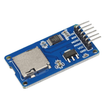
- Log every confirmed dose to microSD for medication adherence reports
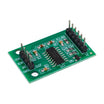
- Multi-medication compartment using an HX711 weight sensor to help confirm a pill dispensed
- OLED menu for setting and adjusting schedules without re-flashing
Expected result: You have a clear roadmap for upgrades while keeping the current build stable.
Conclusion
This project uses an Arduino Nano with a DS3231 RTC, a servo-driven carousel, and a buzzer alert to create a scheduled pill dispenser with on-device status display. Once it is dialed in, it can reduce missed doses and simplify daily routines for caregivers and users.
Want the exact parts used in this build? Grab them from ShillehTek.com. If you want help customizing this project or building something for your product, check out our IoT consulting services.





.png?v=25000753014097803521791168436)

.png?v=68677308723310773341791168436)


