

Project Overview
Arduino Nano + MAX30102 + SSD1306 OLED pulse oximeter: Build a fingertip pulse oximeter that reads heart rate (BPM) and blood-oxygen saturation (SpO2) using a MAX30102 sensor module and shows the live output on a 0.96 inch SSD1306 OLED display.
Press your fingertip on the sensor and watch your vitals update in real time on the screen.
- Time: ~45 minutes
- Skill level: Beginner / Intermediate
- What you will build: A standalone fingertip pulse oximeter displaying live BPM + SpO2 on a 0.96 inch OLED.

Parts List
From ShillehTek
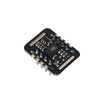
- MAX30102 Pre-Soldered Pulse Oximeter - optical heart-rate and SpO2 sensor module (I2C).
- 0.96" I2C SSD1306 OLED - on-device readout of BPM and status text.
- Arduino Nano V3.0 Pre-Soldered - runs the sensor reading and OLED display sketch.
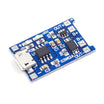
- TP4056 LiPo Charger - optional charging board if you want a portable battery-powered build.
- 120 PCS Dupont Jumper Wires - quick wiring between the Nano, sensor, and display.
External
- 18650 LiPo for portability (optional)
- Small 3D-printed or laser-cut housing
Important: This is a hobby/educational sensor. It is NOT a medical device and cannot replace a clinical pulse oximeter. Do not use it for diagnostic decisions.
Step-by-Step Guide
Step 1 - Inspect the Modules
Goal: Confirm you have the correct MAX30102 and SSD1306 OLED modules before wiring.
What to do: Check that both boards expose I2C pins (SDA and SCL) and have power pins (VCC/VIN and GND). Make sure the solder joints and header pins are solid.

Expected result: You can clearly identify the SDA/SCL pins on both modules and the boards look ready to connect.
Step 2 - Wire It Up
Goal: Connect the MAX30102 and OLED to the Arduino Nano over the shared I2C bus.
What to do: Wire both modules to the Nano as shown below. On the Arduino Nano, I2C uses A4 (SDA) and A5 (SCL).

- MAX30102 VIN to 5V, GND to GND, SDA to A4, SCL to A5
- OLED VCC to 5V, GND to GND, SDA to A4, SCL to A5
Expected result: Both modules are powered and connected to the same SDA/SCL lines without loose connections.
Step 3 - Install Libraries + Sketch
Goal: Set up the Arduino IDE with the required libraries and upload a working sketch.
What to do: Install these Arduino libraries:
- SparkFun MAX3010x
- Adafruit SSD1306
- Adafruit GFX
Then paste and upload the following sketch to your Arduino Nano.
Code:
#include <Wire.h>
#include <MAX30105.h>
#include <heartRate.h>
#include <Adafruit_GFX.h>
#include <Adafruit_SSD1306.h>

MAX30105 sensor;
Adafruit_SSD1306 oled(128, 64, &Wire, -1);

const byte AVG = 4;
byte rates[AVG]; byte rateSpot = 0;
long lastBeat = 0; float bpm; int beatAvg;

void setup() {
  Serial.begin(115200);
  oled.begin(SSD1306_SWITCHCAPVCC, 0x3C);
  if (!sensor.begin(Wire, I2C_SPEED_FAST)) {
    oled.setTextSize(1); oled.setCursor(0, 0); oled.print("MAX30102 not found");
    oled.display(); while (1);
  }
  sensor.setup();
  sensor.setPulseAmplitudeRed(0x0A);
  sensor.setPulseAmplitudeGreen(0);
}

void loop() {
  long ir = sensor.getIR();
  if (checkForBeat(ir)) {
    long delta = millis() - lastBeat;
    lastBeat = millis();
    bpm = 60.0 / (delta / 1000.0);
    if (bpm < 255 && bpm > 20) {
      rates[rateSpot++] = (byte)bpm; rateSpot %= AVG;
      beatAvg = 0;
      for (byte i = 0; i < AVG; i++) beatAvg += rates[i];
      beatAvg /= AVG;
    }
  }
  oled.clearDisplay();
  oled.setTextColor(SSD1306_WHITE);
  oled.setTextSize(2); oled.setCursor(0, 4);
  oled.print("HR: "); oled.print(beatAvg);
  oled.setTextSize(1); oled.setCursor(0, 40);
  oled.print(ir < 50000 ? "No finger" : "Hold finger still");
  oled.display();
}
Expected result: The sketch compiles, uploads successfully, and the OLED turns on. If the sensor is not detected, the OLED displays “MAX30102 not found”.
Step 4 - Test
Goal: Verify the sensor detects a fingertip and the OLED shows a stable heart-rate reading.
What to do: Place your fingertip flat against the MAX30102 sensor and hold still for a few seconds. Watch the OLED for the BPM value and status message.


Expected result: The OLED shows a heart-rate value after a short settling time, and the message changes depending on whether a finger is detected.
Step 5 - Where to Take It Next
Goal: Extend the project after the basic build is working.
What to do: Consider these upgrades:
- Implement true SpO2 calculation from the red/IR ratio (algorithms exist in the library)
- Log readings to a microSD with timestamps via the DS3231 RTC
- Add Wi-Fi (ESP32) for a phone-accessible dashboard
- Combine with AD8232 ECG for a dual heart-monitoring device
Expected result: You have a clear next step depending on whether you want better vitals processing, local logging, or wireless viewing.
Conclusion
You built an Arduino Nano pulse oximeter using the MAX30102 sensor module and an SSD1306 OLED display for a compact, real-time fingertip readout.
Want the exact parts used in this build? Grab them from ShillehTek.com. If you want help customizing this project or building something for your product, check out our IoT consulting services.





.png?v=25000753014097803521790645985)

.png?v=68677308723310773341790645985)


