Overview
The BME280 is a precision environmental sensor from Bosch Sensortec that measures temperature, humidity, and barometric pressure in a single tiny package. It communicates via I2C (or SPI), sips very little power, and delivers laboratory-grade readings — making it the go-to sensor for weather stations, indoor air quality monitors, drone altimeters, IoT gateways, and HVAC projects.
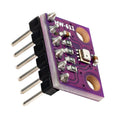
ShillehTek's pre-soldered BME280 module comes ready to use with headers already attached, is a 3.3 V board — there is no onboard regulator or level shifter, so power it from 3.3 V and keep SDA/SCL at 3.3 V logic — and exposes the four I2C pins plus CSB and SDO for I2C address selection. The default I2C address is 0x76 (SDO pulled to GND), and pulling SDO to VCC switches it to 0x77 — which lets you run two BME280s on the same bus.
This manual walks you through specifications, the pinout, wiring for Arduino, ESP32, Raspberry Pi, and the Pico, a working "hello world" code example for each platform, and common troubleshooting questions.
At a Glance
Specifications
| Parameter | Value |
| Operating Voltage | 3.3V (no onboard regulator; BME280 chip max 3.6V) |
| Sensor IC | Bosch BME280 |
| Communication | I2C (default) or SPI |
| I2C Addresses | 0x76 (SDO = GND) / 0x77 (SDO = VCC) |
| Temperature Range | -40°C to +85°C (±1.0°C accuracy) |
| Humidity Range | 0 - 100% RH (±3% accuracy) |
| Pressure Range | 300 - 1100 hPa (±1 hPa accuracy) |
| Altitude Resolution | ~0.25 m (from pressure) |
| Current Draw | ~3.6 μA @ 1 Hz sampling |
| Pin Count | 6 (VCC, GND, SCL, SDA, CSB, SDO) |
| Board Format | Pre-soldered with male headers (GY-BME/P 280, purple 6-pin) |
| Onboard Resistors | Four 10 kΩ (I2C pull-ups and CSB/SDO defaults) — no external pull-ups needed |
BME280 Pinout
BME280 pinout: VCC, GND, SCL, SDA, CSB and SDO — four wires (VCC, GND, SCL, SDA) are enough for I2C at address 0x76; tie SDO to VCC for 0x77. The labels are printed on the back of the board in this order, left to right.
| Pin | Function |
| VCC | 3.3V power in (no onboard regulator — do not connect to 5V) |
| GND | Ground |
| SCL | I2C clock (SPI mode: SCK) |
| SDA | I2C data (SPI mode: SDI / MOSI) |
| CSB | Interface select — leave unconnected (pulled high) for I2C; pull low to use SPI |
| SDO | I2C address select: GND = 0x76 (default), VCC = 0x77 (SPI mode: SDO / MISO) |

Wiring Guide
Arduino Wiring
This board is 3.3V only: power it from the Arduino's 3.3V pin, never 5V. On a 5V Uno/Nano the SDA/SCL lines idle at 5V through the Arduino's internal pull-ups, so put a bi-directional logic level converter between the board and the sensor (or use a 3.3V controller such as an ESP32, Pico or Nano 33). Only four wires are needed for basic I2C operation.
| Module Pin | Arduino Pin |
|---|---|
| VCC | 3.3V (not 5V) |
| GND | GND |
| SCL | A5 (SCL) — via logic level converter on 5V boards |
| SDA | A4 (SDA) — via logic level converter on 5V boards |
| CSB | Not connected (pulls high for I2C) |
| SDO | Not connected or GND (address 0x76) |
ESP32 Wiring
Connect the BME280 to the ESP32's default I2C bus. The ESP32 is a 3.3V device, which matches the module exactly — power it from the 3.3V pin.
| Module Pin | ESP32 Pin |
|---|---|
| VCC | 3.3V |
| GND | GND |
| SCL | GPIO 22 |
| SDA | GPIO 21 |
| CSB | Not connected |
| SDO | Not connected or GND |
Wire.begin(sda, scl).
Raspberry Pi Wiring
Use the Raspberry Pi's hardware I2C on GPIO 2 and GPIO 3. Enable I2C via sudo raspi-config before running your code.
| Module Pin | Raspberry Pi Pin |
|---|---|
| VCC | 3.3V (Pin 1) |
| GND | GND (Pin 6) |
| SCL | GPIO 3 (Pin 5, SCL) |
| SDA | GPIO 2 (Pin 3, SDA) |
| CSB | Not connected |
| SDO | Not connected or GND |
i2cdetect -y 1. You should see 76 (or 77 if SDO is tied high).
Raspberry Pi Pico Wiring
Connect the BME280 to the Pico's I2C0 bus on GP0 and GP1. MicroPython or C SDK both support I2C natively.
| Module Pin | Pico Pin |
|---|---|
| VCC | 3.3V (Pin 36) |
| GND | GND (Pin 38) |
| SCL | GP1 (Pin 2, I2C0 SCL) |
| SDA | GP0 (Pin 1, I2C0 SDA) |
| CSB | Not connected |
| SDO | Not connected or GND |
Code Examples
Arduino
// BME280 - Read temperature, humidity, and pressure
// Requires: Adafruit BME280 Library + Adafruit Unified Sensor

#include <Wire.h>
#include <Adafruit_Sensor.h>
#include <Adafruit_BME280.h>

Adafruit_BME280 bme; // I2C

void setup() {
  Serial.begin(9600);
  while (!Serial);

  // 0x76 is default; try 0x77 if SDO is tied to VCC
  if (!bme.begin(0x76)) {
    Serial.println("Could not find BME280 sensor. Check wiring!");
    while (1);
  }
  Serial.println("BME280 ready.");
}

void loop() {
  Serial.print("Temp: ");
  Serial.print(bme.readTemperature());
  Serial.println(" *C");

  Serial.print("Humidity: ");
  Serial.print(bme.readHumidity());
  Serial.println(" %");

  Serial.print("Pressure: ");
  Serial.print(bme.readPressure() / 100.0F);
  Serial.println(" hPa");

  Serial.println();
  delay(1000);
}
ESP32
// BME280 on ESP32 via I2C (GPIO21 SDA, GPIO22 SCL)
// Requires: Adafruit BME280 Library

#include <Wire.h>
#include <Adafruit_Sensor.h>
#include <Adafruit_BME280.h>

Adafruit_BME280 bme;

void setup() {
  Serial.begin(115200);
  Wire.begin(21, 22); // SDA, SCL

  if (!bme.begin(0x76)) {
    Serial.println("BME280 not found. Check wiring/address.");
    while (1);
  }
  Serial.println("BME280 ready.");
}

void loop() {
  Serial.printf("Temp: %.2f C | Humidity: %.2f %% | Pressure: %.2f hPa\n",
                bme.readTemperature(),
                bme.readHumidity(),
                bme.readPressure() / 100.0F);
  delay(1000);
}
Raspberry Pi
# BME280 on Raspberry Pi via I2C
# Install: pip install RPi.bme280 smbus2
# Enable I2C first: sudo raspi-config -> Interface Options -> I2C

import smbus2
import bme280
import time

port = 1           # I2C bus 1 on modern Pi
address = 0x76     # 0x77 if SDO is tied high
bus = smbus2.SMBus(port)

calibration_params = bme280.load_calibration_params(bus, address)

while True:
    data = bme280.sample(bus, address, calibration_params)
    print(f"Temp: {data.temperature:.2f} C")
    print(f"Humidity: {data.humidity:.2f} %")
    print(f"Pressure: {data.pressure:.2f} hPa")
    print("-" * 30)
    time.sleep(1)
Raspberry Pi Pico (MicroPython)
# BME280 on Raspberry Pi Pico via I2C0 (GP0 SDA, GP1 SCL)
# Upload a bme280.py driver module to the Pico filesystem first.

from machine import Pin, I2C
import bme280
import time

i2c = I2C(0, sda=Pin(0), scl=Pin(1), freq=100000)
print("I2C scan:", [hex(d) for d in i2c.scan()])

sensor = bme280.BME280(i2c=i2c, address=0x76)

while True:
    t, p, h = sensor.read_compensated_data()
    print("Temp:    {:.2f} C".format(t / 100))
    print("Pressure: {:.2f} hPa".format(p / 25600))
    print("Humidity: {:.2f} %".format(h / 1024))
    print("-" * 30)
    time.sleep(1)
Frequently Asked Questions
readAltitude() function that converts pressure to altitude using a reference sea-level pressure. Accuracy depends on calibrating with the current local pressure (typically found on a weather website).sudo raspi-config to enable I2C, then use i2cdetect -y 1. If you still see nothing, try pulling SDO to GND explicitly to force address 0x76.