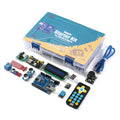
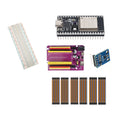
Overview
Learn STM32 programming and serial debugging with separate tools: use ST-LINK V2 for SWD programming/debugging and the CP2102 adapter for TTL UART communication.
What's included
- 1 × pre-soldered STM32F103C8T6 Blue Pill board
- 1 × ST-LINK V2 programmer/debugger
- 1 × 6-pin CP2102 USB-to-TTL UART adapter
- 1 × 400-point solderless breadboard
- 1 × 120-piece, 10cm jumper wire set: male–male, male–female and female–female
What you need to supply
A computer, development software and your own firmware are required. Use 3.3V signal levels, a common ground and one board power source; do not connect the adapters’ power outputs together. Any additional USB cables, host adapters or external power source are not included.
At a Glance
Specifications and Component References
The table identifies the exact bundled sale units. Open each component manual for its pinout, applicable electrical limits and individual examples. The linked component may have other variants; use the bundled variant shown here.
Pinout and Connection Planning
Use the labelled pins and diagrams in the component references above. The connections below describe signal functions, not a physical header drawing. Select and record GPIO that match your chosen firmware and the exact controller board.
| Part or interface | Connection plan |
|---|---|
| ST-LINK to Blue Pill | Use the documented SWDIO, SWCLK and ground connections. Check the actual programmer's labels and pinout before connecting any power or reference pin. |
| CP2102 to Blue Pill | Connect adapter TX to the selected target UART RX, adapter RX to target TX, and common ground. Match the UART peripheral and pin configuration in your firmware. |
| Power | Use one board power source. Do not connect the adapters' power outputs together; leave unused power outputs disconnected. |
| Interface distinction | The CP2102 is a TTL UART interface, not an RS-232 electrical interface. Use 3.3V signal levels for the intended STM32 connections. |
Wiring Guide and First Checks
- Identify the Blue Pill, ST-LINK V2, six-pin CP2102, 400-point breadboard and 120-piece 10cm wire set. Supply a computer, development software, your own firmware and any required USB cables or host adapters.
- With both USB tools disconnected, compare their actual pin labels with the component manuals. Decide which single source will power the Blue Pill before wiring either tool.
- Connect the documented SWD signals and common ground between ST-LINK and the Blue Pill. Configure your STM32 toolchain for the exact STM32F103C8T6 target and confirm the programmer detects it.
- Upload a simple board example through the chosen programming path and verify it runs. Follow the Blue Pill manual for any boot-mode settings; do not change boot jumpers by guessing.
- Add the CP2102 UART signal connections and common ground. Leave its power output disconnected if another source already powers the board. Match terminal baud rate and firmware UART settings.
- Verify serial output independently of the debugger. You can then develop a workflow with SWD for programming/debugging and UART for logs while preserving the single-source power plan.
Check the result
Confirm target detection, successful program upload and UART output as separate checks. A USB adapter appearing on the computer does not prove the board is powered correctly, the target is detected or the firmware uses the UART pins you connected.
Troubleshooting
| Symptom | Check |
| ST-LINK appears but target is not found | Disconnect power and recheck SWDIO, SWCLK, common ground, target power, pin labels and target/tool settings. Do not add a second power source as a trial fix. |
| Serial output is absent or unreadable | Check crossed TX/RX directions, common ground, the firmware UART peripheral/pins and matching terminal baud rate. |
| Both tools have power pins | Select one board supply. Do not tie power outputs together; an adapter power pin is not permission to connect it alongside an existing supply. |
Code Examples and Firmware
Follow the Blue Pill and ST-LINK component manuals for board setup and the first upload. Choose UART GPIO and baud settings deliberately in your own program, then match the terminal to them. The kit provides development tools and parts, not an installed application or a preconfigured debugging project.
The component references describe individual devices. Examples for another controller or a larger project need adaptation; they do not establish that this complete kit has been assembled and tested.
Frequently Asked Questions
Related Tutorials
Use the exact component manuals linked above for individual wiring and software references. When adapting a project tutorial, compare its complete parts list, controller version, power requirements and software settings with this kit before following its instructions.