Overview
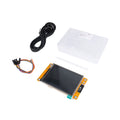
This 2.8" SPI TFT LCD is a 240 x 320 pixel color display built around the ILI9341 controller — one of the most widely supported display chips in the maker world. It packs a sharp full-color screen, a resistive touch overlay (driven by an XPT2046 controller), and a microSD card slot all on one ~50 x 80 mm board, communicating over standard SPI so it works with almost any microcontroller.
You get three SPI peripherals on one PCB: the ILI9341 LCD itself, the XPT2046 touchscreen controller, and the microSD card slot. They share the SPI bus (MOSI / MISO / SCK) and have separate chip-select lines (LCD CS, T_CS, SD_CS), letting you talk to them independently from one bus.
Driver libraries are mature and fast — Adafruit_ILI9341, TFT_eSPI, LovyanGFX, and lvgl all support it on Arduino, ESP32, ESP8266, STM32, RP2040, and others. It's the go-to display for ESP32 dashboards, retro game emulators, weather stations, and handheld instrument projects.
At a Glance
Specifications
| Parameter | Value |
| Display Size | 2.8 inch diagonal |
| Resolution | 240 x 320 pixels |
| Color Depth | 16-bit (65k colors), supports 18-bit |
| LCD Driver IC | ILI9341 |
| Touch Driver IC | XPT2046 (resistive) |
| Interface | 4-wire SPI for LCD, separate SPI for touch and SD |
| Logic Voltage | 3.3V (level shifter on-board for 5V control) |
| Supply Voltage (VCC) | 3.3V - 5V |
| Backlight | White LED, ~30-100 mA |
| microSD Slot | SPI, FAT16/FAT32 |
| Operating Temperature | -10 degC to +60 degC |
| Module Dimensions | ~50 x 86 mm |
| Active Area | ~43 x 57 mm |
Pinout Diagram

Wiring Guide
Arduino UNO Wiring
The UNO can drive the LCD over hardware SPI on D11 (MOSI) / D12 (MISO) / D13 (SCK). It's slow on UNO due to 16 MHz SPI, but works for static UIs. Use the LED pin via a 100-ohm series resistor or a transistor — it can pull 30-100 mA.
| TFT Pin | Arduino UNO Pin |
|---|---|
| VCC | 5V |
| GND | GND |
| CS | D10 |
| RESET | D8 |
| D/C | D9 |
| SDI (MOSI) | D11 |
| SCK | D13 |
| LED | 3.3V (via 100 ohm) |
| SDO (MISO) | D12 (only if reading) |
ESP32 Wiring (TFT_eSPI)
The ESP32 is the natural pairing for this display — fast SPI, plenty of RAM for frame buffers, and TFT_eSPI handles it at 40+ MHz. Use the VSPI pins (default).
| TFT Pin | ESP32 Pin |
|---|---|
| VCC | 3.3V (or 5V if level-shifter on board) |
| GND | GND |
| CS | GPIO 15 |
| RESET | GPIO 4 |
| D/C | GPIO 2 |
| SDI (MOSI) | GPIO 23 |
| SCK | GPIO 18 |
| LED | 3.3V |
| SDO (MISO) | GPIO 19 |
| T_CS | GPIO 21 |
| T_IRQ | GPIO 22 (optional, for touch interrupt) |
User_Setup.h (or pick a ready-made setup like Setup42_ILI9341_ESP32.h). The library is much faster than Adafruit_ILI9341 on ESP32.
Raspberry Pi Wiring
On a Raspberry Pi, SPI must be enabled via raspi-config. The Pi's CE0/CE1 hardware chip-selects can be used, or any free GPIO. The fbtft framebuffer driver can show the Linux desktop on the LCD.
| TFT Pin | Raspberry Pi Pin (BCM) |
|---|---|
| VCC | Pin 1 (3.3V) or Pin 2 (5V) |
| GND | Pin 6 (GND) |
| CS | Pin 24 (GPIO 8 / CE0) |
| RESET | Pin 22 (GPIO 25) |
| D/C | Pin 18 (GPIO 24) |
| SDI (MOSI) | Pin 19 (GPIO 10) |
| SCK | Pin 23 (GPIO 11) |
| LED | Pin 12 (GPIO 18, optional PWM dimming) |
| SDO (MISO) | Pin 21 (GPIO 9) |
/dev/fb1 and use it as a normal Linux framebuffer — handy for Kivy, pygame, or even mirroring the desktop with fbcp.
Raspberry Pi Pico Wiring
The Pico has two SPI peripherals (SPI0 and SPI1). Either works, both are fast.
| TFT Pin | Pico Pin |
|---|---|
| VCC | 3V3 (OUT) |
| GND | GND |
| CS | GP17 (SPI0 CSn) |
| RESET | GP20 |
| D/C | GP21 |
| SDI (MOSI) | GP19 (SPI0 TX) |
| SCK | GP18 (SPI0 SCK) |
| LED | 3V3 (OUT) |
Code Examples
Arduino - Hello World with Adafruit_ILI9341
// Install: Adafruit ILI9341 + Adafruit GFX Library

#include <SPI.h>
#include <Adafruit_GFX.h>
#include <Adafruit_ILI9341.h>

#define TFT_CS   10
#define TFT_DC    9
#define TFT_RST   8

Adafruit_ILI9341 tft = Adafruit_ILI9341(TFT_CS, TFT_DC, TFT_RST);

void setup() {
  tft.begin();
  tft.setRotation(1);
  tft.fillScreen(ILI9341_BLACK);

  tft.setCursor(20, 20);
  tft.setTextColor(ILI9341_WHITE);
  tft.setTextSize(3);
  tft.println("Hello,");
  tft.setTextColor(ILI9341_CYAN);
  tft.println("ILI9341!");
}

void loop() {}
ESP32 - TFT_eSPI Smooth Graphics
// Install "TFT_eSPI" library and configure User_Setup.h
// for ILI9341 + your ESP32 SPI pins.

#include <TFT_eSPI.h>

TFT_eSPI tft = TFT_eSPI();

void setup() {
  tft.init();
  tft.setRotation(1);
  tft.fillScreen(TFT_BLACK);

  tft.setTextFont(4);
  tft.setTextColor(TFT_GREEN, TFT_BLACK);
  tft.drawString("ESP32 + ILI9341", 20, 30);

  // Some shapes
  tft.drawRect(20, 80, 280, 60, TFT_WHITE);
  tft.fillCircle(160, 200, 40, TFT_RED);
}

void loop() {}
ESP32 - Read Touch Coordinates (XPT2046)
// Install "XPT2046_Touchscreen" by Paul Stoffregen

#include <SPI.h>
#include <XPT2046_Touchscreen.h>

#define T_CS  21
#define T_IRQ 22

XPT2046_Touchscreen ts(T_CS, T_IRQ);

void setup() {
  Serial.begin(115200);
  ts.begin();
  ts.setRotation(1);
}

void loop() {
  if (ts.touched()) {
    TS_Point p = ts.getPoint();
    Serial.print("x="); Serial.print(p.x);
    Serial.print("  y="); Serial.print(p.y);
    Serial.print("  z="); Serial.println(p.z);
  }
  delay(50);
}
Raspberry Pi Pico - MicroPython (gc9a01-style example, ILI9341 driver)
# Install "rdagger/micropython-ili9341" driver to /lib

from ili9341 import Display, color565
from machine import Pin, SPI

spi = SPI(0, baudrate=40000000, sck=Pin(18), mosi=Pin(19))
display = Display(spi, dc=Pin(21), cs=Pin(17), rst=Pin(20))

display.clear(color565(0, 0, 0))
display.draw_text8x8(20, 20, "Hello Pico!", color565(255, 255, 255))
display.draw_rectangle(20, 60, 200, 40, color565(0, 255, 255))
Frequently Asked Questions
SD.begin(SD_CS) alongside tft.begin(). If you get garbled output, you've left two CS lines low at the same time.tft.setRotation(0..3) in any GFX-based library. Rotation 0 is portrait (240 wide x 320 tall); rotations 1 and 3 are landscape (320 wide x 240 tall). You may need to remap touch coordinates accordingly — most libraries handle this for you if you also call ts.setRotation().