Overview
Organize and prototype your own low-voltage circuits, then transfer a checked design from the solderless breadboard to a permanent prototype board.
What's included
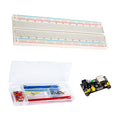
- 1 × 830-point solderless breadboard
- 1 × 120-piece, 20cm Dupont jumper wire set
- 1 × 820-piece resistor assortment: 41 values, 20 each, 1/4W, 1%
- 1 × 200-piece electrolytic capacitor assortment with storage box
- 1 × three-pack of 5 × 7cm copper prototype boards
What you need to supply
This is a component assortment for your own circuit designs. Power sources, test equipment, soldering iron, solder and permanent hookup wire are not included. Permanent assembly requires soldering; observe capacitor polarity and the voltage rating of each component.
At a Glance
Specifications and Component References
The table identifies the exact bundled sale units. Open each component manual for its pinout, applicable electrical limits and individual examples. The linked component may have other variants; use the bundled variant shown here.
Pinout and Connection Planning
Use the labelled pins and diagrams in the component references above. The connections below describe signal functions, not a physical header drawing. Select and record GPIO that match your chosen firmware and the exact controller board.
| Part or interface | Connection plan |
|---|---|
| Breadboard | Use the contact groups for temporary connections. Check which holes and power rails are joined before applying power. |
| Resistors | Choose the resistance and power rating required by your schematic; the supplied assortment is 1/4W, 1%. |
| Electrolytic capacitors | Match capacitance, polarity and the voltage rating printed on each capacitor. Ratings vary across the assortment. |
| Prototype boards | These have individual copper pads. A component placement matching the breadboard does not automatically reproduce its electrical connections. |
Wiring Guide and First Checks
- Draw a schematic and choose a low-voltage power source appropriate for the complete circuit. This kit contains passive parts and interconnects; it does not supply power or a controller.
- Sort resistors and capacitors by the value printed on the storage labels and components. Confirm uncertain resistor values with a meter before use. Do not assume every capacitor in the box has the same voltage rating.
- Use a continuity meter, with all power disconnected, to identify connected breadboard groups and any splits in power rails. Mark your supply and ground so they are not confused.
- Build a small portion of your schematic at a time. Check capacitor polarity, resistance values and supply-to-ground continuity before each powered test. Use suitable current limiting for your circuit.
- Record the working connections before moving them. Plan the 5 × 7cm prototype-board layout, including the wires or solder connections needed between separate copper pads.
- Solder only with power disconnected. Inspect joints and unwanted solder bridges, check continuity against the schematic, and repeat the electrical checks before the first permanent-board power-up.
Check the result
A successful first session produces a documented, electrically checked circuit of your own design. A breadboard circuit working once is not proof that the soldered transfer is wired correctly.
Troubleshooting
| Symptom | Check |
| A breadboard connection behaves unexpectedly | Disconnect power and check the actual contact groups and rail continuity with a meter. A printed rail line alone does not establish continuity. |
| A part warms up or a capacitor is reversed | Disconnect power. Check the schematic, polarity, operating voltage and individual ratings before replacing or reconnecting the part. |
| The circuit stopped working after soldering | Compare every connection with your recorded schematic. Individual pads need explicit connections; inspect for missing links, solder bridges and damaged parts. |
Code Examples and Firmware
No controller or programmed function is included, so this accessory kit has no kit firmware. If your design uses a separately purchased controller, follow that controller's documentation and the requirements of your own schematic.
The component references describe individual devices. Examples for another controller or a larger project need adaptation; they do not establish that this complete kit has been assembled and tested.
Frequently Asked Questions
Related Tutorials
Use the exact component manuals linked above for individual wiring and software references. When adapting a project tutorial, compare its complete parts list, controller version, power requirements and software settings with this kit before following its instructions.