Overview
Build an ESP32 light-sensing prototype in stages: establish communication with the board, connect the BH1750, and then develop the logging or automation behavior you want.
What's included
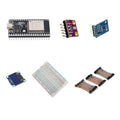
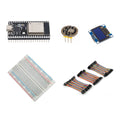
- 1 × pre-soldered 38-pin ESP32 board, 4MB flash, CP2102 and USB-C
- 1 × 38-pin ESP32 GPIO expansion breakout board
- 1 × pre-soldered BH1750 digital light sensor
- 1 × 830-point solderless breadboard
- 1 × 120-piece, 20cm Dupont jumper wire set
What you need to supply
Wiring, programming and a computer are required. Use 3.3V sensor connections with the ESP32. A USB-C data cable, power source, enclosure and project firmware are not included. The parts arrive as separate components for you to assemble and configure.
At a Glance
Specifications and Component References
The table identifies the exact bundled sale units. Open each component manual for its pinout, applicable electrical limits and individual examples. The linked component may have other variants; use the bundled variant shown here.
Pinout and Connection Planning
Use the labelled pins and diagrams in the component references above. The connections below describe signal functions, not a physical header drawing. Select and record GPIO that match your chosen firmware and the exact controller board.
| Part or interface | Connection plan |
|---|---|
| ESP32 board and expansion board | Match the 38-pin board's orientation and every power/header label to the expansion board. Confirm the physical fit before seating it; do not force mismatched headers. |
| BH1750 power | Use the sensor's labelled supply and ground pins with the ESP32's 3.3V supply and common ground. |
| BH1750 data | Connect SDA and SCL to the ESP32 I2C pins selected in your firmware. Verify those GPIO labels using the ESP32 and sensor component manuals. |
| Breadboard and jumpers | Use the breadboard for sensor and rail connections. Check contact continuity and keep jumper connections short and organized. |
Wiring Guide and First Checks
- Identify the 38-pin ESP32, matching expansion board, BH1750, 830-point breadboard and 120-piece 20cm wire set. Supply your own computer, USB-C data cable and suitable power source.
- Connect only the ESP32 to the computer first. Select the board and port in your development tool, and confirm that a simple serial-output or board example uploads before attaching the sensor.
- Disconnect power. Check the expansion-board orientation and labels against the ESP32's headers. If a power selector is present, establish its function from the expansion-board documentation before connecting the sensor.
- Connect BH1750 power and ground for 3.3V operation, then connect its I2C SDA and SCL to the same GPIO selected by the sensor example. Do not use the ESP32's 5V/VIN label as a sensor-signal level.
- Run an I2C detection example and then the BH1750 component example. If detection fails, resolve power, ground, SDA/SCL and address configuration before adding more code.
- Check that reported light readings respond to covering and uncovering the sensor. Only after that succeeds, add your own thresholds, logging or Wi-Fi behavior.
Check the result
Record successful board upload, sensor detection and a visible response to changing light. These checks establish basic communication; they do not establish a calibrated environmental-monitoring system or a tested automation design.
Troubleshooting
| Symptom | Check |
| No serial port or upload | Try a known data-capable USB-C cable and the correct computer port. Follow the ESP32 manual's CP2102 and boot-mode steps. |
| BH1750 is not detected | With power removed, verify common ground, 3.3V connections, SDA/SCL assignment and the address settings used by your example. |
| Board does not seat on the expansion board | Stop and compare pin count, header spacing, orientation and labels. A 38-pin description alone does not justify forcing a physical fit. |
Code Examples and Firmware
Start with the ESP32 setup and BH1750 examples in the component manuals below. Set the I2C GPIO and device-address options to match your wiring. Those are component examples; the kit is not supplied with preinstalled logging, automation or Wi-Fi project firmware.
The component references describe individual devices. Examples for another controller or a larger project need adaptation; they do not establish that this complete kit has been assembled and tested.
Frequently Asked Questions
Related Tutorials
Use the exact component manuals linked above for individual wiring and software references. When adapting a project tutorial, compare its complete parts list, controller version, power requirements and software settings with this kit before following its instructions.