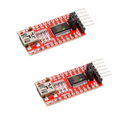
Overview
The ShillehTek ST-LINK V2 is a compact USB programmer and debugger for the entire STM32 and STM8 microcontroller families. Plug it into your PC's USB port, connect the four-wire SWD or SWIM header to your target board, and you can flash firmware, debug step-by-step, set breakpoints, and read RAM and registers in real time from STM32CubeIDE, Keil, IAR, PlatformIO, or the Arduino IDE.
Inside the aluminum case is an STM32F103-based ST-LINK V2 clone with ESD protection on every pin, a status LED that blinks during flash activity, and regulated 3.3V and 5V output rails to power small target boards directly from USB. It works with the STM32 Blue Pill (F103), Black Pill (F401/F411), Nucleo boards, Discovery boards, and any STM8S/STM8L chip — anywhere from the tiniest STM8S003 to the STM32H7 series.
At a Glance
Specifications
| Parameter | Value |
| Supported Target MCUs | Full STM32 family (F0/F1/F3/F4/F7/G0/G4/H7/L0/L1/L4/L5) and all STM8S / STM8L / STM8AF |
| Target Programming Protocols | SWD (Serial Wire Debug) for STM32, SWIM for STM8 |
| Host Interface | USB 2.0 Full Speed, Type-A |
| Onboard Controller | STM32F103C8 with ST-LINK V2 firmware |
| Output Voltage Rails | 3.3V and 5V (powered from USB) |
| Max Output Current | ~200 mA on 5V rail, ~100 mA on 3.3V rail |
| Target VCC Range | 1.65V - 5.5V (auto-sensed) |
| Max SWD/SWIM Clock | 4 MHz (SWD), 8 MHz (SWIM) |
| Status LED | Red during idle, green/blue blink during flash/debug |
| ESD Protection | On all signal pins |
| Supported IDEs | STM32CubeIDE, STM32CubeProgrammer, Keil MDK, IAR EWARM, PlatformIO, Arduino IDE, OpenOCD |
| Enclosure | Anodized aluminum with removable USB/header caps |
| Dimensions | 54 × 18 × 11 mm |
Pinout Diagram

The 10-pin 2.54mm header on the end of the ST-LINK V2 carries every signal you need to flash either an STM32 (over SWD) or an STM8 (over SWIM), plus regulated power rails to feed your target board. Pin labels are printed directly on the aluminum case, and pins are arranged as follows:
| Pin | Name | Function |
| 1 | RST | Target reset (NRST on STM32, NRST on STM8) |
| 2 | SWCLK | SWD clock (STM32 only) |
| 3 | SWIM | Single-wire programming (STM8 only) |
| 4 | SWDIO | SWD data I/O (STM32 only) |
| 5, 6 | GND | Ground (shared with target) |
| 7, 8 | 3.3V | 3.3V output (optional target power) |
| 9, 10 | 5.0V | 5V output (optional target power) |
Wiring Guide
STM32 Wiring (SWD)
Every STM32 chip exposes the four SWD signals somewhere on its pin map. On dev boards you'll usually find them broken out on a labeled header (Nucleo boards use a CN4 SWD header, Discovery boards have a 4-pin SWD row). For bare chips, locate pins PA13 (SWDIO), PA14 (SWCLK), and NRST in the datasheet.
| ST-LINK Pin | STM32 Target Pin | Notes |
|---|---|---|
| SWDIO (pin 4) | PA13 / SWDIO | Bidirectional data line |
| SWCLK (pin 2) | PA14 / SWCLK | Clock from programmer |
| GND (pin 5 or 6) | GND | Must share ground with target |
| 3.3V (pin 7 or 8) | 3.3V / VDD | Only if the target is not already powered |
| RST (pin 1) | NRST | Optional, but helps with locked chips |
STM32 Blue Pill Wiring
The Blue Pill (STM32F103C8T6) has a dedicated 4-pin SWD header on the opposite end from the USB connector, clearly labeled 3V3, IO (SWDIO), CLK (SWCLK), and GND. This is the fastest way to flash firmware without any bootloader or USB-to-serial converter.
| ST-LINK Pin | Blue Pill Header Pin |
|---|---|
| 3.3V (pin 7 or 8) | 3V3 |
| SWDIO (pin 4) | IO |
| SWCLK (pin 2) | CLK |
| GND (pin 5 or 6) | GND |
STM32 Black Pill Wiring
The Black Pill (STM32F401 or F411) breaks out SWD on the four pins A13, A14, 3V3, and GND at the bottom of the board. The pins are spaced differently from the Blue Pill, so a 4-wire female-to-female jumper set is the easiest connection method.
| ST-LINK Pin | Black Pill Pin |
|---|---|
| 3.3V (pin 7 or 8) | 3V3 |
| SWDIO (pin 4) | A13 |
| SWCLK (pin 2) | A14 |
| GND (pin 5 or 6) | GND |
STM8 Wiring (SWIM)
STM8 uses a single-wire protocol called SWIM (Single-Wire Interface Module). The connection is only three signals — SWIM, RST, and GND — plus an optional power rail. STM8S Discovery, Nucleo-8 boards, and breakout modules like the STM8S103F3P6 usually expose these on a labeled 4-pin header.
| ST-LINK Pin | STM8 Target Pin | Notes |
|---|---|---|
| SWIM (pin 3) | SWIM / PD1 | Single-wire data line |
| RST (pin 1) | NRST | Required for SWIM entry sequence |
| GND (pin 5 or 6) | GND | Must share ground |
| 3.3V (pin 7 or 8) or 5.0V (pin 9 or 10) | VDD | Match the target's operating voltage |
Code Examples
STM32CubeProgrammer (CLI Flash)
# Flash a .hex or .bin file to an STM32 using ST-LINK V2
# Install: https://www.st.com/en/development-tools/stm32cubeprog.html
# The CLI tool is called STM32_Programmer_CLI on Linux/macOS
# and STM32_Programmer_CLI.exe on Windows

# 1) Connect and read the chip ID (sanity check)
STM32_Programmer_CLI -c port=SWD freq=4000

# 2) Erase the entire flash
STM32_Programmer_CLI -c port=SWD -e all

# 3) Flash a hex file and verify, then reset and run
STM32_Programmer_CLI -c port=SWD \
  -w firmware.hex \
  -v \
  -rst

# 4) Read flash back to a file (for backup)
STM32_Programmer_CLI -c port=SWD \
  -r32 0x08000000 0x10000 backup.hex
PlatformIO (platformio.ini)
; PlatformIO config for a Blue Pill flashed via ST-LINK V2
; Put this in your project root and run: pio run --target upload

[env:bluepill_f103c8]
platform = ststm32
board = bluepill_f103c8
framework = arduino

; Upload using the ST-LINK V2 (default is serial)
upload_protocol = stlink
debug_tool = stlink

; Optional: speed up the SWD clock
upload_flags = -c set CPUTAPID 0x1ba01477

[env:blackpill_f411ce]
platform = ststm32
board = blackpill_f411ce
framework = arduino
upload_protocol = stlink
debug_tool = stlink
OpenOCD (Command Line)
# Flash firmware with OpenOCD + ST-LINK V2
# Install: sudo apt install openocd  (Debian/Ubuntu)
#          brew install open-ocd     (macOS)

# Blue Pill (STM32F1x)
openocd -f interface/stlink.cfg -f target/stm32f1x.cfg \
  -c "program firmware.hex verify reset exit"

# Black Pill (STM32F4x)
openocd -f interface/stlink.cfg -f target/stm32f4x.cfg \
  -c "program firmware.hex verify reset exit"

# Interactive debug session (connect GDB on port 3333)
openocd -f interface/stlink.cfg -f target/stm32f1x.cfg

# In another terminal:
arm-none-eabi-gdb firmware.elf
(gdb) target remote localhost:3333
(gdb) monitor reset halt
(gdb) load
(gdb) continue
STM8 (stm8flash)
# Flash an STM8 chip over SWIM using stm8flash + ST-LINK V2
# Install from source: https://github.com/vdudouyt/stm8flash

# Read chip info (use your actual part number)
stm8flash -c stlinkv2 -p stm8s103f3 -s opt -r options.bin

# Unlock the chip if it's in read-out protection
stm8flash -c stlinkv2 -p stm8s103f3 -s opt -w default_opt.bin

# Flash the main application to flash memory
stm8flash -c stlinkv2 -p stm8s103f3 -s flash -w firmware.ihx

# Common -p values: stm8s103f3, stm8s003f3, stm8s105k4,
# stm8l151f3, stm8af5288, stm8l051f3
Frequently Asked Questions
/usr/share/openocd/contrib/60-openocd.rules. On macOS, no driver install is needed.