Overview
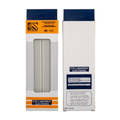
A solderless breadboard is the workhorse of electronics prototyping: a reusable grid of spring-contact holes that lets you build, test, and change circuits without soldering. The ShillehTek 400-point breadboard is a compact, single-board version that fits an Arduino UNO, a Raspberry Pi Pico, or an ESP32 dev board plus plenty of sensors and support circuitry — perfect for desk builds, classroom kits, and travel projects.
The board has 400 tie points arranged as two central 30-row terminal strips (each row of five holes electrically connected) plus two pairs of long power rails running along the top and bottom edges. Standard 2.54 mm pitch means it accepts any through-hole component, solid-core wire in the 20-29 AWG range, and our Dupont jumper wires.
This manual covers the internal connection layout, recommended wire gauges, how to integrate it with Arduino, ESP32, Raspberry Pi, and Pico projects, a minimal LED + pushbutton "hello world" circuit you can wire up in under a minute, and FAQs covering common beginner pitfalls.
At a Glance
Specifications
| Parameter | Value |
| Tie Points | 400 |
| Layout | 2 terminal strips of 30 columns × 5 rows + 2 power-rail pairs |
| Hole Pitch | 2.54 mm (standard DIP) |
| Accepted Wire | Solid-core 0.3 - 0.8 mm (20-29 AWG) |
| Contact Material | Phosphor bronze springs, nickel-plated |
| Body Material | ABS plastic |
| Max Voltage | ~36 VDC recommended (adjacent-row creepage) |
| Max Current per Tie Point | ~1 A continuous |
| Insertion Cycles | 50,000+ per hole (typical) |
| Backing | Adhesive foam (peel-off) |
| Dimensions | ~82 mm × 55 mm × 8.5 mm |
Internal Connection Layout
Understanding which holes are electrically connected is the single most important thing to learn about a breadboard. Here is the layout:
- Power rails (top & bottom): two long horizontal rails on each edge, usually labeled with red (+) and blue/black (-) stripes. Each rail runs continuously across the full length of the board. On the 400-point size, the rails are not split — you have one continuous rail per stripe.
- Terminal strips (middle): two blocks of 30 columns, each column having 5 holes. The 5 holes in a column are connected to each other vertically, but not across the central gutter. The gutter is there so you can plug a DIP chip across it with different signals on each side.
Wiring Guide
The breadboard is platform-agnostic — it is just a reusable connection grid. What matters is how you wire power and signals from your microcontroller onto it. The tables below show a safe starting pattern for each popular platform.
Arduino Wiring
Run two jumpers from the Arduino to the breadboard's power rails so every component on the board has easy access to 5V and GND.
| Arduino | Breadboard |
|---|---|
| 5V | Top red (+) rail |
| GND | Top blue (-) rail |
| 5V | Bottom red (+) rail (optional, for symmetry) |
| GND | Bottom blue (-) rail (optional) |
ESP32 Wiring
Many ESP32 dev boards are too wide for a 400-point breadboard (they cover both terminal strips and leave no free columns). For mixed projects, place the ESP32 on the edge and use the far side of the breadboard for sensors, or pair this 400-point board with a second one for the sensor circuitry.
| ESP32 | Breadboard |
|---|---|
| 3V3 | Top red (+) rail (3.3V) |
| GND | Top blue (-) rail |
| VIN / 5V | Bottom red (+) rail (for 5V loads only) |
| GND | Bottom blue (-) rail |
Raspberry Pi Wiring
Use a 40-pin GPIO ribbon cable with a T-cobbler if you have one, or jumpers direct from the header. The Pi GPIO is 3.3V only — never connect 5V signals directly to any GPIO pin.
| Raspberry Pi | Breadboard |
|---|---|
| Pin 1 (3.3V) | Top red (+) rail |
| Pin 6 (GND) | Top blue (-) rail |
| Pin 2 (5V) | Bottom red (+) rail (for 5V peripherals) |
| Pin 9 (GND) | Bottom blue (-) rail |
Raspberry Pi Pico Wiring
The Pico is a perfect match for this breadboard — it fits neatly across the central gutter leaving pins accessible on both sides. All GPIO is 3.3V.
| Pico Pin | Breadboard |
|---|---|
| 3V3(OUT) (Pin 36) | Top red (+) rail |
| GND (Pin 38) | Top blue (-) rail |
| VBUS (Pin 40) | Bottom red (+) rail (USB 5V, when USB is plugged in) |
| GND (Pin 3) | Bottom blue (-) rail |
Code Examples
A breadboard itself has no code, but here is a minimal blink-plus-button circuit you can wire in under a minute to validate a new board. An LED with a 220 ohm resistor on D13, and a pushbutton between D2 and GND with INPUT_PULLUP. Every row below is a tie-point column on the 400-point board.
Arduino
// Breadboard sanity check:
// - LED + 220 ohm resistor in series, cathode to GND rail, anode to D13
// - Pushbutton between D2 and GND rail (uses INPUT_PULLUP)

const int LED_PIN = 13;
const int BTN_PIN = 2;

void setup() {
  pinMode(LED_PIN, OUTPUT);
  pinMode(BTN_PIN, INPUT_PULLUP);
  Serial.begin(9600);
}

void loop() {
  // Blink once per second
  digitalWrite(LED_PIN, !digitalRead(LED_PIN));

  // Print button state so you can verify the rails are wired correctly
  Serial.print("Button = ");
  Serial.println(digitalRead(BTN_PIN) == LOW ? "PRESSED" : "released");

  delay(500);
}
Raspberry Pi (Python)
# Same circuit, on the Pi:
# - LED + 220 ohm to GPIO17
# - Pushbutton from GPIO27 to GND, pulled up in software

import time
from gpiozero import LED, Button

led = LED(17)
button = Button(27, pull_up=True)

while True:
    led.toggle()
    print("Button pressed" if button.is_pressed else "Button released")
    time.sleep(0.5)
Raspberry Pi Pico (MicroPython)
# - LED + 220 ohm resistor on GP15
# - Pushbutton between GP14 and GND, using the internal pull-up

from machine import Pin
import time

led = Pin(15, Pin.OUT)
btn = Pin(14, Pin.IN, Pin.PULL_UP)

while True:
    led.toggle()
    print("pressed" if btn.value() == 0 else "released")
    time.sleep(0.5)