Overview
Develop an indoor environment-and-light monitor using the BME280, BH1750 and a white OLED. Establish each I2C device independently before adding your own display and Wi-Fi behavior.
What's included
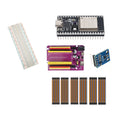
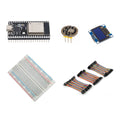
- 1 × pre-soldered 38-pin ESP32 USB-C board with 4MB flash
- 1 × pre-soldered BME280 temperature, humidity and pressure sensor
- 1 × pre-soldered BH1750 digital light sensor
- 1 × 0.96-inch white SSD1306 I2C OLED display
- 1 × 400-point solderless breadboard
- 1 × 120-piece, 10cm jumper wire set
What you need to supply
Wiring and firmware setup are required, including any Wi-Fi features you want to develop. USB-C data cable, computer, power source and enclosure are not included. The supplied parts are not weatherproof; outdoor use requires appropriate protection.
At a Glance
Specifications and Component References
The table identifies the exact bundled sale units. Open each component manual for its pinout, applicable electrical limits and individual examples. The linked component may have other variants; use the bundled variant shown here.
Pinout and Connection Planning
Use the labelled pins and diagrams in the component references above. The connections below describe signal functions, not a physical header drawing. Select and record GPIO that match your chosen firmware and the exact controller board.
| Part or interface | Connection plan |
|---|---|
| BME280 | Connect its labelled I2C power, ground, SDA and SCL for GPIO-safe use with the ESP32. Follow the component manual for any interface-selection or address-selection pins. |
| BH1750 | Connect to the selected I2C bus with common ground and 3.3V sensor connections. |
| SSD1306 OLED | Use the display's own four-pin labels for power, ground, SDA and SCL. Match its detected address and display configuration in firmware. |
| ESP32 and breadboard | Place the controller beside the breadboard where necessary. Configure one consistent set of I2C GPIO in the sensor and display drivers. |
Wiring Guide and First Checks
- Inventory the ESP32, BME280, BH1750, white OLED, 400-point breadboard and 120-piece 10cm wire set. Supply a USB-C data cable, computer, power source and enclosure if needed.
- Upload a basic example to the ESP32 by itself. Disconnect power before adding each module.
- Connect and test the BME280 alone using its component manual. Confirm temperature, humidity and pressure data are available before adding another device.
- Connect the BH1750 and verify a light-reading example. Check both sensors are detectable on the selected bus, with the addresses and GPIO configured in the drivers.
- Add the white OLED, test a simple text example, and then update your own firmware to display the sensor readings. Keep the bus wiring and power connections consistent across all three modules.
- After local readings work, add the Wi-Fi features you want to develop. Protect the bare electronics from moisture and position the sensors appropriately for the conditions you intend to observe.
Check the result
Confirm every device operates alone, then together on the selected I2C bus, before adding network features. Sensor readings near a warm controller or inside an enclosure can differ from the surrounding room; evaluate the physical arrangement for your own project.
Troubleshooting
| Symptom | Check |
| One device disappears after adding another | Check the shared ground and power connections, SDA/SCL consistency, address settings and the I2C pull-ups described in the component documentation. |
| Humidity is missing | Verify the exact BME280 driver and sensor identity. A different pressure-sensor driver may not provide all three intended measurements. |
| Data works but nothing appears on the screen | Run the OLED text example alone. Check display address, dimensions and the same bus assignment used by your sensor code. |
Code Examples and Firmware
The BME280, BH1750 and SSD1306 manuals provide individual wiring and example-code references. They must be adapted to your chosen ESP32 GPIO, device addresses and display layout. Wi-Fi credentials, a cloud dashboard and integrated station firmware are not supplied.
The component references describe individual devices. Examples for another controller or a larger project need adaptation; they do not establish that this complete kit has been assembled and tested.
Frequently Asked Questions
Related Tutorials
Use the exact component manuals linked above for individual wiring and software references. When adapting a project tutorial, compare its complete parts list, controller version, power requirements and software settings with this kit before following its instructions.