Overview
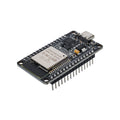
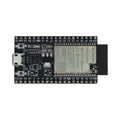
The ESP-WROOM-32 (also called ESP-32S) is the original, classic ESP32 development board — a 38-pin "DevKitC" layout built around the ESP32 dual-core Xtensa LX6 SoC with built-in Wi-Fi (2.4 GHz) and Bluetooth Classic + LE. This version comes pre-soldered with a USB-C connector and a CP2102 USB-to-Serial chip — no extra drivers needed on most modern systems.
It's the workhorse of the ESP32 family: enough GPIO for any reasonable project (about 25 usable pins), 18 ADC channels, 2 DACs, 10 capacitive touch inputs, hardware SPI/I2C/UART/I2S/CAN, and PWM on every digital pin. With 4 MB of Flash and 520 KB of SRAM, it handles 95% of IoT use cases without breaking a sweat. Use it for Wi-Fi sensors, MQTT clients, Bluetooth peripherals, smart-home controllers, BLE beacons, ESP-NOW mesh nodes, and anything in between.
Supported in the Arduino IDE (via Espressif's ESP32 core), MicroPython, CircuitPython, ESP-IDF, and PlatformIO. The pre-soldered male headers make it breadboard-ready.
At a Glance
Specifications
| Parameter | Value |
| Module | ESP-WROOM-32 (ESP-32S) |
| SoC | ESP32-D0WD-V3 (32-bit Tensilica Xtensa LX6 dual-core) |
| Clock Frequency | Up to 240 MHz |
| Flash Memory | 4 MB SPI Flash |
| SRAM | 520 KB on-chip |
| Wireless | Wi-Fi 802.11 b/g/n (2.4 GHz), Bluetooth Classic + BLE |
| Operating Voltage | 3.3V |
| Input Voltage | 5V via USB-C, or 5V on VIN pin |
| GPIO Logic Level | 3.3V (NOT 5V tolerant) |
| Total Pins | 38 (19 per side) |
| Digital I/O Pins | ~25 broken-out GPIO |
| Analog Input (ADC) Channels | 18 (12-bit, ADC1 + ADC2) |
| Analog Output (DAC) | 2 channels (8-bit, GPIO 25 / 26) |
| Capacitive Touch | 10 channels |
| Communication Interfaces | I2C, SPI, UART, I2S, CAN, SDIO |
| USB-to-Serial | CP2102 |
| USB Connector | USB Type-C |
| Headers | Pre-soldered male pins |
Pinout Diagram

Wiring Guide
LED + Push Button
The classic first project. Use a 220-330 ohm series resistor on the LED.
| Component | ESP32 Pin | Details |
|---|---|---|
| LED Anode (long) | GPIO 23 | Through 220 ohm resistor |
| LED Cathode (short) | GND | |
| Button Terminal 1 | GPIO 4 | INPUT_PULLUP in code |
| Button Terminal 2 | GND |
I2C Sensor
Default I2C is GPIO 21 (SDA) and GPIO 22 (SCL). Most 3.3V breakouts (BME280, MPU6050, SSD1306, BH1750, ADS1115, etc.) connect with no level shifting.
| Sensor Pin | ESP32 Pin |
|---|---|
| VCC | 3V3 |
| GND | GND |
| SDA | GPIO 21 |
| SCL | GPIO 22 |
SPI Device
Hardware VSPI defaults to GPIO 18 (SCK), 19 (MISO), 23 (MOSI), and 5 (SS). Any free GPIO can serve as a chip select for additional devices.
| SPI Pin | ESP32 Pin |
|---|---|
| VCC | 3V3 |
| GND | GND |
| SCK | GPIO 18 |
| MISO | GPIO 19 |
| MOSI | GPIO 23 |
| CS / SS | GPIO 5 |
UART / Serial
UART2 is broken out to GPIO 16 (RX) and GPIO 17 (TX) and is the safest extra UART for talking to GPS modules, fingerprint scanners, etc. UART0 (GPIO 1/3) is reserved for USB-Serial.
| External Device | ESP32 Pin |
|---|---|
| Device TX | GPIO 16 (UART2 RX) |
| Device RX | GPIO 17 (UART2 TX) |
| VCC | 3V3 or VIN/5V (match device) |
| GND | GND (shared) |
Code Examples
Arduino IDE - Wi-Fi Connect + Print IP
// ESP-WROOM-32 - join Wi-Fi and print IP
// Install: Boards Manager -> "esp32" by Espressif Systems
// Select Board: "ESP32 Dev Module"

#include <WiFi.h>

const char* ssid = "YOUR_SSID";
const char* pass = "YOUR_PASSWORD";

void setup() {
  Serial.begin(115200);
  delay(500);
  WiFi.begin(ssid, pass);
  while (WiFi.status() != WL_CONNECTED) { delay(300); Serial.print("."); }
  Serial.println();
  Serial.print("IP: "); Serial.println(WiFi.localIP());
  Serial.print("RSSI: "); Serial.print(WiFi.RSSI()); Serial.println(" dBm");
}

void loop() { delay(5000); }
Arduino IDE - BLE Beacon Advertise
// ESP-WROOM-32 - advertise as a BLE peripheral

#include <BLEDevice.h>
#include <BLEServer.h>
#include <BLEUtils.h>

void setup() {
  Serial.begin(115200);
  BLEDevice::init("ShillehTek-ESP32");
  BLEServer* server = BLEDevice::createServer();
  BLEAdvertising* adv = BLEDevice::getAdvertising();
  adv->setScanResponse(true);
  adv->start();
  Serial.println("Advertising as ShillehTek-ESP32");
}

void loop() { delay(2000); }
MicroPython - I2C Bus Scan
# ESP-WROOM-32 - scan I2C bus for devices

from machine import I2C, Pin
import time

i2c = I2C(0, sda=Pin(21), scl=Pin(22), freq=100_000)

while True:
    devices = i2c.scan()
    print("Found:", [hex(d) for d in devices] if devices else "no devices")
    time.sleep(2)