Overview
Supplied with a pre-soldered 4-pin header. No header soldering is required before wiring.
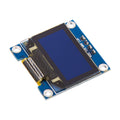
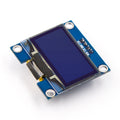
The ShillehTek 0.96" White OLED Display Module is a compact 128×64 pixel monochrome screen driven by the popular SSD1306 controller over I2C. Its crisp white pixels on a deep black background are perfect for showing sensor readings, icons, menus, status indicators, and simple graphics in any Arduino, ESP32, Raspberry Pi, or Pico project.
Because the module talks over I2C, you only need two GPIO pins (plus power and ground) to control the entire screen. The onboard regulator accepts 3.3V or 5V, which means it drops straight into 3.3V boards like the ESP32 and Pico and 5V boards like the Arduino Uno without any extra level-shifting.
At a Glance
Specifications
| Parameter | Value |
| Display Type | Passive Matrix OLED (PMOLED) |
| Pixel Color | White on black |
| Resolution | 128 × 64 pixels |
| Active Area | 21.74 × 10.86 mm |
| Driver Controller | SSD1306 |
| Communication Protocol | I2C (TWI) |
| Default I2C Address | 0x3C (some units 0x3D) |
| Operating Voltage | 3.3V – 5V DC |
| Operating Current | ~20 mA (all pixels on) |
| Viewing Angle | > 160° |
| Operating Temperature | -30°C to 70°C |
| Module Dimensions | 27 × 27 mm |
| Header assembly | Pre-soldered 4-pin header |
Pinout Diagram
Wiring Guide
Arduino Wiring
On Arduino Uno, Nano, and similar ATmega328P boards the hardware I2C lines are A4 (SDA) and A5 (SCL). The module runs happily off the 5V rail and has onboard pull-up resistors on SDA and SCL, so no external resistors are needed.
| Module Pin | Arduino Pin |
|---|---|
| VCC | 5V |
| GND | GND |
| SCL | A5 (SCL) |
| SDA | A4 (SDA) |
ESP32 Wiring
The ESP32 default hardware I2C bus is on GPIO 21 (SDA) and GPIO 22 (SCL). The module accepts 3.3V directly, so run VCC from the ESP32 3V3 rail for the cleanest setup.
| Module Pin | ESP32 Pin |
|---|---|
| VCC | 3V3 |
| GND | GND |
| SCL | GPIO 22 |
| SDA | GPIO 21 |
Wire.begin(sda, scl). Avoid strapping pins (GPIO 0, 2, 12, 15) to keep boot behavior clean.
Raspberry Pi Wiring
The Raspberry Pi exposes I2C-1 on physical pins 3 (SDA) and 5 (SCL). Enable I2C first with sudo raspi-config → Interface Options → I2C → Enable, then confirm the display appears at 0x3C with i2cdetect -y 1.
| Module Pin | Raspberry Pi Pin |
|---|---|
| VCC | Pin 1 (3.3V) |
| GND | Pin 6 (GND) |
| SCL | Pin 5 (GPIO 3) |
| SDA | Pin 3 (GPIO 2) |
Raspberry Pi Pico Wiring
The Pico has two I2C blocks. This guide uses I2C0 on GP4 (SDA) and GP5 (SCL), which are the most common defaults in MicroPython examples. Power the module from 3V3(OUT).
| Module Pin | Pico Pin |
|---|---|
| VCC | 3V3(OUT) |
| GND | GND |
| SCL | GP5 (I2C0 SCL) |
| SDA | GP4 (I2C0 SDA) |
Code Examples
Arduino
// 0.96" SSD1306 OLED - Arduino I2C Example
// Libraries: Adafruit_GFX + Adafruit_SSD1306 (Library Manager)
// Wiring: SDA -> A4, SCL -> A5

#include <Wire.h>
#include <Adafruit_GFX.h>
#include <Adafruit_SSD1306.h>

#define SCREEN_WIDTH 128
#define SCREEN_HEIGHT 64
#define OLED_RESET    -1
#define SCREEN_ADDR   0x3C

Adafruit_SSD1306 display(SCREEN_WIDTH, SCREEN_HEIGHT, &Wire, OLED_RESET);

void setup() {
  Serial.begin(9600);

  if (!display.begin(SSD1306_SWITCHCAPVCC, SCREEN_ADDR)) {
    Serial.println("SSD1306 not found at 0x3C");
    while (true);
  }

  display.clearDisplay();
  display.setTextSize(2);
  display.setTextColor(SSD1306_WHITE);
  display.setCursor(0, 0);
  display.println("ShillehTek");
  display.setTextSize(1);
  display.setCursor(0, 24);
  display.println("SSD1306 OLED");
  display.println("128 x 64");
  display.display();
}

void loop() {
  // Static demo - nothing to update
}
Raspberry Pi (Python)
#!/usr/bin/env python3
# 0.96" SSD1306 OLED - Raspberry Pi Example
# Install: pip install luma.oled --break-system-packages

from luma.core.interface.serial import i2c
from luma.oled.device import ssd1306
from luma.core.render import canvas
from PIL import ImageFont
import time

serial = i2c(port=1, address=0x3C)
device = ssd1306(serial, width=128, height=64)

font_big = ImageFont.load_default()

while True:
    with canvas(device) as draw:
        draw.text((0, 0),  "ShillehTek",    fill="white")
        draw.text((0, 16), "SSD1306 OLED",  fill="white")
        draw.text((0, 32), "128 x 64",      fill="white")
        draw.text((0, 48), time.strftime("%H:%M:%S"), fill="white")
    time.sleep(1)
Raspberry Pi Pico (MicroPython)
# 0.96" SSD1306 OLED - Pico MicroPython Example
# Upload ssd1306.py to the Pico (micropython-ssd1306 driver)
# Wiring: SDA -> GP4, SCL -> GP5

from machine import Pin, I2C
import ssd1306
import time

i2c = I2C(0, sda=Pin(4), scl=Pin(5), freq=400_000)
oled = ssd1306.SSD1306_I2C(128, 64, i2c)

oled.fill(0)
oled.text("ShillehTek",   0, 0)
oled.text("SSD1306 OLED", 0, 16)
oled.text("128 x 64",     0, 32)
oled.show()

while True:
    time.sleep(1)
ESP32 (MicroPython)
# 0.96" SSD1306 OLED - ESP32 MicroPython Example
# Upload ssd1306.py to the ESP32 first
# Wiring: SDA -> GPIO 21, SCL -> GPIO 22

from machine import Pin, I2C
import ssd1306

i2c = I2C(0, sda=Pin(21), scl=Pin(22), freq=400_000)
oled = ssd1306.SSD1306_I2C(128, 64, i2c)

oled.fill(0)
oled.text("ShillehTek",   0, 0)
oled.text("SSD1306 OLED", 0, 16)
oled.text("ESP32 I2C",    0, 32)
oled.show()
Frequently Asked Questions
i2cdetect -y 1 on a Pi, or a Wire-based scan on Arduino) to confirm the actual address.ssd1306 MicroPython driver works without changes on the Pico 2 and Pico 2W.