Overview
Develop a digital microphone-input experiment on the ESP32 and use the white OLED for status or results. Treat the microphone's I2S data path and the display's I2C bus as separate interfaces.
What's included
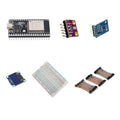
- 1 × pre-soldered 38-pin ESP32 USB-C board with 4MB flash
- 1 × pre-soldered INMP441 I2S omnidirectional microphone
- 1 × 0.96-inch white SSD1306 I2C OLED display
- 1 × 400-point solderless breadboard
- 1 × 120-piece, 10cm jumper wire set: male–male, male–female and female–female
What you need to supply
The microphone requires 3.3V power. Wiring and your own firmware are required; connect the ESP32 beside the breadboard using jumper wires. USB-C data cable, computer, power source, speaker and amplifier are not included. Voice-assistant or wake-word software is not supplied.
At a Glance
Specifications and Component References
The table identifies the exact bundled sale units. Open each component manual for its pinout, applicable electrical limits and individual examples. The linked component may have other variants; use the bundled variant shown here.
Pinout and Connection Planning
Use the labelled pins and diagrams in the component references above. The connections below describe signal functions, not a physical header drawing. Select and record GPIO that match your chosen firmware and the exact controller board.
| Part or interface | Connection plan |
|---|---|
| INMP441 power | Use 3.3V and common ground. Do not connect the microphone supply to 5V/VIN. |
| INMP441 audio | Connect the microphone's documented I2S clock, word-select and data signals to GPIO configured by the I2S receive example. Set its channel-select input as required by that example. |
| SSD1306 display | Connect its SDA and SCL to the ESP32 I2C bus selected for the OLED. I2C display signals are different from the microphone's I2S signals. |
| Layout | Place the ESP32 beside the breadboard and use jumpers. Reserve separate GPIO for the microphone and OLED functions and keep the microphone opening unobstructed. |
Wiring Guide and First Checks
- Check the ESP32, pre-soldered INMP441, white OLED, 400-point breadboard and 120-piece 10cm wire set. Supply a computer, USB-C data cable and power source.
- Program the ESP32 by itself. Confirm the installed development environment and board settings before attaching the microphone.
- Disconnect power and wire the INMP441 using its exact component manual. Confirm 3.3V power, common ground, the three I2S signal functions and the intended channel selection.
- Run a microphone-input example that matches your installed ESP32 framework. Check for changing sample values before developing a sound-level display or other processing.
- Test the SSD1306 separately on its I2C bus. Then add display updates to your own microphone program, keeping the I2S and I2C pin assignments distinct.
- Evaluate the complete program's sample format, timing and display-update behavior for your use case. Voice recognition, wake words and audio playback require separate software or hardware decisions.
Check the result
First confirm microphone samples change with nearby sound and that the OLED example works alone. Then check the combined program continues receiving audio while refreshing the display. Raw microphone samples do not by themselves establish calibrated sound-pressure measurements.
Troubleshooting
| Symptom | Check |
| Microphone samples stay at zero | Check 3.3V power, ground, clock/data direction, selected I2S GPIO and the channel-selection setting used by the example. |
| An old I2S example does not build | Match the example and API to the installed ESP32 framework version. Resolve the microphone example independently before combining display code. |
| There is no sound output | The INMP441 is an input microphone. This kit does not include a speaker, audio-output amplifier or playback path. |
Code Examples and Firmware
Start from the INMP441 ESP32 example and the SSD1306 component example. Match the microphone channel, sample format, framework version and GPIO configuration to your setup. The kit does not include integrated audio-processing firmware, a voice assistant or wake-word software.
The component references describe individual devices. Examples for another controller or a larger project need adaptation; they do not establish that this complete kit has been assembled and tested.
Frequently Asked Questions
Related Tutorials
Use the exact component manuals linked above for individual wiring and software references. When adapting a project tutorial, compare its complete parts list, controller version, power requirements and software settings with this kit before following its instructions.