

Project Overview
TTGO T-Beam LoRa GPS Tracker: Build an off-grid GPS tracker using the TTGO T-Beam (ESP32 + LoRa) and its onboard NEO-6M GPS, then control it from an Android phone through a second LoRa "home" radio for live tracking, geofences, logging, standby, and SOS, with no cellular service required.
The T-Beam combines the ESP32, LoRa radio, GPS, and an 18650 battery holder on one PCB, so you can build a serious tracker with no soldering and no extra wiring.
- Time: 2 to 3 hours
- Skill level: Intermediate (firmware flashing, no soldering)
- What you will build: An off-grid GPS tracker with five operating modes, remotely controlled from Android over LoRa.

Parts List
From ShillehTek
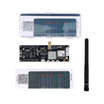
- TTGO T-Beam ESP32 LoRa 915MHz + NEO-6M GPS (Pre-Soldered) - the tracker device
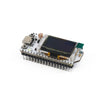
- SX1262 ESP32-S3 LoRa Dev Board with OLED - a great general LoRa companion board (check the Ripple repo for currently supported home radio builds)
External
- A supported "home radio" LoRa board for the Ripple Messenger firmware (for example: TTGO LoRa32 V2, Heltec V2, or Adafruit Feather LoRa)
- 18650 lithium cell for the T-Beam
- Android phone or tablet + USB-OTG cable (or Bluetooth)
- Ripple Commander app (Google Play)
Note: All radios in the mesh must share the same LoRa band (915 MHz for North America, 868/433 MHz for Europe). Always attach antennas before powering LoRa boards.
Step-by-Step Guide
Step 1 - Understand the System
Goal: Know the roles before flashing.
What to do: The minimum system is two radios: a home module connected to your Android device (USB-OTG or Bluetooth) and a T-Beam running as the tracker.
The firmware supports five modes from the Commander app: remote live monitoring, geofence with in/out alerts, silent timed logging to the device storage, remote standby (deep sleep), and an SOS alert on a long button press. Bigger deployments add more T-Beams and even solar-powered repeaters to stretch coverage.
Expected result: You know which board plays which role.
Step 2 - Flash the Home Radio
Goal: Give your Android a LoRa gateway.
What to do: Flash the Ripple Messenger firmware (a RippleV5-*.bin matching your board, from the spleenware/ripple GitHub releases) onto the home radio. Supported boards include the TTGO LoRa32 V2, Heltec V2, and Adafruit Feather LoRa.
This radio bridges the Commander app to the LoRa mesh.
Expected result: A home radio the Commander app can connect to.
Step 3 - Flash the T-Beam Tracker
Goal: Load the tracker firmware.
What to do: Download RippleTrackerV5-TBeam.bin from the same repository and flash it to the T-Beam following the repo ESP-targets flashing instructions (esptool or a GUI flasher).
Insert a charged 18650 and you are done. No wiring is needed, which is why the T-Beam is a low-fuss tracker platform.
Expected result: A T-Beam running the Ripple tracker firmware.
Step 4 - Provision IDs and Power Modes
Goal: Give each device an identity and a battery strategy.
What to do: Every mesh device needs a unique ID from 1 to 254. The home radio is always 1 (auto-assigned). Give repeaters low numbers and start trackers at 20+.
The Commander app installs two launcher icons. Open the "Device Provision" one, connect the T-Beam over USB-OTG, allow USB access, add the device, and assign its ID and name.
Under the "..." settings: enable ONBUTTON with your SOS message text if you want SOS, tick "Peripheral" so GPS powers up after sleep, and pick a low-power profile (Low Power1 sleeps 30 s, LP2 2 min, LP3 10 min, LP4 30 min; NORMAL keeps everything on). Save, then hit "Program" to write the settings to the board.

Expected result: A provisioned tracker. Re-attach and re-Program any time you change settings.
Step 5 - Connect and Test
Goal: See the tracker from the app.
What to do: Open the main "Ripple Commander" launcher, connect the home radio (the toolbar icon turns solid white and shows the home battery voltage), and tap your T-Beam in the device list.
The info screen shows RSSI, battery, mode, and location. If it says "Timed out", tap refresh. Refresh is also required whenever the tracker has been reset since the home radio powered on.

Expected result: Live status from the tracker with no internet involved.
Step 6 - Use the Modes
Goal: Put each mode to work.
What to do: Switch modes with the radio buttons. A sleeping device applies changes at its next wakeup.
Live Track powers the GPS remotely and drops a moving pin on the Map tab. Geo Fence uploads a circle or polygon region you drew on the map; the device monitors silently and only transmits an alert when it crosses in or out.
Logger deep-sleeps between fixes and writes timestamped locations to the T-Beam flash. Switch back to Live Track later and tap Download to pull the CSV over LoRa (slow but remote). Copy the CSV to the clipboard, convert to KML, and drop it on Google Earth to see the track.

Expected result: Tracking, geofencing, and logging all working from your phone.
Step 7 - Know Your Battery Budget
Goal: Estimate runtime per mode.
What to do: Measured on an 18650: 9 hours of always-on Live Track consumed about 20% of capacity (3.952 V to 3.792 V), which extrapolates to roughly 45 hours continuous. In Logger mode with Low Power4 (30-minute sleeps), preliminary estimates run 20 to 30 days.
Pick the sleep profile that matches your mission.
Expected result: A tracker that lasts days to weeks on one commodity cell.
Conclusion
You turned a TTGO T-Beam into a multi-mode GPS tracker: live tracking, geofence alerts, remote-downloadable logging, standby, and SOS, all over LoRa with zero cellular dependency and long battery life in low-power modes.
Want the exact parts used in this build? Grab them from ShillehTek.com. If you want help customizing this project or building something for your product, check out our IoT consulting services.


.png?v=25000753014097803521793852893)

.png?v=68677308723310773341793852893)


