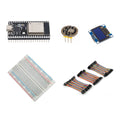
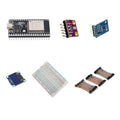
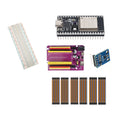
Overview
Explore raw optical pulse-waveform sensing with an ESP32, MAX30102 and blue OLED. Begin with device communication and experimental signals before adding your own visualization.
What's included
- 1 × pre-soldered 38-pin ESP32 USB-C board with 4MB flash
- 1 × pre-soldered MAX30102 optical pulse sensor module
- 1 × 0.96-inch blue SSD1306 I2C OLED display
- 1 × 400-point solderless breadboard
- 1 × 120-piece, 10cm jumper wire set: male–male, male–female and female–female
What you need to supply
This kit is for educational experiments, not medical diagnosis or health monitoring. Wiring and your own firmware are required. A USB-C data cable, computer, power source and enclosure are not included. Measurements depend on your software and setup; no medical accuracy or diagnostic performance is claimed.
At a Glance
Specifications and Component References
The table identifies the exact bundled sale units. Open each component manual for its pinout, applicable electrical limits and individual examples. The linked component may have other variants; use the bundled variant shown here.
Pinout and Connection Planning
Use the labelled pins and diagrams in the component references above. The connections below describe signal functions, not a physical header drawing. Select and record GPIO that match your chosen firmware and the exact controller board.
| Part or interface | Connection plan |
|---|---|
| MAX30102 power and bus | Follow the exact breakout manual for its labelled supply and ground. Use ESP32-safe I2C signal levels and connect SDA/SCL to the GPIO selected in firmware. |
| SSD1306 OLED | Check the display's four-pin labels. Share the selected I2C bus and ground where documented and configure its address separately from the optical sensor. |
| ESP32 layout | Place the controller beside the small breadboard and use the included jumpers for the modules. |
| Experimental sensing | Use the optical sensor only as a learning component. Its data and your software are not a basis for medical diagnosis, health monitoring or treatment decisions. |
Wiring Guide and First Checks
- Identify the ESP32, pre-soldered MAX30102, blue OLED, 400-point breadboard and 120-piece 10cm wire set. Supply a computer, USB-C data cable, power source and your own firmware.
- Confirm an ESP32 example uploads with no sensor attached. Disconnect power before connecting or changing module wires.
- Connect the MAX30102 using its exact component guide and ESP32-safe signal levels. Detect the device and run an example that reports raw sensor data before adding derived calculations.
- Observe how experimental raw signals change with placement, movement and ambient light. Keep your setup and signal-quality limitations in mind when interpreting the waveform.
- Test the SSD1306 display separately, then combine it with your own sensor-reading code using consistent I2C GPIO and the correct device addresses.
- Label displayed values and results as experimental. Do not present the assembly as a finished pulse oximeter or a device for health monitoring.
Check the result
Confirm device detection, changing raw readings and independent OLED operation. Evaluate noise and motion effects in your learning experiment. Successful communication or a plausible displayed number does not establish medical accuracy.
Troubleshooting
| Symptom | Check |
| Sensor is not detected | With power disconnected, check the exact breakout's supply pins, common ground, SDA/SCL assignment and the driver address/settings. |
| Readings vary with movement or placement | Treat that as a signal-quality issue to investigate with raw data and your software. Do not rely on unstable or unvalidated results for health decisions. |
| OLED displays numbers but their meaning is unclear | Trace the values to the sensor data or calculations in your own code and label their units and experimental status correctly. |
Code Examples and Firmware
Use the MAX30102 component manual for communication and raw-reading examples, and the SSD1306 manual for the display. Any derived pulse calculations or signal processing are your own software work and need independent evaluation. The kit is not supplied with medical algorithms, validated measurement firmware or diagnostic performance.
The component references describe individual devices. Examples for another controller or a larger project need adaptation; they do not establish that this complete kit has been assembled and tested.
Frequently Asked Questions
Related Tutorials
Use the exact component manuals linked above for individual wiring and software references. When adapting a project tutorial, compare its complete parts list, controller version, power requirements and software settings with this kit before following its instructions.