Overview
Build your own USB input controller using a 5V/16MHz Pro Micro, a 16-key membrane keypad and a rotary encoder. Test inputs in serial output before enabling keyboard actions on the connected computer.
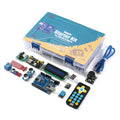
What's included
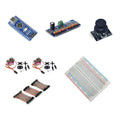
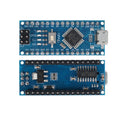
- 1 × pre-soldered Pro Micro ATmega32U4 board, 5V/16MHz, USB-C
- 1 × 4 × 4 membrane matrix keypad with 16 keys
- 1 × pre-soldered KY-040 rotary encoder module
- 1 × 400-point solderless breadboard
- 1 × 120-piece, 10cm jumper wire set: male–male, male–female and female–female
What you need to supply
This is a parts kit that requires wiring and firmware development before it works as a USB input device. A USB-C data cable, computer, enclosure and kit firmware are not included. Choose and configure suitable USB HID firmware for the behavior you want.
At a Glance
Specifications and Component References
The table identifies the exact bundled sale units. Open each component manual for its pinout, applicable electrical limits and individual examples. The linked component may have other variants; use the bundled variant shown here.
Pinout and Connection Planning
Use the labelled pins and diagrams in the component references above. The connections below describe signal functions, not a physical header drawing. Select and record GPIO that match your chosen firmware and the exact controller board.
| Part or interface | Connection plan |
|---|---|
| 4 × 4 keypad | The membrane keypad exposes row/column connections. Determine the connector mapping with its manual, then allocate eight suitable controller GPIO in the matrix driver. |
| KY-040 | Connect its labelled supply, ground, quadrature outputs and switch output to GPIO selected in your firmware. Plan inputs that do not overlap the keypad assignments. |
| Pro Micro | Use the 5V/16MHz ATmega32U4 board definition and its own pin labels. The selected bundle variant is pre-soldered and has USB-C. |
| USB host | Use a data-capable USB-C cable. Keyboard or other HID behavior depends on the program uploaded to the Pro Micro. |
Wiring Guide and First Checks
- Check the pre-soldered Pro Micro, 16-key keypad, pre-soldered KY-040, 400-point breadboard and 120-piece 10cm wire set. Supply a computer, USB-C data cable, firmware and any desired enclosure.
- Confirm the Pro Micro can upload a simple serial-output example using the correct 5V/16MHz ATmega32U4 board settings before connecting inputs.
- With power disconnected, map the keypad's row/column connector according to its component guide. Allocate and record eight keypad GPIO and a key map matching the physical legends.
- Test all 16 keys using serial output only. Then add the encoder on separate planned GPIO and confirm rotation direction and button behavior, including suitable debouncing.
- After the input tests work, develop the USB HID behavior you want. Start with harmless test actions in a blank text editor and keep a known recovery/upload procedure available.
- Check that keys and encoder actions stop when released and do not repeat unexpectedly. Add your final shortcuts and physical mounting only after the basic behavior is reliable.
Check the result
Verify every key, encoder direction and encoder switch in serial output before enabling HID. Then test only deliberate harmless actions and confirm no keys remain logically held after release. A successful upload alone does not prove the final shortcut mappings are correct.
Troubleshooting
| Symptom | Check |
| The wrong key is reported | Compare the keypad connector row/column mapping with the driver's GPIO arrays and character map. Printed key legends alone do not establish connector order. |
| Encoder turns in the wrong direction or skips | Check the chosen input pins, quadrature order and debounce handling in the encoder example before changing USB mappings. |
| The computer receives unexpected key presses | Disconnect the controller, review the input logic and HID press/release handling, and return to the serial-only test program before reconnecting the final firmware. |
Code Examples and Firmware
The keypad, KY-040 and Pro Micro component references provide separate input and USB examples. Select firmware appropriate for the ATmega32U4 and adapt its matrix map, encoder pins, debouncing and USB actions to your wiring. No preprogrammed shortcuts, complete macro-pad firmware or enclosure are included.
The component references describe individual devices. Examples for another controller or a larger project need adaptation; they do not establish that this complete kit has been assembled and tested.
Frequently Asked Questions
Related Tutorials
Use the exact component manuals linked above for individual wiring and software references. When adapting a project tutorial, compare its complete parts list, controller version, power requirements and software settings with this kit before following its instructions.