

Project Overview
ESP32 + MPU6050 wrist sleep tracker: An MPU6050 worn on your wrist measures movement throughout the night. The ESP32 logs the readings, classifies sleep stages from movement intensity (deep sleep = stillness; REM = movement bursts), and uploads the night’s curve to a phone dashboard in the morning. Same idea behind Fitbit, Garmin, Whoop at $20 instead of $200.
- Time: ~3 hours
- Skill level: Intermediate / Advanced
- What you will build: A wearable IMU + Wi-Fi data logger that profiles your sleep each night.

Parts List
From ShillehTek
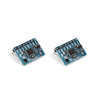
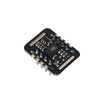
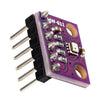
- MPU6050 Pre-Soldered IMU - measures wrist motion (acceleration/gyro) for sleep activity logging
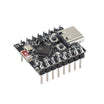
- ESP32-C3 Dev Board (small footprint) - reads the IMU, logs data, and provides Wi-Fi for uploads
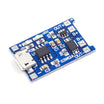
- TP4056 LiPo Charger - charges the LiPo cell from USB
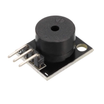
- KY-006 Buzzer (wake-up tone) - simple wake-up alert
- Dupont Jumper Wires - quick wiring between modules
External
- Small LiPo cell (400-500 mAh fits a wristband)
- 3D-printed or fabric wristband enclosure
Note: MPU6050 uses I2C. Your ESP32-C3 board may label I2C pins differently, so follow your specific dev board pinout when wiring SDA/SCL.
Step-by-Step Guide
Step 1 - The Wristband
Goal: Create a comfortable enclosure that keeps the IMU stable on your wrist.
What to do: Build or print a compact wristband enclosure that fits the ESP32-C3, MPU6050, TP4056, LiPo cell, and buzzer.

Expected result: A wrist-wearable enclosure that can securely hold the electronics overnight.
Step 2 - Wire It Up
Goal: Connect the MPU6050 (I2C), buzzer (GPIO), and TP4056 (battery charging) to the ESP32-C3 and power system.
What to do: Wire the MPU6050 on I2C, connect the buzzer to a GPIO, and integrate the TP4056 to charge the LiPo cell from USB.


Expected result: The modules are connected and physically fit in the wrist enclosure without strain on wires.
Step 3 - Sketch (Activity Logging)
Goal: Log motion intensity so lower values indicate deeper sleep and spikes indicate movement bursts.
What to do: Upload the sketch below. It reads the MPU6050, computes acceleration magnitude minus gravity, tracks the 1-minute peak, and prints an activity value to Serial.
Code:
#include <Wire.h>
#include <Adafruit_MPU6050.h>
#include <Adafruit_Sensor.h>
Adafruit_MPU6050 mpu;
unsigned long minuteStart = 0;
float minuteMax = 0;
void setup() {
  Serial.begin(115200);
  mpu.begin();
  mpu.setAccelerometerRange(MPU6050_RANGE_4_G);
  minuteStart = millis();
}
void loop() {
  sensors_event_t a, g, t;
  mpu.getEvent(&a, &g, &t);
  // Compute total acceleration magnitude minus gravity
  float mag = abs(sqrt(a.acceleration.x*a.acceleration.x +
                       a.acceleration.y*a.acceleration.y +
                       a.acceleration.z*a.acceleration.z) - 9.8);
  if (mag > minuteMax) minuteMax = mag;
  if (millis() - minuteStart >= 60000) {
    Serial.print("Activity (1min peak m/s^2): ");
    Serial.println(minuteMax, 2);
    // Store in EEPROM / push to server. Lower = deeper sleep.
    minuteMax = 0;
    minuteStart = millis();
  }
  delay(100);
}
Expected result: Serial output prints one activity value per minute, where smaller values represent stillness and larger values represent motion.
Step 4 - Use It
Goal: Wear the tracker overnight and view your activity curve in the morning.
What to do: Wear the device before bed. In the morning, use Wi-Fi to dump data to your phone and plot activity vs time.


Expected result: A time-series activity plot that highlights periods of stillness and movement bursts overnight.
Step 5 - Where to Take It Next
Goal: Extend the build with additional sensors and better data workflows.
What to do: Consider these add-ons and upgrades:
- Add a MAX30102 to log resting heart rate + SpO8 alongside motion
- Wake-up alarm that triggers during a light-sleep window (smarter than fixed-time alarms)
- Stream nightly data to a Google Sheet or InfluxDB for long-term trend analysis
- Add temperature sensing (BMP280) for skin-temp-aware fever detection
Expected result: A clear set of next steps for turning the basic motion logger into a more complete wearable.
Conclusion
This ESP32 + MPU6050 wrist tracker logs motion overnight so you can estimate deep sleep vs REM from movement intensity and keep full control of your data.
Want the exact parts used in this build? Grab them from ShillehTek.com. If you want help customizing this project or building something for your product, check out our IoT consulting services.
Reference credit: Instructables.



.png?v=25000753014097803521791168436)

.png?v=68677308723310773341791168436)


