

Project Overview
ESP32 + HX711 + DS18B20 + DHT22 beehive monitor: Build a Wi-Fi connected beehive monitor that tracks hive weight (honey yield), internal temperature, and humidity, then streams the readings to a phone-accessible dashboard.
The HX711 with a load cell measures hive weight in grams. The DS18B20 waterproof probe reads internal temperature. The DHT22 measures ambient temperature and humidity. The ESP32 sends everything over Wi-Fi for remote viewing.
- Time: ~3 hours
- Skill level: Intermediate / Advanced
- What you will build: A solar-friendly beehive monitor logging weight, temperature, and humidity to a dashboard.

Parts List
From ShillehTek
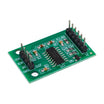
- HX711 Load Cell Amplifier - reads the strain gauge bridge and outputs stable weight readings to the ESP32.
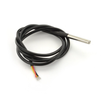
- DS18B20 Waterproof Probe - measures internal hive temperature.
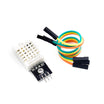
- DHT22 Temperature & Humidity Sensor - measures ambient temperature and relative humidity.
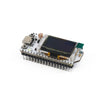
- ESP32-WROOM Dev Board - runs the firmware and provides Wi-Fi connectivity.
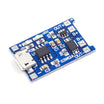
- TP4056 LiPo Charger - charges and protects a single-cell LiPo/18650 battery for off-grid power.
- 120 PCS Dupont Jumper Wires - makes prototyping and sensor wiring easier.
External
- 50-100 kg strain-gauge load cell (4 half-bridge cells in a Wheatstone configuration) - supports the hive and provides the strain signal for the HX711.
- 2 plywood platforms (one above, one below the cells) - creates a rigid sandwich so only vertical load reaches the cells.
- Optional: 6V solar panel for permanent off-grid power.
Note: Load cells need to be mechanically isolated so only the hive's weight passes through them. Use rubber feet between everything.
Step-by-Step Guide
Step 1 - Set up the hive
Goal: Start with a stable hive placement before adding the scale and sensors.
What to do: Choose a level location in the apiary and confirm the hive sits solidly without rocking. You will add a scale platform underneath in the next step.

Expected result: A stable hive location ready for the scale platform.
Step 2 - Build the scale platform
Goal: Create a mechanical platform that routes the hive weight through the load cells.
What to do: Mount four half-bridge load cells at the corners between two plywood platforms so the hive sits on the top platform and the bottom platform contacts the ground. Ensure the assembly is rigid and mechanically isolated.
Wire the 4 half-bridge cells into a single full-bridge Wheatstone configuration so you can read them with one HX711 module. Many beekeeper kits ship pre-wired.

Expected result: A complete platform that can measure hive weight changes reliably.
Step 3 - Wire the electronics
Goal: Connect the HX711, DS18B20, and DHT22 to the ESP32 GPIO pins.
What to do: Assemble the ESP32 and sensors on your mounting board/enclosure. Wire the sensors as shown in the wiring diagram: HX711 to GPIO 16 and 17, DS18B20 to GPIO 4, and DHT22 to GPIO 5.


Expected result: All sensors are wired to the ESP32 and ready for firmware.
Step 4 - Upload the sketch
Goal: Read weight, internal temperature, ambient temperature, and humidity, then print the values to Serial (and optionally push to a server).
What to do: Compile and upload the following Arduino sketch to the ESP32. Update the Wi-Fi SSID and password, and calibrate the CAL value for your specific load cell setup.
Code:
#include <WiFi.h>
#include <HX711.h>
#include <OneWire.h>
#include <DallasTemperature.h>
#include <DHT.h>
HX711 scale;
OneWire bus(4); DallasTemperature ds(&bus);
DHT dht(5, DHT22);
const float CAL = 420.0;   // calibrate this for your load cell
void setup() {
  Serial.begin(115200);
  WiFi.begin("SSID","PASS");
  scale.begin(16, 17); scale.set_scale(CAL); scale.tare();
  ds.begin(); dht.begin();
}
void loop() {
  float w = scale.get_units(10);
  ds.requestTemperatures();
  float internalT = ds.getTempCByIndex(0);
  float ambientT = dht.readTemperature();
  float h = dht.readHumidity();
  Serial.printf("kg=%.2f intT=%.1fC ambT=%.1fC RH=%.0f%%\n", w/1000.0, internalT, ambientT, h);
  // ...push to ThingSpeak / your own server every 5 minutes
  delay(300000);
}
Expected result: Serial output shows weight plus internal and ambient temperature and humidity readings at the configured interval.
Step 5 - Deploy at the apiary
Goal: Install the monitor so it runs continuously in real conditions.
What to do: Mount the electronics securely, protect the sensors and wiring from weather, and place the hive on the scale platform. If using solar power, install the panel and verify the charging setup.


Expected result: The system runs in place and you can view readings in your dashboard or logs.
Step 6 - Extend the project
Goal: Identify safe next upgrades without changing the core build.
What to do: Consider expanding with one of the following additions:
- Add LoRa (SX1262) for off-grid apiaries beyond Wi-Fi range
- Detect swarm events from sudden weight drops plus a spike in audio (microphone)
- Log to ThingSpeak / InfluxDB for multi-year datasets
- Alert on temperature anomalies (overheating risk for the colony)
Expected result: A clear roadmap for future enhancements once the baseline monitor is stable.
Conclusion
You built an ESP32-based beehive monitor using an HX711 load cell amplifier for weight tracking, plus a DS18B20 probe and DHT22 sensor for temperature and humidity readings. With the data streaming over Wi-Fi, you can watch hive health and honey flow trends without opening the hive as often.
Want the exact parts used in this build? Grab them from ShillehTek.com. If you want help customizing this project or building something for your product, check out our IoT consulting services.




.png?v=25000753014097803521791168436)

.png?v=68677308723310773341791168436)


