

Project Overview
Arduino Nano V3.0 vehicle data logger: Use an MPU6050 IMU for G-force (acceleration and braking) plus a GT-U7 NEO-6M GPS for position and speed, then write everything to a microSD card as a CSV you can analyze later.
The logger records a new row on each GPS update (about 1 Hz). After a drive, you can plot speed and G-forces over your route for track-day telemetry or general driving analysis.
- Time: ~2 hours
- Skill level: Intermediate
- What you will build: A self-contained data logger that records GPS + IMU data to microSD for offline analysis.

Parts List
From ShillehTek
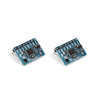
- MPU6050 IMU - measures acceleration and gyro data for G-force logging.
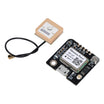
- GT-U7 NEO-6M GPS - provides latitude/longitude and speed fixes.
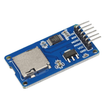
- Micro SD Card Adapter - writes the CSV log to a microSD card over SPI.
- Arduino Nano V3.0 - reads sensors and stores the data.
- Dupont Jumper Wires - makes the breadboard and module connections.
External
- microSD card (≤32 GB FAT32)
- 12V to 5V buck (or USB-C car charger) for power
- Project enclosure
Note: The microSD card should be formatted as FAT32. The GPS module is connected using SoftwareSerial, the MPU6050 uses I2C, and the SD adapter uses SPI.
Step-by-Step Guide
Step 1 - Wire It Up
Goal: Connect the Arduino Nano to the MPU6050 (I2C), the NEO-6M GPS (SoftwareSerial), and the microSD adapter (SPI).
What to do: Build the circuit on a breadboard and double-check power and signal wiring before plugging into your vehicle power source.


Expected result: All modules are powered and connected, ready for uploading the sketch.
Step 2 - Upload the Sketch
Goal: Read GPS and IMU data, then log it to a CSV file on the microSD card.
What to do: Install the required libraries, compile, and upload the sketch to the Arduino Nano. The logger opens trip.csv and appends a header row on startup.
Code:
#include <Wire.h>
#include <Adafruit_MPU6050.h>
#include <TinyGPS++.h>
#include <SoftwareSerial.h>
#include <SD.h>
Adafruit_MPU6050 mpu;
TinyGPSPlus gps;
SoftwareSerial gpsSer(4, 3);
File log;
void setup() {
  Serial.begin(9600); gpsSer.begin(9600);
  mpu.begin(); SD.begin(10);
  log = SD.open("trip.csv", FILE_WRITE);
  log.println("time,lat,lng,speed_kmh,ax,ay,az,gz");
}
void loop() {
  while (gpsSer.available()) gps.encode(gpsSer.read());
  if (gps.location.isUpdated()) {
    sensors_event_t a, g, t; mpu.getEvent(&a, &g, &t);
    log.printf("%lu,%.6f,%.6f,%.1f,%.2f,%.2f,%.2f,%.2f\n",
      millis(), gps.location.lat(), gps.location.lng(), gps.speed.kmph(),
      a.acceleration.x, a.acceleration.y, a.acceleration.z, g.gyro.z);
    log.flush();
  }
}
Expected result: When the GPS gets fixes, the Arduino writes rows to trip.csv on the microSD card.
Step 3 - Build the Enclosure
Goal: Secure the electronics so they can run reliably in a vehicle.
What to do: Mount the breadboard/modules inside an enclosure and route the power cable so the logger can be powered from a car USB port or a regulated 5V supply.

Expected result: A compact, protected logger that can be placed in the vehicle for driving tests.
Step 4 - Drive and Log
Goal: Record a trip so you have real GPS and IMU data to analyze.
What to do: Plug the logger into power in the car and drive. The sketch logs a CSV row each time the GPS reports an updated location (about 1 Hz).

Expected result: After your drive, the microSD card contains trip.csv with time, location, speed, and acceleration/gyro readings.
Step 5 - Analyze the CSV
Goal: Turn the logged data into something you can visualize and learn from.
What to do: Remove the microSD card and open the CSV in Python, Excel, or import it into mapping tools (for example, Google Earth workflows) to plot the route and overlay speed or G-force data.

Expected result: A plotted route and telemetry that helps you review braking, cornering, and speed patterns.
Step 6 - Where to Take It Next
Goal: Identify optional upgrades you can add after the basic logger works.
What to do: Consider expanding the build with extra sensors or connectivity.
- Add a BME280 for cabin temperature/humidity logs
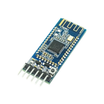
- Stream live data to a phone over HM-10 BLE for in-car display
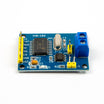
- OBD-II integration via MCP2515 to log RPM, throttle, and coolant temp
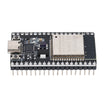
- ESP32 + Wi-Fi sync to auto-upload trip logs when you get home
Expected result: A clear roadmap for upgrades without changing the core data-logging workflow.
Conclusion
With an Arduino Nano V3.0, an MPU6050, a NEO-6M GPS, and a microSD adapter, you can build a vehicle data logger that records GPS position, speed, and G-forces into a CSV for offline analysis. Commercial track-day loggers do the same job, but this approach keeps costs low and gives you full ownership of your data.
Want the exact parts used in this build? Grab them from ShillehTek.com. If you want help customizing this project or building automotive telematics firmware for your product, check out our IoT consulting services.




.png?v=25000753014097803521790645985)

.png?v=68677308723310773341790645985)


