

Project Overview
Arduino Nano + KY-006 passive piezo buzzer: In this project, you will use an Arduino (such as the Arduino Nano) to drive a KY-006 passive piezo buzzer and play real melodies using tone(), not just a single fixed beep.
Unlike an active buzzer (which has one fixed tone), a passive piezo lets you drive any audio frequency from a digital pin. That means real melodies, alarm tones, and game-style sound effects, not just a one-note beep.
- Time: ~15 minutes
- Skill level: Beginner
- What you will build: An Arduino playing a short melody on the KY-006 buzzer.

Parts List
From ShillehTek
-
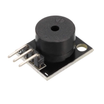
KY-006 Passive Piezo Buzzer Module - the passive piezo module you will drive with
tone(). - Arduino Nano V3.0 Pre-Soldered - runs the sketch and generates the audio frequencies.
- 120 PCS Dupont Jumper Wires - quick breadboard wiring between the Nano and KY-006.
External
- USB cable + Arduino IDE
Note: The KY-006 has 3 pins labelled S (signal), middle (VCC), and − (GND). Driving the signal pin HIGH alone won’t make sound - you need to toggle it at audio frequency using tone().
Step-by-Step Guide
Step 1 - Active vs Passive Buzzers
Goal: Know what you have.
An active buzzer has built-in oscillator electronics; apply DC and it beeps at one fixed pitch. A passive piezo (KY-006) is just the speaker element - it needs an AC signal from your code. The trade is more wiring effort for far more flexibility.

Step 2 - Wire It Up
Goal: Connect the KY-006 to the Arduino digital output and ground.
What to do: Wire the module so the Arduino can toggle the signal pin.

- S (signal) → D8 (or any digital pin)
- − → GND
Expected result: The KY-006 is connected and ready for the tone() tests.
Step 3 - A Single Tone
Goal: Make sure the buzzer works.
What to do: Upload a simple sketch that plays one note at 440 Hz for one second.
Code:
const int BUZZER = 8;

void setup() {
  tone(BUZZER, 440, 1000);   // 440 Hz (A4) for 1 second
}

void loop() {}
Expected result: After upload, you should hear one second of a clean A note.
Step 4 - A Real Melody
Goal: Play a song instead of one note.
What to do: Use two arrays (frequencies and durations) and loop through them to play multiple notes with short gaps.

Code:
const int BUZZER = 8;

// Notes (Hz) and durations (ms) for the opening of "Twinkle Twinkle"
const int notes[]    = {262, 262, 392, 392, 440, 440, 392};
const int durations[] = {400, 400, 400, 400, 400, 400, 800};

void setup() {
  for (int i = 0; i < 7; i++) {
    tone(BUZZER, notes[i], durations[i]);
    delay(durations[i] + 50);   // gap between notes
    noTone(BUZZER);
  }
}

void loop() {}

Expected result: The Arduino plays a short recognizable melody through the KY-006.
Step 5 - Hear It Play
Goal: Confirm the full melody plays correctly on your wired hardware.
What to do: Power the Arduino over USB and listen while the melody runs.

Expected result: You hear the melody once after reset or power-up.
Step 6 - Where to Take It Next
Goal: Ideas for extending the same KY-006 + tone() approach.
What to do: Pick a direction and swap in different note sequences or triggers.
- Play the Mario theme, Tetris, or Imperial March (sheet music is everywhere online)
- Trigger an alarm tone when a PIR sensor (HC-SR501) detects motion
- Combine with the KY-037 sound sensor for a clap-and-respond circuit
- Make button-feedback beeps for menu navigation on an OLED
Expected result: You have a clear next step for adding sound feedback to a larger Arduino project.
Conclusion
You built an Arduino Nano project that drives a KY-006 passive piezo buzzer with tone(), starting from a single 440 Hz note and moving up to a short melody using note and duration arrays.
Want the exact parts used in this build? Grab them from ShillehTek.com. If you want help customizing this project or building something for your product, check out our IoT consulting services.
Attribution: Photos and example sketches were adapted from a reference guide on Instructables.








.png?v=25000753014097803521791168436)

.png?v=68677308723310773341791168436)


