

Project Overview
Arduino + HX1838 IR receiver: In this project, you will wire an HX1838 (VS1838) 38 kHz infrared receiver to an Arduino and decode button presses from almost any IR remote as readable HEX codes in Serial Monitor.
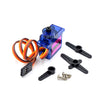
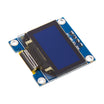
Once you have the codes, you can map them to actions like toggling relays, moving a servo, navigating an OLED menu, or triggering game inputs.
- Time: ~10 minutes
- Skill level: Beginner
- What you will build: An Arduino that prints every button code from any IR remote, with a starter example you can extend for LED control.

Parts List
From ShillehTek
- HX1838 IR Remote Kit (with remote + battery) - the 38 kHz IR receiver module (and a remote to test immediately).
- Arduino Nano V3.0 Pre-Soldered - the microcontroller board that reads and prints IR codes.
- 120 PCS Dupont Jumper Wires - for quick wiring between the module and the Arduino.
External
- Any other IR remote you want to decode (TV, AC, fan, blu-ray)
Note: HX1838 reads 38 kHz modulated IR. NEC, Sony, RC5, and RC6 are supported by the IRremote library.
Step-by-Step Guide
Step 1 - Inspect the module
Goal: Identify the HX1838 pins so you can wire it correctly.

Expected result: You can locate VCC, GND, and DATA on your specific board.
Step 2 - Wire it to the Arduino
Goal: Connect power and the signal line so the Arduino can read IR pulses.
What to do: Make these connections:
- VCC - 5V (or 3.3V, works either)
- GND - GND
- DATA - D2 (any digital pin with interrupts works)
Expected result: The HX1838 is powered and its DATA pin is connected to Arduino digital pin D2.
Step 3 - Install IRremote and upload the sketch
Goal: Decode incoming IR commands and print button codes over Serial.
What to do: Install IRremote (shirriff) using the Arduino IDE Library Manager, then upload this sketch.
Code:
#include <IRremote.h>
const int IR_PIN = 2;
void setup() {
  Serial.begin(9600);
  IrReceiver.begin(IR_PIN, ENABLE_LED_FEEDBACK);
}
void loop() {
  if (IrReceiver.decode()) {
    Serial.print("Code: 0x");
    Serial.println(IrReceiver.decodedIRData.command, HEX);
    IrReceiver.resume();
  }
}
Expected result: The sketch compiles and uploads, and Serial Monitor is ready to show decoded values.
Step 4 - Press buttons and record codes
Goal: Capture the unique HEX codes for the buttons you care about.
What to do: Open Serial Monitor, point an IR remote at the HX1838, and press buttons. Each press should print a HEX value. Write down the codes you want to map to actions.
Expected result: You see a different code for each button press in Serial Monitor.
Step 5 - Where to take it next
Goal: Turn decoded button codes into control inputs for your projects.
What to do: Use your recorded codes to trigger behaviors like these:
- Map remote buttons to relay channels for IR control of fans, lamps, or appliances
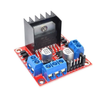
- Drive an L298N motor with arrow buttons for an IR-controlled RC car
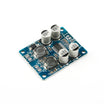
- Use it as a hidden volume control input for a TPA3118 amplifier
- Combine with IRsend mode to clone a remote and replay codes using an IR LED
Expected result: You have a clear plan for mapping the captured codes into your next build.
Conclusion
You built an Arduino + HX1838 IR receiver setup that decodes button presses from common IR remotes and prints the command codes to Serial Monitor. With those codes recorded, you can treat any old remote as a low-cost wireless controller for your projects.
Want the exact parts used in this build? Grab them from ShillehTek.com. If you want help customizing this project or building IR-controlled firmware for your product, check out our IoT consulting services.







.png?v=25000753014097803521790645985)

.png?v=68677308723310773341790645985)


