Overview
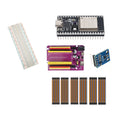
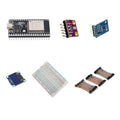
Build scale electronics around an RP2040 Zero, a 5kg load cell with HX711 amplifier, and a blue OLED. Mechanical mounting and known-weight calibration are essential parts of the project.
What's included
- 1 × RP2040 Zero board with pre-soldered headers
- 1 × 5kg load-cell kit with HX711 amplifier
- 1 × 0.96-inch blue SSD1306 I2C OLED display
- 1 × 400-point solderless breadboard
- 1 × 120-piece, 10cm jumper wire set: male–male, male–female and female–female
What you need to supply
Mechanical assembly, wiring, firmware and calibration with a known weight are required before use. A USB-C data cable, computer, power source, calibration weight and enclosure are not included. The 5kg rating describes the load cell; finished scale accuracy depends on your mounting, calibration and software.
At a Glance
Specifications and Component References
The table identifies the exact bundled sale units. Open each component manual for its pinout, applicable electrical limits and individual examples. The linked component may have other variants; use the bundled variant shown here.
Pinout and Connection Planning
Use the labelled pins and diagrams in the component references above. The connections below describe signal functions, not a physical header drawing. Select and record GPIO that match your chosen firmware and the exact controller board.
| Part or interface | Connection plan |
|---|---|
| Load cell to HX711 | Identify excitation and signal connections using the exact load-cell kit documentation. Do not rely on wire color alone; wire assignments can differ. |
| HX711 to RP2040 | Use GPIO-safe power and logic levels. Connect the documented data and clock functions to GPIO selected by your HX711 driver. |
| SSD1306 to RP2040 | Use the display's labelled power/ground and I2C SDA/SCL connections. Choose a valid I2C GPIO pair for the exact RP2040 Zero board. |
| Mechanical mount | Mount the load cell as described in its component guide, with appropriate clearance for its sensing section. The breadboard is not the load-bearing scale structure. |
Wiring Guide and First Checks
- Check the RP2040 Zero, one 5kg load-cell kit already containing an HX711, blue OLED, 400-point breadboard and 120-piece 10cm wire set. Supply a USB-C data cable, computer, suitable power source, mechanical mounting and a known calibration weight.
- Program the RP2040 Zero by itself using its board-specific setup instructions. Use its own GPIO map; examples for another RP2040 board may use different physical pins.
- Build the load-cell mount according to the component guide before applying measurement loads. Keep the sensing section free to deflect as intended and protect the sensor from overload.
- With power removed, connect the load cell to the HX711 using the documented excitation/signal assignments. Connect HX711 data, clock and GPIO-safe supply levels to the RP2040.
- Run an HX711 raw-reading example. Verify readings respond to a small appropriate load, then tare the unloaded mounted assembly and calibrate with a known weight using your chosen software.
- Test the OLED separately, then add weight display in your own program. Recheck tare, response and calibration after changing mounting or load platform.
Check the result
Check raw response before calibration, then compare several appropriate known loads and repeatability for your own application. The 5kg figure is the load-cell rating; it is not a guaranteed accuracy, resolution or certification for the completed scale.
Troubleshooting
| Symptom | Check |
| Readings are fixed, saturated or erratic | Remove loads and inspect the documented load-cell wiring, HX711 power, data/clock connections and mechanical mount. Do not solve uncertain wire assignments by trial powering. |
| Weight changes sign or uses the wrong units | Review the driver's raw readings, calibration factor and unit convention. Recalibrate with the completed mount and a known weight. |
| Zero drifts after assembly changes | Inspect mounting stress, clearance and cabling, then repeat tare and calibration. Evaluate the complete mechanical and software setup. |
Code Examples and Firmware
Use the RP2040 Zero board guide, HX711/load-cell guide and SSD1306 guide as separate starting points. Set the clock/data GPIO, I2C pins, calibration factor, units and tare behavior explicitly. A calibration factor copied from another physical scale is not a calibration of your assembly. No finished calibrated-scale firmware is supplied.
The component references describe individual devices. Examples for another controller or a larger project need adaptation; they do not establish that this complete kit has been assembled and tested.
Frequently Asked Questions
Related Tutorials
Use the exact component manuals linked above for individual wiring and software references. When adapting a project tutorial, compare its complete parts list, controller version, power requirements and software settings with this kit before following its instructions.