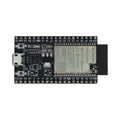
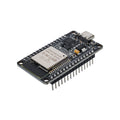
Overview
The Raspberry Pi Pico 2W is the wireless version of the Pico 2, built around the RP2350 microcontroller and the Infineon CYW43439 wireless chip. It combines a dual-core Arm Cortex-M33 running at 150 MHz with 2.4 GHz WiFi (802.11 b/g/n) and Bluetooth 5.2 (Classic + LE) in the same compact 21 × 51 mm form factor as the original Pico. Our ShillehTek version comes with pre-soldered headers, so you can drop it straight into a breadboard.
Whether you're building an IoT device that reports sensor data to the cloud, a Bluetooth-controlled robot, a home automation gateway, or a MicroPython-powered WiFi webhook, the Pico 2W is a fantastic microcontroller to reach for. It's supported by MicroPython, CircuitPython, Arduino IDE (via Earle Philhower's package), and the official C/C++ Pico SDK.
If you don't need wireless connectivity, the non-wireless Pico 2 with USB-C is a cheaper alternative with the same RP2350 brain.
At a Glance
Specifications
| Parameter | Value |
| Microcontroller | Raspberry Pi RP2350 (dual Arm Cortex-M33 or RISC-V Hazard3) |
| Clock Speed | Up to 150 MHz |
| SRAM | 520 KB on-chip |
| Flash | 4 MB QSPI |
| Wireless Chip | Infineon CYW43439 |
| WiFi | 2.4 GHz 802.11 b/g/n |
| Bluetooth | Bluetooth 5.2 (Classic + Low Energy) |
| Antenna | Onboard PCB antenna |
| Input Voltage (VSYS) | 1.8V - 5.5V |
| GPIO Logic Level | 3.3V |
| GPIO Pins | 26 multifunction pins |
| ADC Channels | 3 × 12-bit ADC (GP26, GP27, GP28) |
| Communication | 2 × UART, 2 × SPI, 2 × I2C, 24 × PWM channels |
| USB | USB 1.1 host and device (Micro-USB) |
| Dimensions | 21 × 51 mm |
| Headers | Pre-soldered 2.54 mm male headers |
Pinout Diagram

Wiring Guide
Powering the Pico 2W
The Pico 2W uses the same power topology as the Pico 2. You can power it from USB-C, from an external supply on VSYS (1.8V to 5.5V), or directly on the 3V3 rail. Keep in mind that the wireless radio draws more current than the base MCU — especially in WiFi AP mode — so budget for peak draws of ~300 mA.
| Pin | Role | Details |
|---|---|---|
| VBUS | +5V from USB | Only live when USB-C is connected |
| VSYS | Main input | 1.8V to 5.5V (LiPo, power bank, battery) |
| 3V3 (OUT) | Regulated 3.3V output | Use sparingly — WiFi uses a chunk of this budget |
| 3V3_EN | Regulator enable | Pull to GND to shut down the board |
| GND | Ground | Multiple GND pins around the board |
LED Wiring
Unlike the original Pico, the onboard user LED on the Pico W/2W is NOT on a GPIO pin — it's connected through the CYW43 wireless chip. You blink it via the "LED" pin in MicroPython or by calling the wireless-driver helper in C. For external LEDs, connect through a 330 Ω resistor to any GPIO.
| Component | Pico 2W Pin |
|---|---|
| External LED anode (+) | GP15 (via 330 Ω resistor) |
| External LED cathode (−) | GND |
Pin("LED", Pin.OUT) to control the onboard LED — the driver routes it through the wireless chip automatically. Using Pin(25) (which works on the non-W Pico) will NOT work on the 2W.
I2C Sensor Wiring
The Pico 2W has two I2C blocks. I2C0 defaults to GP4 (SDA) and GP5 (SCL), and I2C1 defaults to GP14 (SDA) and GP15 (SCL) — but I2C can be remapped to most GPIO pairs.
| Sensor Pin | Pico 2W Pin | Details |
|---|---|---|
| VCC | 3V3 (OUT) | For 3.3V sensors; use VBUS for 5V |
| GND | GND | |
| SDA | GP4 (I2C0) | |
| SCL | GP5 (I2C0) |
SPI Module Wiring
The Pico 2W has two SPI blocks. SPI0 defaults to GP16 (RX/MISO), GP17 (CSn), GP18 (SCK), and GP19 (TX/MOSI).
| Module Pin | Pico 2W Pin |
|---|---|
| VCC | 3V3 (OUT) or VBUS (5V) |
| GND | GND |
| MOSI | GP19 |
| MISO | GP16 |
| SCK | GP18 |
| CS | GP17 |
Code Examples
MicroPython — Blink the Onboard LED
# Raspberry Pi Pico 2W - MicroPython Blink Example
# The onboard LED on the 2W is routed through the CYW43 wireless chip,
# so we use the "LED" alias instead of GP25.

from machine import Pin
import time

led = Pin("LED", Pin.OUT)

while True:
    led.value(1)
    time.sleep(0.5)
    led.value(0)
    time.sleep(0.5)
MicroPython — Connect to WiFi
# Raspberry Pi Pico 2W - Connect to WiFi
# Replace SSID and PASSWORD with your network credentials.

import network
import time

SSID = "your_wifi_name"
PASSWORD = "your_wifi_password"

wlan = network.WLAN(network.STA_IF)
wlan.active(True)
wlan.connect(SSID, PASSWORD)

# Wait for connection (timeout after 15 seconds)
max_wait = 15
while max_wait > 0:
    if wlan.status() < 0 or wlan.status() >= 3:
        break
    max_wait -= 1
    print("Waiting for WiFi...")
    time.sleep(1)

if wlan.status() != 3:
    raise RuntimeError("WiFi connection failed")
else:
    print("Connected!")
    print("IP address:", wlan.ifconfig()[0])
MicroPython — Fetch a Web Page
# Raspberry Pi Pico 2W - Simple HTTP GET request
# Make sure you've already connected to WiFi before running this.

import urequests

response = urequests.get("https://httpbin.org/get")
print("Status:", response.status_code)
print("Body:", response.text)
response.close()
Arduino IDE — WiFi Connect
// Raspberry Pi Pico 2W - Arduino IDE WiFi Example
// Install "Raspberry Pi Pico/RP2040/RP2350" by Earle Philhower.
// Select: Tools > Board > Raspberry Pi Pico 2W

#include <WiFi.h>

const char* ssid = "your_wifi_name";
const char* password = "your_wifi_password";

void setup() {
  Serial.begin(115200);
  while (!Serial) delay(10);

  WiFi.begin(ssid, password);
  Serial.print("Connecting to WiFi");
  while (WiFi.status() != WL_CONNECTED) {
    delay(500);
    Serial.print(".");
  }
  Serial.println();
  Serial.print("Connected! IP: ");
  Serial.println(WiFi.localIP());
}

void loop() {
  delay(1000);
}
C/C++ Pico SDK — Blink
// Raspberry Pi Pico 2W - Pico SDK Blink Example
// On the Pico 2W, the onboard LED is driven through the CYW43 driver.
// Build with pico-sdk >= 2.0.0 and PICO_BOARD=pico2_w.

#include "pico/stdlib.h"
#include "pico/cyw43_arch.h"

int main() {
    if (cyw43_arch_init()) {
        return -1;
    }
    while (true) {
        cyw43_arch_gpio_put(CYW43_WL_GPIO_LED_PIN, 1);
        sleep_ms(500);
        cyw43_arch_gpio_put(CYW43_WL_GPIO_LED_PIN, 0);
        sleep_ms(500);
    }
}
Frequently Asked Questions
Pin("LED", Pin.OUT) in MicroPython, or the cyw43_arch API in C. This only affects the onboard LED — external LEDs still work as normal on any GPIO.