

Project Overview
ESP32 INMP441 Offline Voice Control: Train a small keyword-spotting model in Edge Impulse and run it entirely on an ESP32 with an INMP441 I2S microphone. Say "Marvin" to wake it, then "on" or "off" to switch an output, with no cloud service, Wi-Fi, or app involved.
- Time: 2 to 3 hours (most of it is collecting data and training)
- Skill level: Intermediate
- What you will build: An ESP32 voice switch that listens continuously, scores the last second of audio every 250 ms, and drives a "listening" LED and an on/off output LED.

Parts List
From ShillehTek
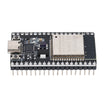
- ESP32 Dev Board 4MB CP2102 USB-C (38-pin) - runs the Edge Impulse model and drives the LEDs/output
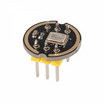
- INMP441 I2S omnidirectional microphone module - captures audio for keyword spotting over I2S
- Metal film resistor kit (two 220 Ω) - current limiting for the LEDs
- 830-point solderless breadboard - quick prototyping
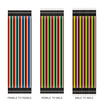
- Dupont jumper wires - breadboard wiring
External
- Two 5 mm LEDs (green for "listening", blue for the output)
- USB-C data cable
- A free Edge Impulse account and the Arduino IDE with the ESP32 core 3.x
- Google's Speech Commands dataset (free download, CC BY 4.0)
Note: the INMP441 is a 3.3 V part. Power it from the ESP32's 3V3 pin, never from 5V.
Step-by-Step Guide
Step 1 - Wire the microphone and LEDs
Goal: Connect the INMP441 to the ESP32's I2S pins and add two indicator LEDs.
What to do: Make these connections:
- INMP441 SCK → GPIO26 (bit clock)
- INMP441 WS → GPIO25 (word select)
- INMP441 SD → GPIO33 (audio data)
- INMP441 L/R → 3V3 (puts the mic on the right channel)
- INMP441 VDD → 3V3, GND → GND
- Green LED: GPIO23 → 220 Ω → LED anode, cathode → GND
- Blue LED: GPIO22 → 220 Ω → LED anode, cathode → GND

Expected result: The microphone shares only 3V3 and GND with the board, and the two LEDs each have their own resistor.
Step 2 - Check the microphone
Goal: Prove the I2S link works and find which channel the mic uses.
What to do: Install the esp32 by Espressif Systems board package (version 3.x) and select ESP32 Dev Module. Upload this short test. It reads both I2S channels and prints their levels four times a second.
// INMP441 check: prints the level of both I2S slots so you can see which one your mic uses
#include <ESP_I2S.h>

const int I2S_SCK = 26;   // INMP441 SCK
const int I2S_WS  = 25;   // INMP441 WS
const int I2S_SD  = 33;   // INMP441 SD

I2SClass mic;
int32_t frames[512];      // 256 stereo frames: left, right, left, right ...

void setup() {
  Serial.begin(115200);
  mic.setPins(I2S_SCK, I2S_WS, -1, I2S_SD);
  if (!mic.begin(I2S_MODE_STD, 16000, I2S_DATA_BIT_WIDTH_32BIT, I2S_SLOT_MODE_STEREO)) {
    Serial.println("I2S init failed - check the pin numbers");
    while (true) delay(1000);
  }
}

void loop() {
  double sumL = 0, sumR = 0;
  uint32_t n = 0;
  uint32_t start = millis();
  while (millis() - start < 250) {
    size_t bytes = mic.readBytes((char *)frames, sizeof(frames));
    size_t count = bytes / sizeof(int32_t);
    for (size_t i = 0; i + 1 < count; i += 2) {
      double l = (frames[i] >> 8) / 8388608.0;       // 24-bit audio scaled to -1..1
      double r = (frames[i + 1] >> 8) / 8388608.0;
      sumL += l * l;
      sumR += r * r;
      n++;
    }
  }
  if (n == 0) return;
  Serial.printf("LEFT %6.1f dBFS    RIGHT %6.1f dBFS\n",
                10.0 * log10(sumL / n + 1e-12), 10.0 * log10(sumR / n + 1e-12));
}
Expected result: One channel sits around -80 dBFS in a quiet room and jumps by 20 to 30 dB when you talk 30 cm away. The other channel stays flat. With L/R on 3V3 that should be RIGHT. If your mic shows up on LEFT, set MIC_CHANNEL to 0 in the main sketch later. If both channels stay flat, recheck SCK, WS and SD.
Step 3 - Build the keyword dataset
Goal: Give the model enough examples of the three words and of everything else.
What to do: Create a new Edge Impulse project. Download Google's Speech Commands dataset and upload 1,000 to 1,500 one-second clips from each of the marvin, on and off folders under Data acquisition → Add data → Upload data. Use exactly those lowercase names as labels, because the sketch looks them up by name. Then add two more classes of about the same size:
- noise: room tone, fans and music. Edge Impulse's ready-made keyword-spotting dataset includes a noise class you can import.
- unknown: a mix of other Speech Commands words (yes, no, stop, go and so on), so ordinary talking does not wake the device.
Let Edge Impulse split the data into training and test sets automatically. If you can, record a few minutes of your own voice saying the three words with your phone through Connect a device; it helps the model with your accent and room.
Expected result: Five classes (marvin, on, off, noise, unknown) with roughly balanced sample counts.
Step 4 - Design and train the impulse
Goal: Turn audio into features and train a small neural network.
What to do: Under Create impulse, set the window size to 1000 ms, the window increase to 500 ms and the frequency to 16000 Hz. Add an Audio (MFCC) processing block and a Classification learning block, then save. On the MFCC page keep the defaults and click Generate features. On the classifier page keep the default 1D convolutional network, set about 100 training cycles, enable data augmentation and train.
Expected result: Validation accuracy of 85% or better. If "marvin" is often confused with unknown, add more of your own recordings and retrain.
Step 5 - Export the Arduino library
Goal: Package the model for the ESP32.
What to do: Open Deployment, choose Arduino library, keep the quantized (int8) model and the EON compiler, and build. In the Arduino IDE use Sketch → Include Library → Add .ZIP Library. Open any of the library's examples to see its header name, for example ESP32_Voice_Control_inferencing.h. It is your project name plus _inferencing.h.
Expected result: The library appears under File → Examples and you know the exact header to include.
Step 6 - Upload the voice control sketch
Goal: Run the model continuously and react to the wake word and commands.
What to do: Change the #include on line 5 to your library's header, then upload. A FreeRTOS task on core 0 keeps the I2S DMA drained and hands over 250 ms slices. The loop on core 1 runs run_classifier_continuous() on each slice, so you get a fresh score for the last full second four times per second. After "marvin" scores 0.80 or more, the green LED turns on and the sketch waits up to four seconds for "on" or "off", which switch the blue LED.
// ShillehTek ESP32 offline voice control: say "Marvin", then "on" or "off"
// Edge Impulse keyword spotting with continuous inference on an INMP441 I2S microphone
#define EIDSP_QUANTIZE_FILTERBANK 0
#define EI_CLASSIFIER_SLICES_PER_MODEL_WINDOW 4      // 1 s window, a new result every 250 ms
#include <ESP32_Voice_Control_inferencing.h>        // rename to match your exported library
#include <ESP_I2S.h>

const int I2S_SCK = 26;
const int I2S_WS  = 25;
const int I2S_SD  = 33;
const int MIC_CHANNEL = 1;          // 1 = right slot (L/R to 3V3), 0 = left slot (L/R to GND)
const int GAIN_SHIFT  = 12;         // 32-bit sample >> 12 = 16-bit audio; lower = louder

const int LED_LISTEN = 23;          // green: waiting for a command
const int LED_LAMP   = 22;          // blue: the output you switch with "on" / "off"

const float WAKE_THRESHOLD = 0.80f;
const float CMD_THRESHOLD  = 0.80f;
const uint32_t LISTEN_MS   = 4000;  // time allowed for the command after "Marvin"
const uint32_t COOLDOWN_MS = 1000;  // ignore the wake word right after a command

I2SClass mic;
static int16_t slices[2][EI_CLASSIFIER_SLICE_SIZE];
static volatile int readySlice = -1;       // a full slice waiting for the classifier
static volatile bool classifying = false;
static volatile uint32_t overruns = 0;
static volatile int16_t lastPeak = 0;
static int workSlice = 0;

enum Mode { WAITING_FOR_WAKE, LISTENING };
Mode mode = WAITING_FOR_WAKE;
uint32_t listenUntil = 0, cooldownUntil = 0;
int skipSlices = 0;
bool lampOn = false;

// Core 0: keeps the I2S DMA drained and hands over 250 ms slices
void captureTask(void *) {
  static int32_t raw[512];                 // 256 stereo frames
  int fill = 0;
  size_t pos = 0;
  int16_t peak = 0;
  while (true) {
    size_t bytes = mic.readBytes((char *)raw, sizeof(raw));
    size_t frames = bytes / (2 * sizeof(int32_t));
    for (size_t i = 0; i < frames; i++) {
      int32_t s = raw[2 * i + MIC_CHANNEL] >> GAIN_SHIFT;
      if (s > 32767) s = 32767;
      if (s < -32768) s = -32768;
      slices[fill][pos++] = (int16_t)s;
      int16_t a = (s < 0) ? (int16_t)(-(s + 1)) : (int16_t)s;
      if (a > peak) peak = a;
      if (pos == EI_CLASSIFIER_SLICE_SIZE) {
        if (readySlice >= 0 || classifying) overruns++;   // classifier fell behind
        readySlice = fill;
        fill ^= 1;
        pos = 0;
        lastPeak = peak;
        peak = 0;
      }
    }
  }
}

static int getSliceData(size_t offset, size_t length, float *out) {
  numpy::int16_to_float(&slices[workSlice][offset], out, length);
  return 0;
}

float scoreOf(const ei_impulse_result_t &r, const char *label) {
  for (size_t i = 0; i < EI_CLASSIFIER_LABEL_COUNT; i++) {
    if (strcmp(r.classification[i].label, label) == 0) return r.classification[i].value;
  }
  return 0.0f;
}

void setup() {
  Serial.begin(115200);
  pinMode(LED_LISTEN, OUTPUT);
  pinMode(LED_LAMP, OUTPUT);
  mic.setPins(I2S_SCK, I2S_WS, -1, I2S_SD);
  if (!mic.begin(I2S_MODE_STD, EI_CLASSIFIER_FREQUENCY, I2S_DATA_BIT_WIDTH_32BIT, I2S_SLOT_MODE_STEREO)) {
    Serial.println("I2S init failed - check the wiring and pin numbers");
    while (true) delay(1000);
  }
  Serial.printf("Model: %d labels, %d Hz, slice %d samples\n",
                (int)EI_CLASSIFIER_LABEL_COUNT, (int)EI_CLASSIFIER_FREQUENCY, (int)EI_CLASSIFIER_SLICE_SIZE);
  run_classifier_init();
  xTaskCreatePinnedToCore(captureTask, "mic", 4096, nullptr, 10, nullptr, 0);
  Serial.println("Say \"Marvin\", then \"on\" or \"off\"");
}

void loop() {
  if (readySlice < 0) {
    delay(1);
    return;
  }
  workSlice = readySlice;
  classifying = true;
  readySlice = -1;

  signal_t signal;
  signal.total_length = EI_CLASSIFIER_SLICE_SIZE;
  signal.get_data = &getSliceData;
  ei_impulse_result_t result = { 0 };
  EI_IMPULSE_ERROR err = run_classifier_continuous(&signal, &result, false);
  classifying = false;
  if (err != EI_IMPULSE_OK) {
    Serial.printf("run_classifier_continuous failed (%d)\n", (int)err);
    return;
  }

  float wake = scoreOf(result, "marvin");
  float on   = scoreOf(result, "on");
  float off  = scoreOf(result, "off");
  uint32_t now = millis();

  static uint8_t printCounter = 0;
  if (++printCounter >= EI_CLASSIFIER_SLICES_PER_MODEL_WINDOW) {     // once per second
    printCounter = 0;
    Serial.printf("marvin %.2f  on %.2f  off %.2f  | peak %d  overruns %lu\n",
                  wake, on, off, (int)lastPeak, (unsigned long)overruns);
  }

  if (mode == WAITING_FOR_WAKE) {
    if (wake >= WAKE_THRESHOLD && (int32_t)(now - cooldownUntil) >= 0) {
      mode = LISTENING;
      listenUntil = now + LISTEN_MS;
      skipSlices = 2;                      // let "Marvin" slide out of the 1 s window
      digitalWrite(LED_LISTEN, HIGH);
      Serial.printf(">> Wake word (%.2f), listening...\n", wake);
    }
  } else if ((int32_t)(now - listenUntil) >= 0) {
    mode = WAITING_FOR_WAKE;
    digitalWrite(LED_LISTEN, LOW);
    Serial.println(">> No command heard, waiting for the wake word");
  } else if (skipSlices > 0) {
    skipSlices--;
  } else if (on >= CMD_THRESHOLD || off >= CMD_THRESHOLD) {
    lampOn = (on >= off);
    digitalWrite(LED_LAMP, lampOn ? HIGH : LOW);
    Serial.printf(">> Command: %s (%.2f)\n", lampOn ? "ON" : "OFF", lampOn ? on : off);
    mode = WAITING_FOR_WAKE;
    digitalWrite(LED_LISTEN, LOW);
    cooldownUntil = now + COOLDOWN_MS;
  }
}
Expected result: The Serial Monitor (115200 baud) prints the three scores once a second. Saying "Marvin" lights the green LED, and then "on" lights the blue LED, with lines like >> Wake word (0.92), listening... and >> Command: ON (0.88).
Step 7 - Tune it for your room
Goal: Reduce misses and false triggers.
What to do: Use the printed numbers to adjust the constants at the top of the sketch:
-
peak should reach a few thousand when you speak at normal volume. If it stays in the hundreds, lower
GAIN_SHIFTto 11. If it hits 32767 often, raise it to 13. -
False wake-ups: raise
WAKE_THRESHOLDto 0.90 and add more unknown and noise samples. -
Missed commands: lower
CMD_THRESHOLDto 0.70 or lengthenLISTEN_MS. -
overruns should stay at 0. If it climbs, the model is too slow for 250 ms slices: set
EI_CLASSIFIER_SLICES_PER_MODEL_WINDOWto 3, or pick a smaller network in Edge Impulse.
Expected result: The device ignores normal conversation and responds reliably to "Marvin ... on" and "Marvin ... off" from a couple of metres away.
Conclusion
You built an offline voice switch with an ESP32 and an INMP441 I2S microphone: an Edge Impulse keyword model trained on Speech Commands, continuous inference with a fresh result every 250 ms, a wake-word state machine, and LED outputs. The blue LED pin can drive a MOSFET or relay module to switch a low-voltage lamp or fan, and you can retrain with your own words to add more commands.
All photos and images in this tutorial are credited to CircuitDigest on Hackster.io (MIT license). The original guide by CircuitDigest served as the reference for this ShillehTek version.
Want the exact parts used in this build? Grab them from ShillehTek.com. If you want help customizing this project or building something for your product, check out our IoT consulting services.
Credits
All photos and images in this tutorial are credited to CircuitDigest on Hackster.io (MIT license). The original guide by CircuitDigest served as the reference for this ShillehTek version. We thank them for their excellent work in the maker community.


.png?v=25000753014097803521791168436)

.png?v=68677308723310773341791168436)


