

Project Overview
Arduino Nano Mozzi Drone Synth: Build a phase-modulation (FM-style) drone synthesizer on an Arduino Nano using the Mozzi sound library, with slide pots and a KY-023 joystick controlling pitch, ratio, FM depth, and LFO speed for a playable line-level output.
- Time: about 1 hour
- Skill level: Beginner to Intermediate
- What you will build: A breadboard synth voice with a 4-octave note range, eight carrier-to-modulator ratios, a slow-to-wobbly LFO on the FM depth, and a filtered line output for a powered speaker.

Parts List
From ShillehTek
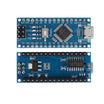
- Arduino Nano V3.0 ATmega328P (pre-soldered) - runs Mozzi and outputs audio on D9.
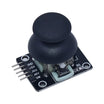
- KY-023 dual-axis joystick module - controls FM depth and LFO speed, plus a push switch for waveform/reset.
- 10K slide potentiometer module (x2) - sets note and modulator ratio steps.
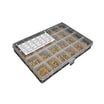
- Metal film resistor kit (2.2 kΩ for the output filter) - forms the RC low-pass from D9.
- Ceramic capacitor kit (10 nF, marked 103) - low-pass filter capacitor to ground.
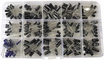
- Electrolytic capacitor kit (10 µF coupling capacitor) - blocks DC before your amplifier input.
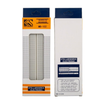
- 830-point solderless breadboard - prototyping the full synth voice.
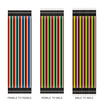
- Dupont jumper wires - quick connections for modules and the filter network.
External
- Powered speaker or amplifier with a 3.5 mm input (computer speakers work well)
- 3.5 mm audio cable or jack breakout, plus alligator clips
- USB cable for the Nano
Note: never wire a speaker or headphones straight to D9. Feed the filtered output into an amplifier and start with its volume low.
Step-by-Step Guide
Step 1 - Install Mozzi 2
Goal: Get the synthesis library that turns the Nano into a 16384 Hz audio engine.
What to do: In the Arduino IDE open the Library Manager, search for Mozzi and install version 2.x. Mozzi generates audio in updateAudio(), reads controls in updateControl() at a rate you choose, and outputs PWM on pin D9 by default.
Mozzi claims Timer1, so the Servo library and analogWrite() on pins 9 and 10 are off-limits, and you should avoid delay() in Mozzi sketches.
Expected result: The Mozzi examples appear under File → Examples → Mozzi. These sketches use the Mozzi 2 names (Mozzi.h, MOZZI_AUDIO_RATE, MOZZI_CONTROL_RATE). If they fail to compile, update the library.
Step 2 - Build the audio output filter
Goal: Smooth the PWM into a clean line-level signal.
What to do: D9 carries a fast PWM stream. A simple RC low-pass removes most of the carrier, and a capacitor blocks the DC offset before the amplifier:
- D9 → 2.2 kΩ resistor → a breadboard row we will call OUT
- OUT → 10 nF ceramic capacitor → GND (cutoff about 7 kHz)
- OUT → 10 µF electrolytic capacitor (+ leg on OUT) → amplifier input tip
- Amplifier input sleeve (ground) → Nano GND
Expected result: A small filter network sits between D9 and the cable to your speaker. For a darker sound, the original project's notes suggest 1 kΩ with 100 nF instead.
Step 3 - Play a test tone
Goal: Confirm the audio path before adding controls.
What to do: Upload this minimal Mozzi sketch.
// Mozzi first-sound test: a 440 Hz sine on pin D9
#define MOZZI_CONTROL_RATE 64
#include <Mozzi.h>
#include <Oscil.h>
#include <tables/sin2048_int8.h>

Oscil<SIN2048_NUM_CELLS, MOZZI_AUDIO_RATE> aSin(SIN2048_DATA);

void setup() {
  startMozzi();
  aSin.setFreq(440);
}

void updateControl() {
}

AudioOutput updateAudio() {
  return MonoOutput::from8Bit(aSin.next());
}

void loop() {
  audioHook();
}
Expected result: A steady 440 Hz tone (the A above middle C) from the speaker. If you hear nothing, check the coupling capacitor polarity and the ground connection to the amplifier.
Step 4 - Wire the controls
Goal: Add the joystick, both slide pots and the push switch.
What to do: Power all three modules from the Nano's 5V and GND, then connect the signals:
- Joystick VRx → A0 (FM depth)
- Joystick VRy → A1 (LFO speed)
- Joystick SW → D2 (the sketch enables the internal pull-up)
- Slide pot 1 output → A2 (note)
- Slide pot 2 output → A3 (modulator ratio)

Expected result: Four analog controls on A0 to A3 and the switch on D2. The audio filter from Step 2 stays on D9.
Step 5 - Upload the drone synth
Goal: Run a phase-modulation voice with an LFO.
What to do: Upload the sketch below. A sine modulator at a multiple of the note frequency shifts the phase of the carrier; the more depth you add, the more harmonics appear.
The joystick works as a rate control: hold it off-centre and the depth or LFO speed keeps moving, let go and the value stays. A short press of the joystick cycles the carrier through sine, triangle and saw, and a 0.6 s hold resets the depth and LFO.
// ShillehTek Nano drone synth: one phase-modulation voice with an LFO (Mozzi 2.x)
#define MOZZI_CONTROL_RATE 128
#include <Mozzi.h>
#include <Oscil.h>
#include <tables/sin2048_int8.h>
#include <tables/triangle2048_int8.h>
#include <tables/saw2048_int8.h>

const uint8_t PIN_DEPTH_STICK = A0;   // joystick X: hold left/right to lower/raise the FM depth
const uint8_t PIN_LFO_STICK   = A1;   // joystick Y: hold up/down to change the LFO speed
const uint8_t PIN_PITCH       = A2;   // slide pot 1: base note, 4 octaves in semitones
const uint8_t PIN_RATIO       = A3;   // slide pot 2: modulator ratio, 8 steps
const uint8_t PIN_BUTTON      = 2;    // joystick push switch: carrier waveform / reset

Oscil<SIN2048_NUM_CELLS, MOZZI_AUDIO_RATE> aCarrier(SIN2048_DATA);
Oscil<SIN2048_NUM_CELLS, MOZZI_AUDIO_RATE> aModulator(SIN2048_DATA);
Oscil<SIN2048_NUM_CELLS, MOZZI_CONTROL_RATE> kLfo(SIN2048_DATA);

const int8_t *const WAVES[3] = { SIN2048_DATA, TRIANGLE2048_DATA, SAW2048_DATA };
const float RATIOS[8] = { 0.5f, 1.0f, 1.5f, 2.0f, 2.5f, 3.0f, 3.5f, 4.0f };
const float DEPTH_START = 250.0f, LFO_START = 0.35f;

float depth = DEPTH_START;        // FM depth 0..800, stays put when the stick is released
float lfoPos = LFO_START;         // 0..1, mapped to 0.05..8 Hz
uint8_t wave = 0;
uint8_t note = 255, ratioStep = 255;
float carrierHz = 110.0f;
int32_t depthTarget = 0;          // control-rate target, x256
int32_t depthSmooth = 0;          // audio-rate glide toward the target
uint8_t buttonTicks = 0;

// 0..1023 reading -> 0..steps-1 with hysteresis, so a jittery pot never flickers between steps
uint8_t stepped(uint16_t raw, uint8_t steps, uint8_t current) {
  uint16_t width = 1024 / steps;
  if (current < steps) {
    uint16_t lo = current * width;
    uint16_t margin = width / 4;
    if (raw + margin >= lo && raw < lo + width + margin) return current;
  }
  uint8_t s = raw / width;
  return s >= steps ? steps - 1 : s;
}

int stickDelta(uint8_t pin) {          // -512..511 with a dead zone around the centre
  int v = (int)mozziAnalogRead<10>(pin) - 512;
  return (v > -60 && v < 60) ? 0 : v;
}

void setLfo() {
  float hz = 0.05f * pow(2.0f, lfoPos * 7.32f);   // 0.05 .. 8 Hz
  kLfo.setFreq(hz);                               // pass a float, not a double
}

void setup() {
  pinMode(PIN_BUTTON, INPUT_PULLUP);
  setLfo();
  startMozzi();
}

void updateControl() {
  // Slide pots: note and ratio
  uint8_t newNote = stepped(mozziAnalogRead<10>(PIN_PITCH), 48, note);
  uint8_t newRatio = stepped(mozziAnalogRead<10>(PIN_RATIO), 8, ratioStep);
  if (newNote != note || newRatio != ratioStep) {
    note = newNote;
    ratioStep = newRatio;
    carrierHz = 440.0f * pow(2.0f, ((int)note + 28 - 69) / 12.0f);   // MIDI 28 (E1) .. 75 (D#5)
    aCarrier.setFreq(carrierHz);
    aModulator.setFreq(carrierHz * RATIOS[ratioStep]);
  }

  // Joystick: rate controls, so values hold when the stick springs back
  int dx = stickDelta(PIN_DEPTH_STICK);
  if (dx) {
    depth += dx * (400.0f / 512.0f / MOZZI_CONTROL_RATE);           // full push: 400 per second
    depth = constrain(depth, 0.0f, 800.0f);
  }
  int dy = stickDelta(PIN_LFO_STICK);
  if (dy) {
    lfoPos += dy * (0.5f / 512.0f / MOZZI_CONTROL_RATE);            // full push: end to end in 2 s
    lfoPos = constrain(lfoPos, 0.0f, 1.0f);
    setLfo();
  }

  // Button: short press = next carrier waveform, hold 0.6 s = reset depth and LFO
  if (digitalRead(PIN_BUTTON) == LOW) {
    if (buttonTicks < 255) buttonTicks++;
    if (buttonTicks == 77) {
      depth = DEPTH_START;
      lfoPos = LFO_START;
      setLfo();
    }
  } else {
    if (buttonTicks >= 3 && buttonTicks < 77) {
      wave = (wave + 1) % 3;
      aCarrier.setTable(WAVES[wave]);
    }
    buttonTicks = 0;
  }

  // LFO sweeps the FM depth between 25 % and 100 %
  int16_t factor = 160 + ((int16_t)kLfo.next() * 96) / 128;           // 64..256 (x256)
  depthTarget = (int32_t)depth * factor;
}

AudioOutput updateAudio() {
  depthSmooth += (depthTarget - depthSmooth) >> 7;                     // ~8 ms glide, no zipper noise
  int32_t modulation = (depthSmooth >> 8) * aModulator.next();
  return MonoOutput::from8Bit(aCarrier.phMod(modulation));
}

void loop() {
  audioHook();
}
Expected result: A sustained tone at the note set by slide pot 1. Holding the stick to one side along X raises the depth (brighter, more metallic) and the other side lowers it; along Y it speeds up or slows down the LFO sweep. Slide pot 2 steps through ratios 0.5 to 4.
Step 6 - Shape some sounds
Goal: Learn what each control does musically.
What to do: Try these starting points:
- Warm organ drone: ratio 1 or 2, low depth, LFO very slow.
- Bell or gong: ratio 1.5, 2.5 or 3.5 (non-integer ratios give inharmonic partials), medium depth.
- Growl: ratio 0.5, saw carrier, high depth, LFO at a few hertz.
- Evolving pad: moderate depth with the slowest LFO, so the timbre breathes over 10 to 20 seconds.
Expected result: You can move from smooth tones to clangorous textures with only the two sliders and the stick.
Step 7 - Optional: switch to Mozzi's HIFI output
Goal: Get about 14-bit audio instead of the default single-pin PWM.
What to do: Add these two lines above #include <Mozzi.h> in the synth sketch:
#include <MozziConfigValues.h>
#define MOZZI_AUDIO_MODE MOZZI_OUTPUT_2PIN_PWM
Then replace the Step 2 network with Mozzi's two-pin mixer: D9 → 3.9 kΩ → OUT, D10 → 499 kΩ → OUT (two 1 MΩ resistors in parallel work), and OUT → 4.7 nF → GND, followed by the same 10 µF coupling capacitor. This mode also uses Timer2. It is the same network you can see on pins 9 and 10 in the schematic above.
Expected result: The same sounds with a lower noise floor and cleaner quiet passages.
Conclusion
You built a phase-modulation drone synth on an Arduino Nano with Mozzi 2: two slide pots for note and ratio, a KY-023 joystick for FM depth and LFO speed, a waveform switch, and a filtered output into a powered speaker. You can build a second voice on another Nano and mix the two with an op-amp, as in the original design, or swap a control source (for example, a light sensor in place of a slider) for hands-free changes.
Want the exact parts used in this build? Grab them from ShillehTek.com. If you want help customizing this project or building something for your product, check out our IoT consulting services.
Credits
All photos and images in this tutorial are credited to Daniel Sinderson on Hackster.io (MIT license). The original guide by Daniel Sinderson served as the reference for this ShillehTek version. We thank them for their excellent work in the maker community.


.png?v=25000753014097803521791168436)

.png?v=68677308723310773341791168436)


