

Project Overview
Arduino Nano MPU6050 Seismometer: turn an MPU6050 accelerometer and an Arduino Nano into a shake detector that draws a live seismogram on an OLED, sounds an alarm using the same STA/LTA trigger that real seismic networks use, and streams every reading to your PC for logging.
- Time: 1 to 2 hours
- Skill level: Intermediate
- What you will build: A floor-mounted vibration and earthquake monitor with a scrolling 25-second trace, an adjustable trigger, a buzzer alarm, and a CSV data logger.

Parts List
From ShillehTek
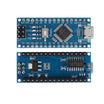
- Arduino Nano V3.0 ATmega328P (pre-soldered) - main controller that reads the MPU6050 and drives the OLED and buzzer
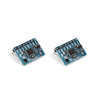
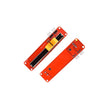
- MPU6050 pre-soldered accelerometer (2-pack) - motion sensor used to measure vibration on three axes
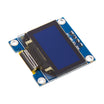
- 0.96" SSD1306 I2C OLED display - shows the live scrolling seismogram and status readouts
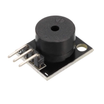
- KY-006 passive buzzer module - audible alarm during triggered events
- 10K slide potentiometer module (trigger sensitivity) - sets the STA/LTA trigger ratio threshold
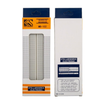
- 830-point solderless breadboard - quick prototyping for wiring the modules
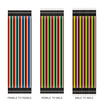
- Dupont jumper wires - connections between Nano, sensor, OLED, slider, and buzzer
External
- A heavy, rigid base: a ceramic floor tile, a paving slab or a thick piece of hardwood
- Double-sided foam tape, hot glue or screws to fix the sensor and board to the base
- USB cable and a PC (for logging) or any 5 V USB supply (stand-alone use)
- Optional: a small bubble level
Note: the MPU6050 has roughly 1 mg of noise per axis, so this detects felt shaking: footsteps, slammed doors, passing trucks and earthquakes strong enough to feel nearby. It will not record distant quakes the way a broadband seismometer does.
Step-by-Step Guide
Step 1 - Understand how the detector works
Goal: Know what the sketch measures before you tune it.
What to do: Read through the signal chain once. It is the same idea professional networks use, scaled down to a Nano:
- 100 samples per second through the FIFO. The MPU6050 is set to a 5 Hz low-pass filter and a 100 Hz sample rate, and it queues readings in its 1024-byte FIFO. The Nano drains the queue every loop, so no samples are lost while the OLED refreshes.
- High-pass filter at 0.5 Hz. A first-order filter on each axis removes gravity, tilt and slow thermal drift, leaving only vibration in mg (thousandths of g).
- STA/LTA trigger. The short-term average (0.5 s) of the 3-axis amplitude is compared with the long-term average (30 s). An event starts when STA/LTA rises above the threshold you set with the slide pot (2.0 to 10.0) and STA is at least 2 mg. It ends when the ratio stays below 1.5 for one second. The LTA is frozen during an event so a long quake does not raise its own baseline.
- Long shaking. Events are capped at two minutes. After a cap, triggering pauses for 30 seconds so the LTA can learn the new background (a washing machine, for example).
Expected result: You know that a higher slide-pot setting means a less sensitive trigger, and that the first 30 seconds after power-up are spent learning the room's noise.
Step 2 - Wire the circuit
Goal: Connect the sensor, display, slider and buzzer to the Nano.
What to do: The MPU6050 (address 0x68) and the OLED (address 0x3C) share the I2C bus. The Nano's on-board LED on D13 doubles as the alarm light.
- MPU6050: VCC → 5V, GND → GND, SDA → A4, SCL → A5 (leave AD0 and INT unconnected)
- OLED: VCC → 5V, GND → GND, SDA → A4, SCL → A5
- Slide pot: VCC → 5V, GND → GND, output (OTA) → A0
- KY-006 buzzer: S → D8, − → GND

Expected result: Everything is powered from the Nano's 5V pin, and both I2C modules sit on A4/A5.
Step 3 - Mount the sensor properly
Goal: Make the sensor feel the ground, not the furniture.
What to do: Placement matters more than code.
- Fix the MPU6050 flat (chip facing up, so its Z axis is vertical) to the heavy base with foam tape or screws. A loose sensor rattles and produces fake events.
- Put the base on the floor, ideally a concrete slab or ground floor, away from doors, stairs and walkways. A desk amplifies footsteps and keyboard taps.
- Level the base with a bubble level and tape the USB cable down so it cannot tug on the sensor.
Expected result: The sensor sits rigidly on a heavy base, on the floor, with the cable strain-relieved.
Step 4 - Upload the seismometer sketch
Goal: Run the FIFO reader, filter, trigger and display.
What to do: In the Arduino IDE, install Adafruit SSD1306 and Adafruit GFX from the Library Manager. Select Arduino Nano (try ATmega328P (Old Bootloader) if the upload fails) and upload this sketch. It talks to the MPU6050 registers directly, so no MPU library is needed.
Code:
// ShillehTek Nano seismometer: MPU6050 (FIFO, 100 Hz) + SSD1306 seismogram + STA/LTA alarm
#include <Wire.h>
#include <Adafruit_GFX.h>
#include <Adafruit_SSD1306.h>

const uint8_t MPU_ADDR   = 0x68;
const uint8_t OLED_ADDR  = 0x3C;
const uint8_t POT_PIN    = A0;           // slide pot: trigger ratio 2.0 ... 10.0
const uint8_t BUZZER_PIN = 8;            // KY-006 passive buzzer
const uint8_t ALARM_LED  = LED_BUILTIN;  // Nano on-board LED (D13)

const float DT          = 0.01f;         // 100 Hz sample rate (set by SMPLRT_DIV)
const float COUNTS_PER_MG = 16.384f;     // +/-2 g range = 16384 counts per g
const float HP_CUTOFF_HZ = 0.5f;         // removes gravity, tilt and slow drift
const float STA_SEC     = 0.5f;          // short-term average window
const float LTA_SEC     = 30.0f;         // long-term average window
const float RATIO_OFF   = 1.5f;          // event ends below this STA/LTA ratio...
const uint16_t QUIET_SAMPLES = 100;      // ...for 1 s in a row
const float MIN_STA_MG  = 2.0f;          // never trigger on tiny absolute levels
const uint16_t WARMUP_SAMPLES = 3000;    // 30 s to learn the background noise
const uint8_t SAMPLES_PER_COLUMN = 20;   // one OLED column = 200 ms (128 columns = 25.6 s)
const uint8_t CSV_DECIMATE = 4;          // serial CSV at 25 Hz

Adafruit_SSD1306 display(128, 64, &Wire, -1, 400000UL, 400000UL);
bool haveDisplay = false;

// High-pass filter state (one per axis)
float hpA;                               // filter coefficient, set in setup()
float prevIn[3], hpOut[3];
bool hpPrimed = false;

// Detector state
float sta = 0, lta = 0, ratioOn = 4.0f;
uint32_t sampleCount = 0;
bool eventActive = false;
uint32_t eventStart = 0, eventEnd = 0;
uint16_t quietCount = 0;
float peakH = 0, peakV = 0, peakRatio = 0;
bool haveLastEvent = false;
uint32_t holdoffUntil = 0;              // no new triggers until the LTA re-learns
float lastPeakH = 0, lastPeakV = 0;

// Seismogram: peak 3-axis amplitude per column, 0.5 mg units
uint8_t trace[128];
uint8_t traceHead = 0;
uint8_t columnSamples = 0;
float columnPeak = 0;
bool columnReady = false;
unsigned long lastBeep = 0;

void mpuWrite(uint8_t reg, uint8_t val) {
  Wire.beginTransmission(MPU_ADDR);
  Wire.write(reg);
  Wire.write(val);
  Wire.endTransmission();
}

uint16_t fifoCount() {
  Wire.beginTransmission(MPU_ADDR);
  Wire.write(0x72);                      // FIFO_COUNT_H
  if (Wire.endTransmission(false) != 0) return 0;
  if (Wire.requestFrom(MPU_ADDR, (uint8_t)2) != 2) return 0;
  uint8_t hi = Wire.read();
  uint8_t lo = Wire.read();
  return ((uint16_t)hi << 8) | lo;
}

void fifoReset() {
  mpuWrite(0x6A, 0x04);                  // USER_CTRL: FIFO_RESET
  mpuWrite(0x6A, 0x40);                  // USER_CTRL: FIFO_EN
}

void setupMpu() {
  mpuWrite(0x6B, 0x01);                  // PWR_MGMT_1: wake up, PLL clock
  delay(100);
  mpuWrite(0x1A, 0x06);                  // CONFIG: DLPF 5 Hz
  mpuWrite(0x19, 0x09);                  // SMPLRT_DIV: 1 kHz / (1 + 9) = 100 Hz
  mpuWrite(0x1C, 0x00);                  // ACCEL_CONFIG: +/-2 g
  mpuWrite(0x23, 0x08);                  // FIFO_EN: accelerometer X, Y, Z
  fifoReset();
}

const char *shakingLabel(float mg) {     // USGS ShakeMap PGA bands (1 %g = 10 mg)
  if (mg < 1.7f)  return "NOT FELT";
  if (mg < 14.0f) return "WEAK";
  if (mg < 39.0f) return "LIGHT";
  if (mg < 92.0f) return "MODERATE";
  if (mg < 180.0f) return "STRONG";
  return "V.STRONG+";
}

void endEvent(bool capped) {
  eventActive = false;
  if (capped) holdoffUntil = sampleCount + WARMUP_SAMPLES;   // long shaking: re-learn background for 30 s
  eventEnd = sampleCount;
  haveLastEvent = true;
  lastPeakH = peakH;
  lastPeakV = peakV;
  digitalWrite(ALARM_LED, LOW);
  Serial.print(F("# EVENT t="));
  Serial.print(eventStart * DT, 2);
  Serial.print(F("s dur="));
  Serial.print((eventEnd - eventStart) * DT, 1);
  Serial.print(F("s peakH="));
  Serial.print(peakH, 1);
  Serial.print(F("mg peakV="));
  Serial.print(peakV, 1);
  Serial.print(F("mg ratio="));
  Serial.print(peakRatio, 1);
  Serial.print(F(" shaking="));
  Serial.println(shakingLabel(peakH));
}

void processSample(int16_t ax, int16_t ay, int16_t az) {
  float in[3] = { (float)ax, (float)ay, (float)az };
  float mg[3];
  if (!hpPrimed) {                       // start the filter at the current reading (no step)
    for (uint8_t i = 0; i < 3; i++) { prevIn[i] = in[i]; hpOut[i] = 0; }
    hpPrimed = true;
  }
  for (uint8_t i = 0; i < 3; i++) {
    hpOut[i] = hpA * (hpOut[i] + in[i] - prevIn[i]);
    prevIn[i] = in[i];
    mg[i] = hpOut[i] / COUNTS_PER_MG;
  }
  float h = sqrt(mg[0] * mg[0] + mg[1] * mg[1]);   // horizontal
  float v = fabs(mg[2]);                            // vertical (sensor Z up)
  float total = sqrt(h * h + v * v);
  sampleCount++;

  // STA/LTA trigger on the 3-axis amplitude
  sta += (total - sta) * (DT / STA_SEC);
  if (sampleCount <= WARMUP_SAMPLES) {
    lta += (total - lta) / (float)sampleCount;      // plain average while warming up
  } else if (!eventActive) {
    lta += (total - lta) * (DT / LTA_SEC);          // LTA is frozen during events
  }
  float ratio = sta / (lta > 0.05f ? lta : 0.05f);

  if (sampleCount > WARMUP_SAMPLES) {
    if (!eventActive) {
      if (ratio >= ratioOn && sta >= MIN_STA_MG && sampleCount >= holdoffUntil) {
        eventActive = true;
        eventStart = sampleCount;
        peakH = h; peakV = v; peakRatio = ratio;
        quietCount = 0;
        digitalWrite(ALARM_LED, HIGH);
      }
    } else {
      if (h > peakH) peakH = h;
      if (v > peakV) peakV = v;
      if (ratio > peakRatio) peakRatio = ratio;
      if (ratio < RATIO_OFF) {
        if (++quietCount >= QUIET_SAMPLES) endEvent(false);
      } else {
        quietCount = 0;
      }
      if (eventActive && sampleCount - eventStart > 12000) endEvent(true);   // 2 min cap
    }
  }

  // Seismogram column
  if (total > columnPeak) columnPeak = total;
  if (++columnSamples >= SAMPLES_PER_COLUMN) {
    float units = columnPeak * 2.0f;                // 0.5 mg units
    trace[traceHead] = units > 255.0f ? 255 : (uint8_t)units;
    traceHead = (traceHead + 1) & 127;
    columnSamples = 0;
    columnPeak = 0;
    columnReady = true;
  }

  // CSV for the Serial Plotter or the PC logger
  if (sampleCount % CSV_DECIMATE == 0) {
    Serial.print(sampleCount * DT, 2); Serial.print(',');
    Serial.print(mg[0], 2); Serial.print(',');
    Serial.print(mg[1], 2); Serial.print(',');
    Serial.print(mg[2], 2); Serial.print(',');
    Serial.print(sta, 2); Serial.print(',');
    Serial.print(lta, 2); Serial.print(',');
    Serial.println(eventActive ? 1 : 0);
  }
}

void drainFifo() {
  uint16_t count = fifoCount();
  if (count > 1020) {                    // overflowed: data no longer aligned
    fifoReset();
    Serial.println(F("# FIFO overflow, reset"));
    return;
  }
  while (count >= 6) {
    uint8_t samples = count / 6;
    if (samples > 5) samples = 5;        // AVR Wire buffer is 32 bytes
    Wire.beginTransmission(MPU_ADDR);
    Wire.write(0x74);                    // FIFO_R_W
    if (Wire.endTransmission(false) != 0) return;
    uint8_t bytes = samples * 6;
    if (Wire.requestFrom(MPU_ADDR, bytes) != bytes) return;
    for (uint8_t s = 0; s < samples; s++) {
      uint8_t xh = Wire.read(); uint8_t xl = Wire.read();
      uint8_t yh = Wire.read(); uint8_t yl = Wire.read();
      uint8_t zh = Wire.read(); uint8_t zl = Wire.read();
      processSample((int16_t)(((uint16_t)xh << 8) | xl),
                    (int16_t)(((uint16_t)yh << 8) | yl),
                    (int16_t)(((uint16_t)zh << 8) | zl));
    }
    count -= bytes;
  }
}

void drawScreen() {
  uint8_t maxv = 0;
  for (uint8_t i = 0; i < 128; i++) if (trace[i] > maxv) maxv = trace[i];
  const uint8_t scales[] = { 4, 10, 20, 40, 100, 255 };    // 2, 5, 10, 20, 50, 127 mg
  uint8_t fs = 255;
  for (uint8_t i = 0; i < sizeof(scales); i++) {
    if (maxv <= scales[i]) { fs = scales[i]; break; }
  }
  display.clearDisplay();
  display.setTextSize(1);
  display.setTextColor(SSD1306_WHITE);
  display.setCursor(0, 0);
  display.print(F("R"));
  display.print(sta / (lta > 0.05f ? lta : 0.05f), 1);
  display.print(F(" TRIG"));
  display.print(ratioOn, 1);
  display.print(F(" FS"));
  display.print(fs / 2);
  display.print(F("mg"));
  for (uint8_t x = 0; x < 128; x++) {
    uint8_t value = trace[(traceHead + x) & 127];          // oldest on the left
    uint8_t half = (uint16_t)value * 20 / fs;
    if (half > 20) half = 20;
    display.drawFastVLine(x, 33 - half, half * 2 + 1, SSD1306_WHITE);
  }
  display.setCursor(0, 56);
  if (sampleCount <= WARMUP_SAMPLES) {
    display.print(F("Learning noise "));
    display.print((WARMUP_SAMPLES - sampleCount) / 100);
    display.print(F("s"));
  } else if (eventActive) {
    display.print(F("EVENT "));
    display.print(peakH, 1);
    display.print(F("mg "));
    display.print((sampleCount - eventStart) / 100);
    display.print(F("s"));
  } else if (haveLastEvent) {
    display.print(F("Last "));
    display.print(lastPeakH, 1);
    display.print(F("mg "));
    display.print(shakingLabel(lastPeakH));
  } else {
    display.print(F("Quiet  LTA "));
    display.print(lta, 1);
    display.print(F("mg"));
  }
  display.display();
}

void setup() {
  Serial.begin(115200);
  pinMode(ALARM_LED, OUTPUT);
  pinMode(BUZZER_PIN, OUTPUT);
  Wire.begin();
  Wire.setClock(400000);
  float rc = 1.0f / (2.0f * PI * HP_CUTOFF_HZ);
  hpA = rc / (rc + DT);
  haveDisplay = display.begin(SSD1306_SWITCHCAPVCC, OLED_ADDR);
  if (!haveDisplay) Serial.println(F("# OLED not found, logging to serial only"));
  setupMpu();
  Serial.println(F("t_s,x_mg,y_mg,z_mg,sta_mg,lta_mg,event"));
}

void loop() {
  drainFifo();
  if (columnReady) {
    columnReady = false;
    ratioOn = 2.0f + analogRead(POT_PIN) * (8.0f / 1023.0f);
    if (haveDisplay) drawScreen();
  }
  if (eventActive && millis() - lastBeep >= 500) {
    lastBeep = millis();
    tone(BUZZER_PIN, 2000, 80);
  }
}
Expected result: The OLED shows "Learning noise 30s" counting down, then switches to "Quiet" with the current LTA. The Serial Monitor at 115200 baud prints CSV lines 25 times per second.
Step 5 - Read the display and tune the trigger
Goal: Confirm detection and pick a sensible sensitivity.
What to do: The top line shows the live STA/LTA ratio (R), the trigger level from the slider (TRIG) and the auto-selected full scale of the trace (2 to 127 mg). Each column of the trace is the peak amplitude over 200 ms, so the screen shows the last 25.6 seconds.
Stamp on the floor a metre away or close a door: the trace spikes and, if the ratio crosses TRIG, the LED lights, the buzzer chirps every half second and the bottom line switches to "EVENT". Open Tools → Serial Plotter to watch the x, y and z columns live.
Start with the slider near the middle (about 6). Move it toward 2 for more sensitivity in a quiet basement, or toward 10 in a busy house.
Expected result: Background noise keeps R near 1.0, deliberate taps trigger short events, and each event prints a summary line such as # EVENT t=60.73s dur=4.0s peakH=22.4mg peakV=7.3mg ratio=8.2 shaking=LIGHT.
Step 6 - Log every reading on your PC
Goal: Keep a timestamped record you can graph later.
What to do: Install Python 3 and pyserial (pip install pyserial), close the Arduino Serial Monitor, and run the logger with your port, for example python seismo_logger.py COM5 on Windows or python seismo_logger.py /dev/cu.usbserial-1410 on a Mac. It writes one CSV per day with wall-clock times and appends event summaries to seismo_events.log.
Code:
#!/usr/bin/env python3
"""Log the Nano seismometer's serial CSV to daily files with wall-clock timestamps.

Usage: python seismo_logger.py COM5          (Windows)
       python seismo_logger.py /dev/ttyUSB0  (Linux / macOS: /dev/cu.usbserial-*)
Requires: pip install pyserial
"""
import csv
import datetime
import sys

import serial

PORT = sys.argv[1] if len(sys.argv) > 1 else "/dev/ttyUSB0"
FIELDS = ["time", "t_s", "x_mg", "y_mg", "z_mg", "sta_mg", "lta_mg", "event"]


def open_day_file(day):
    f = open(f"seismo_{day}.csv", "a", newline="", buffering=1)   # line-buffered: nothing lost on Ctrl+C
    w = csv.writer(f)
    if f.tell() == 0:
        w.writerow(FIELDS)
    return f, w


def main():
    current_day, f, writer = None, None, None
    with serial.Serial(PORT, 115200, timeout=2) as ser, open("seismo_events.log", "a") as events:
        print(f"Logging {PORT} ... Ctrl+C to stop")
        while True:
            line = ser.readline().decode("ascii", errors="ignore").strip()
            if not line:
                continue
            now = datetime.datetime.now()
            if line.startswith("#"):                 # event summaries and status lines
                stamp = now.isoformat(timespec="seconds")
                print(stamp, line)
                events.write(f"{stamp} {line}\n")
                events.flush()
                continue
            parts = line.split(",")
            if len(parts) != 7 or parts[0] == "t_s":
                continue
            day = now.date().isoformat()
            if day != current_day:                   # start a new file at midnight
                if f:
                    f.close()
                f, writer = open_day_file(day)
                current_day = day
            writer.writerow([now.isoformat(timespec="milliseconds")] + parts)


if __name__ == "__main__":
    try:
        main()
    except KeyboardInterrupt:
        print("Stopped.")
Expected result: Files named like seismo_2026-10-25.csv grow by 25 rows per second, ready for Excel, pandas or Grafana.
Step 7 - Interpret the numbers
Goal: Put an event's peak into context.
What to do: The sketch labels each event using the peak-acceleration bands from the USGS ShakeMap scale (1 %g = 10 mg). Remember that the label describes ground shaking; a bump right next to the sensor will read high locally.
- Below 1.7 mg: not felt (also the sensor's noise floor)
- 1.7 to 14 mg: weak (intensity II to III)
- 14 to 39 mg: light (IV)
- 39 to 92 mg: moderate (V)
- 92 to 180 mg: strong (VI)
- Above 180 mg: very strong or worse (VII+)
Expected result: You can tell a slammed door (a short, sharp spike) from sustained shaking (a long event with a growing then fading trace), and you have numbers to compare against official reports if a real quake is felt.
Conclusion
You built an Arduino Nano seismometer that reads an MPU6050 at 100 samples per second through its FIFO, filters out gravity, draws a live seismogram on an SSD1306 OLED, triggers a buzzer alarm with an STA/LTA detector, and logs every reading to your PC.
Want the exact parts used in this build? Grab them from ShillehTek.com. If you want help customizing this project or building something for your product, check out our IoT consulting services.
Credits
All photos and images in this tutorial are credited to Mirko Pavleski (mircemk) on Hackster.io. The original guide by Mirko Pavleski served as the reference for this ShillehTek version. We thank them for their excellent work in the maker community.


.png?v=25000753014097803521791168436)

.png?v=68677308723310773341791168436)


