

Project Overview
ESP32-CAM + HX711 + PIR connected bird feeder: Build a Wi-Fi bird feeder where an ESP32-CAM takes a photo on motion, while an HX711 load cell reports how much seed is left in grams to a dashboard.
An HC-SR501 PIR sensor triggers a capture when a bird lands. The ESP32-CAM uploads both the photo and the current weight reading, then returns to a low-power wait loop for outdoor-friendly operation.
- Time: ~4 hours
- Skill level: Advanced
- What you will build: A connected bird feeder with motion-triggered photo, live weight readout, and Wi-Fi dashboard.

Parts List
From ShillehTek
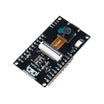
- ESP32-CAM (with OV3660) - captures images and connects to Wi-Fi for uploads.
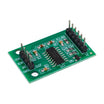
- HX711 Load Cell Amplifier - reads the strain-gauge load cell to estimate seed remaining in grams.
- HC-SR501 PIR Motion Sensor - triggers a photo and weight log when a bird lands.
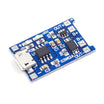
- TP4056 LiPo Charger - battery charging and protection for a portable or solar setup.
- Dupont Jumper Wires - wiring between the ESP32-CAM, PIR, and HX711.
External
- Bird feeder body (off-the-shelf or 3D-printed) - enclosure and mounting for the electronics.
- 5-20kg strain-gauge load cell - the sensor that measures feeder weight.
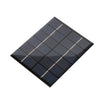
- Solar panel + 18650 cells (for outdoor permanence) - long-term off-grid power option.
Note: The ESP32-CAM camera is built-in. The wiring diagram in this guide uses HX711 on ESP32 GPIO 14/15 and PIR on GPIO 13.
Step-by-Step Guide
Step 1 - Mount the sensors
Goal: Mechanically integrate the load cell, camera, and motion sensor so the weight readings are stable and the camera has a clear view.
What to do: Mount the feeder bowl or seed platform onto the load cell so that the load is applied straight down. Position the ESP32-CAM so it points at the perch or the area where birds land. Mount the PIR so it can see motion at the feeder without false triggers from unrelated movement.

Expected result: The feeder platform sits firmly on the load cell, and the camera and PIR have an unobstructed view of the target area.
Step 2 - Wire it
Goal: Connect the HX711, PIR, and power hardware to the ESP32-CAM so the firmware can read motion and weight.
What to do: Wire the HX711 data pins to the ESP32-CAM as shown (HX711 to ESP32 GPIO 14/15 in the provided diagram). Wire the PIR output to GPIO 13. Provide power through your chosen battery and charging setup (for example, TP4056 with a solar and 18650 arrangement) as appropriate for your build.


Expected result: The ESP32-CAM powers on reliably, and the PIR and HX711 are electrically connected according to the diagram.
Step 3 - System architecture
Goal: Understand the event-driven flow so your firmware and cloud endpoint match the intended behavior.
What to do: Use the PIR motion signal as the trigger. When motion is detected, wake or run the capture routine, take a camera frame, read the HX711 weight, upload data (photo and grams), then return to waiting (or sleeping, if you implement it) to reduce power usage.

Expected result: You have a clear plan for when the device captures images, when it reads the scale, and when it sends updates over Wi-Fi.
Step 4 - Sketch (event-driven)
Goal: Implement a simple firmware loop that triggers on motion, captures a photo, reads weight, and prints or posts results.
What to do: Use the sketch below as a starting point. Replace the Wi-Fi credentials, implement your camera configuration and initialization, and update the upload routine (for example, POST to your server, Telegram, or an object store). Calibrate the HX711 scale factor to match your load cell and mechanics.
Code:
#include <esp_camera.h>
#include <WiFi.h>
#include <HX711.h>
const int PIR = 13;
HX711 scale;
void setup() {
  pinMode(PIR, INPUT);
  WiFi.begin("SSID", "PASS");
  scale.begin(14, 15); scale.set_scale(420.0); scale.tare();
  // camera_config + esp_camera_init(&config)
}
void snapAndPost() {
  camera_fb_t *fb = esp_camera_fb_get();
  // POST fb->buf to your server / Telegram / S3
  esp_camera_fb_return(fb);
}
void loop() {
  if (digitalRead(PIR) == HIGH) {
    snapAndPost();
    float seedGrams = scale.get_units(5);
    Serial.printf("Bird detected. Seed left: %.0fg\n", seedGrams);
    delay(30000);   // 30s cooldown
  }
  delay(200);
}
Expected result: When the PIR goes HIGH, the ESP32-CAM runs the capture routine and logs the remaining seed weight to Serial.
Step 5 - Watch the birds
Goal: Validate that a real feeder visit triggers a photo plus weight reading.
What to do: Deploy the feeder, connect the ESP32-CAM to Wi-Fi, and wait for motion at the perch. Confirm your upload destination receives photos and that your dashboard or logs show updated gram readings after each trigger.

Expected result: Motion at the feeder causes a capture and an updated seed weight reading to be sent or logged.
Step 6 - Where to take it next
Goal: Extend the same event-driven design into higher-level features once the core build works.
What to do: Consider these optional directions:
- Use ML on the cloud to identify bird species from each photo
- Track refill cycles and send a Telegram alert when seed drops below 200g
- Add a second ESP32-CAM for a side view
- Use solar power plus LoRa for a fully off-grid backyard deployment
Expected result: You have a clear set of next upgrades without changing the core PIR-triggered capture and HX711 weight logging flow.
Conclusion
You built an ESP32-CAM bird feeder that uses an HC-SR501 PIR sensor to trigger a photo and an HX711 load cell to report remaining seed weight in grams over Wi-Fi.
Want the exact parts used in this build? Grab them from ShillehTek.com. If you want help customizing this project or building something for your product, check out our IoT consulting services.
Credit: This guide is based on a reference build from Instructables.




.png?v=25000753014097803521791168436)

.png?v=68677308723310773341791168436)


