

Project Overview
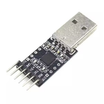
Arduino Pro Mini + CP2102 USB-to-TTL: Use a CP2102 USB-to-UART serial converter to flash an Arduino Pro Mini (and other USB-less targets like ESP-01 or bare MCUs) and read Serial output over a COM/tty port.
- Time: ~15 minutes
- Skill level: Beginner
- What you will build: A CP2102 wired to an Arduino Pro Mini, flashing Blink and reading Serial output.

Parts List
From ShillehTek
- CP2102 6-Pin USB to TTL UART Module - USB-to-serial bridge for flashing and Serial console access
- 120 PCS Dupont Jumper Wires - quick, reliable wiring between the CP2102 and your target
External
- A target device without USB (Arduino Pro Mini, ESP-01, bare ATmega328P)
- CP2102 driver for your OS (Windows / macOS need the Silicon Labs VCP driver; Linux is automatic)
Note: Match the target’s logic level. The CP2102 has a jumper / solder pad for 5 V vs 3.3 V on TX/RX. Wire your target to the right setting before powering up.
Step-by-Step Guide
Step 1 - Inspect the Module
Goal: Identify the CP2102 pins you will use for power, UART, and optional auto-reset.
What to do: Locate the 6-pin header and confirm which pins are VCC, GND, TX, RX, DTR, and RTS on your specific board revision.


Expected result: You know exactly which CP2102 pins to connect to your target.
Step 2 - Install the Driver
Goal: Make the CP2102 appear as a COM/tty serial port on your computer.
What to do: Download the “CP210x USB to UART Bridge” driver from Silicon Labs for Windows or macOS. Linux ships with it. After install and reboot, plug in the CP2102 and confirm a new COM/tty port appears.
Expected result: You can select the CP2102 port in your flashing tool (for example, Arduino IDE).
Step 3 - Wire to Your Target
Goal: Connect power and UART lines correctly between the CP2102 and the target board.
What to do: Wire VCC and GND, then cross the UART lines (TX to RX, RX to TX). If you want auto-reset for Arduino uploads, also connect DTR through a 100 nF capacitor to the target’s reset/DTR line.

- CP2102 5 V to Pro Mini VCC
- CP2102 GND to Pro Mini GND
- CP2102 TX to Pro Mini RX
- CP2102 RX to Pro Mini TX
- CP2102 DTR to Pro Mini DTR (via 100 nF capacitor for auto-reset)
Expected result: Your Pro Mini (or other target) has power and a working UART connection to your computer.
Step 4 - Auto-Reset Mod (Optional)
Goal: Enable one-click uploads by letting the IDE toggle reset automatically.
What to do: Add a 100 nF capacitor between DTR and the target’s reset line (as shown). Without the capacitor you may need to press reset manually during uploads.

Expected result: Uploads reset the board automatically, similar to an Arduino with built-in USB.
Step 5 - Upload and Read Serial
Goal: Flash a sketch and verify Serial output over the CP2102.
What to do: In the Arduino IDE choose the matching board (Pro Mini, 5 V/16 MHz), select the new COM/tty port, and click Upload. Then open Serial Monitor.

Expected result: The upload completes successfully and the Serial Monitor shows output from your sketch.
Step 6 - Where to Take It Next
Goal: Apply the same CP2102 workflow to other USB-less boards.
What to do: Use the CP2102 to flash and talk to other targets that expose UART.
- Flash an ESP-01 in bootloader mode (GPIO0 to GND on boot)
- Talk to a bare ATmega328P running the optiboot bootloader
- Debug an STM32 over its UART when you don’t have an ST-LINK handy
- Use the CP2102 as a logic-level UART probe for any embedded project
Expected result: You can reuse the CP2102 as a general-purpose flashing and UART console tool across multiple projects.
Conclusion
The CP2102 USB-to-TTL adapter is a simple way to flash and debug USB-less targets like the Arduino Pro Mini, ESP-01, and bare MCUs. With TX/RX wired correctly and (optionally) a DTR capacitor for auto-reset, you can upload sketches and read Serial output reliably.
Want the exact parts used in this build? Grab them from ShillehTek.com. If you want help customizing this project or building something for your product, check out our IoT consulting services.



.png?v=25000753014097803521788741467)

.png?v=68677308723310773341788741467)


