

Project Overview
Arduino Nano + HC-05 + L298N Bluetooth robot car: Build a Bluetooth-controlled 2WD robot where the HC-05 receives commands from your phone, the Arduino Nano decodes them, and the L298N drives two DC motors for forward, reverse, left, and right control.
- Time: ~2 hours
- Skill level: Beginner / Intermediate
- What you will build: A 2-wheel-drive robot car controlled from an Android phone over Bluetooth Classic.

Parts List
From ShillehTek
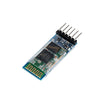
- HC-05 Bluetooth Module - receives Bluetooth Classic commands from your phone.
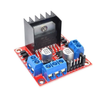
- L298N Motor Driver Board - drives two DC motors from Arduino control pins.
- Arduino Nano V3.0 Pre-Soldered - runs the robot control sketch and reads Bluetooth commands over Serial.
- 120 PCS Dupont Jumper Wires - makes the signal wiring quick and reliable.
External
- 2 x 6V DC gear motors + wheels
- 2WD chassis (acrylic or 3D-printed)
- 4x AA battery pack or 7.4V LiPo
- Android phone + "Bluetooth RC Controller" app
Note: HC-05 is Bluetooth Classic, Android only. For iPhone, swap in our HM-10 BLE module instead.
Step-by-Step Guide
Step 1 - Assemble the Chassis
Goal: Build the physical base so the motors, wheels, and electronics are securely mounted.
What to do: Mount both DC gear motors to the chassis, attach the wheels, and secure a top platform (or standoffs) for the Arduino Nano, L298N, and HC-05.

Expected result: A stable rolling chassis with space to mount the controller, motor driver, and Bluetooth module.
Step 2 - Wire the L298N Motor Driver
Goal: Connect the Arduino Nano control pins to the L298N so it can drive both motors (including PWM speed control).
What to do: Wire the motor outputs from the L298N to the two DC motors, then connect the control pins as shown in the diagram. Use PWM-capable pins for ENA and ENB.

Expected result: The L298N is fully connected to both motors and ready to respond to Arduino direction and PWM signals.
Step 3 - Wire the HC-05 Bluetooth Module
Goal: Connect Bluetooth Serial so the Arduino can receive single-character drive commands from your phone.
What to do: Connect HC-05 TX to Arduino RX (D0), and HC-05 RX to Arduino TX (D1) through a voltage divider as shown. Make sure power and ground are common across the whole system.

Expected result: The Arduino can read Bluetooth data from the HC-05 over the hardware serial pins.
Step 4 - Upload the Arduino Sketch
Goal: Program the Arduino Nano to translate Bluetooth characters into motor movements using the L298N.
What to do: Open the Arduino IDE, select your Nano board and port, then upload the sketch below. It listens at 9600 baud and supports F, B, L, R, and S commands.
Code:
const int IN1=6,IN2=7,IN3=8,IN4=9,ENA=5,ENB=10;
void setup() { Serial.begin(9600);
  for (int p : {IN1,IN2,IN3,IN4,ENA,ENB}) pinMode(p,OUTPUT);
  analogWrite(ENA,200); analogWrite(ENB,200);
}
void stop(){ digitalWrite(IN1,LOW);digitalWrite(IN2,LOW);digitalWrite(IN3,LOW);digitalWrite(IN4,LOW); }
void fwd(){ digitalWrite(IN1,HIGH);digitalWrite(IN2,LOW);digitalWrite(IN3,HIGH);digitalWrite(IN4,LOW); }
void rev(){ digitalWrite(IN1,LOW);digitalWrite(IN2,HIGH);digitalWrite(IN3,LOW);digitalWrite(IN4,HIGH); }
void left(){ digitalWrite(IN1,LOW);digitalWrite(IN2,HIGH);digitalWrite(IN3,HIGH);digitalWrite(IN4,LOW); }
void right(){ digitalWrite(IN1,HIGH);digitalWrite(IN2,LOW);digitalWrite(IN3,LOW);digitalWrite(IN4,HIGH); }
void loop() {
  if (!Serial.available()) return;
  char c = Serial.read();
  if (c=='F') fwd(); else if (c=='B') rev();
  else if (c=='L') left(); else if (c=='R') right();
  else if (c=='S') stop();
}
Expected result: After uploading, the Arduino is ready to drive the motors as soon as it receives characters over Bluetooth Serial.
Step 5 - Pair Your Phone and Drive
Goal: Connect your Android phone to the HC-05 and control the robot car.
What to do: Install the "Bluetooth RC Controller" app on Android, pair your phone with the HC-05 (PIN 1234), then use the on-screen buttons to send F/B/L/R/S commands.


Expected result: The car responds to button presses by moving forward, backward, left, right, and stopping.
Step 6 - Where to Take It Next
Goal: Extend the same Bluetooth-controlled base into more advanced robotics projects.
What to do: Try one of the upgrades below once the basic drive control is working reliably.
- Add HC-SR04 ultrasonic + obstacle-avoidance mode
- Swap HC-05 for ESP32 + custom phone app over Wi-Fi
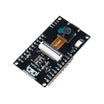
- Add an ESP32-CAM for video streaming + FPV control
- Throttle PWM via slider in the app for variable speed
Expected result: You have a clear path for turning a basic RC car into a sensor-based or connected robotics platform.
Conclusion
This project turned an Arduino Nano, HC-05 Bluetooth module, and L298N motor driver into a phone-controlled robot car that can drive forward, reverse, and steer on command. Once you can reliably control motors over Bluetooth, many other RC robotics builds become much easier.
Want the exact parts used in this build? Grab them from ShillehTek.com. If you want help customizing this project or building something for your product, check out our IoT consulting services.




.png?v=25000753014097803521790645985)

.png?v=68677308723310773341790645985)


