

Project Overview
Arduino + 6 mm red laser diode tripwire alarm: aim a thin red beam across a doorway onto a photoresistor (LDR). When something breaks the beam, the Arduino triggers a buzzer alarm.
This build is inexpensive, effective, and a great way to learn basic sensing with an analog input.
- Time: ~30 minutes
- Skill level: Beginner
- What you will build: A laser tripwire that beeps a buzzer when the beam is broken.

Parts List
From ShillehTek
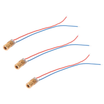
- 6 mm 650 nm 5 mW Red Laser Diode Module - provides the tripwire beam
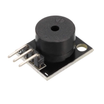
- KY-006 Passive Piezo Buzzer - audible alarm output
- Arduino Nano V3.0 Pre-Soldered - reads the LDR and drives the laser and buzzer
- 120 PCS Dupont Jumper Wires - quick breadboard wiring
- 400-Point Solderless Breadboard - prototyping the circuit
External
- Photoresistor (LDR) + 10 kΩ resistor - forms a voltage divider into A0
- Two flat surfaces to mount the laser and detector facing each other
Note: 5 mW class-IIIa lasers are eye-safe with a momentary glance, but never aim into eyes deliberately. Mount the laser low and parallel to the ground.
Step-by-Step Guide
Step 1 - Wire the laser
Goal: Switch the laser on from a GPIO so you can turn it off when you want.
What to do: Connect the laser module to a digital output and ground.
- Laser + to D7
- Laser - to GND
The module includes the current-limit resistor, so you can drive it directly from a 5 V GPIO pulling about 20 mA.
Expected result: When D7 is set HIGH in code, the laser turns on.
Step 2 - Wire the photoresistor and buzzer
Goal: Read light level on A0 and use a buzzer on a digital pin for the alarm.
What to do: Build an LDR voltage divider to A0 and connect the buzzer signal to D8.

- LDR one leg to 5 V
- LDR other leg to A0 and 10 kΩ resistor to GND
- Buzzer S to D8, - to GND
Expected result: A0 will read a higher value when the laser spot hits the LDR, and a lower value when the beam is blocked.
Step 3 - Aim the laser
Goal: Make the sensor reading change reliably when the beam is broken.
What to do: Mount the laser so its dot lands directly on the photoresistor across the gap (1 to 3 m typical). When the beam hits, the LDR resistance drops and A0 reads high. When the beam is broken, A0 drops.
Expected result: Moving your hand through the beam causes a noticeable change in the A0 reading.
Step 4 - Upload the Arduino sketch
Goal: Turn the laser on, monitor the LDR reading, and sound the buzzer when the beam is broken.
What to do: Upload the sketch below, then open the Serial Monitor at 9600 baud.
Code:
const int LASER = 7;
const int LDR = A0;
const int BUZZER = 8;
const int THRESHOLD = 300;   // tune for your room

void setup() {
  pinMode(LASER, OUTPUT);
  pinMode(BUZZER, OUTPUT);
  digitalWrite(LASER, HIGH);
  Serial.begin(9600);
}

void loop() {
  int v = analogRead(LDR);
  Serial.println(v);
  if (v < THRESHOLD) {
    tone(BUZZER, 1000);      // beam broken!
  } else {
    noTone(BUZZER);
  }
  delay(50);
}
Open the Serial Monitor first. Read the value with the beam unbroken and again with your hand in the way. Set THRESHOLD halfway between.
Expected result: With the beam unbroken, the buzzer is silent. When you block the beam, the buzzer sounds.
Step 5 - Test the tripwire
Goal: Confirm the system detects a beam break and triggers the alarm instantly.
What to do: Power the circuit, ensure the laser dot is on the LDR, and wave your hand through the beam.


Expected result: The buzzer sounds immediately when the beam is interrupted and stops when the beam is restored.
Step 6 - Optional extensions
Goal: Expand the same core circuit and sketch for more advanced projects.
What to do: Keep the laser and LDR wiring the same and build on the logic as needed.
- Latch the alarm until you tap a reset button
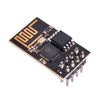
- Send a Wi-Fi notification via ESP-01 when triggered
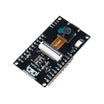
- Snapshot with an ESP32-CAM the moment the beam breaks
- Bounce the beam off mirrors to cover a whole room with a single laser
Expected result: You still get a reliable beam-break trigger, but with extra features layered on top.
Conclusion
You built an Arduino laser tripwire alarm using a red laser diode module, an LDR voltage divider into A0, and a buzzer that sounds when the beam is broken. With a simple threshold, you get a fast and reliable intrusion trigger for doorways and hallways.
Want the exact parts used in this build? Grab them from ShillehTek.com. If you want help customizing this project or building something for your product, check out our IoT consulting services.
Credit: The laser-tripwire photos and wiring in this tutorial are credited to Instructables. The original guide served as the reference for this ShillehTek version.





.png?v=25000753014097803521789973449)

.png?v=68677308723310773341789973449)


