Overview
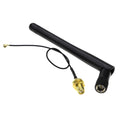
This is a black rod antenna for 2.4 GHz Wi-Fi with an RP-SMA male connector on a hinged base. It screws directly onto any device with a matching RP-SMA female antenna port — to replace a lost or broken antenna, or to finish a custom wireless build that already has a threaded antenna connector.
The connector is the detail that matters. RP-SMA (“reverse polarity” SMA) looks almost identical to standard SMA from the outside, but the center contacts are swapped. An RP-SMA male connector, like the one on this antenna, has threads on the inside of its nut and a small socket — a hole — at its center. It mates only with an RP-SMA female port, which has outside threads and a center pin.
The supplier specifies the band and the connector but not the antenna’s gain or length, so this manual concentrates on what you can confirm yourself: identifying the port on your equipment, fitting the antenna without damage, and adding it to a development board that has only a tiny board-level antenna socket.
At a Glance
Specifications
| Parameter | Value |
| Frequency band | 2.4 GHz Wi-Fi |
| Connector | RP-SMA male (supplier-specified) |
| Connector details | Threads inside the coupling nut; center socket |
| Mates with | RP-SMA female: outside threads, center pin |
| Does not mate with | Standard SMA ports |
| Antenna style | Black external rod antenna with a hinged base |
| Gain and length | Not published |
| Impedance | Not published (50 Ω is standard for SMA-family connectors) |
| Not for | 5 GHz Wi-Fi, LoRa, GPS, or cellular bands |
| In the box | 1 antenna |
Wiring Guide
Identify the port before you thread anything on. Forcing an SMA part and an RP-SMA part together either bends a center pin or leaves the center contacts not touching at all.
SMA or RP-SMA?
| Type | Looks Like | Mates With |
|---|---|---|
| RP-SMA male (this antenna) | Threads inside the nut, socket (hole) in the center | RP-SMA female |
| RP-SMA female | Threads outside, pin in the center | RP-SMA male |
| SMA male | Threads inside the nut, pin in the center | SMA female |
| SMA female | Threads outside, socket (hole) in the center | SMA male |
Fitting the Antenna to a Device
| Step | What To Do | Notes |
|---|---|---|
| 1. Confirm the port | Outside threads and a center pin on the device | Routers and many 2.4 GHz modules use RP-SMA, but not all — check |
| 2. Thread it on | Start the nut by hand and turn it clockwise | It should spin on freely; if it binds, back off and restart |
| 3. Tighten | Finger-tight is enough | Turn the nut, not the antenna body |
| 4. Set the angle | Bend the hinge so the rod stands vertical | Rotate at the base rather than twisting the connector |
Adding It to a Development Board
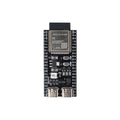
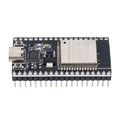
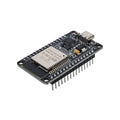
Most dev boards have no threaded antenna port — at best they have a tiny snap-on antenna socket. An IPEX1 adapter cable bridges the two.
| Step | What To Do | Notes |
|---|---|---|
| 1. Check the board | Look for a tiny antenna socket, often labeled IPEX or U.FL | No socket means the board uses only its built-in antenna |
| 2. Add an adapter cable | Use an IPEX1 to RP-SMA female cable | Choose the RP-SMA female version to match this antenna |
| 3. Snap the cable on | Press the small plug straight down onto the board’s socket | Support the cable so it cannot lever the socket off |
| 4. Screw the antenna on | Thread it onto the cable’s RP-SMA female end | Mount that end through a case wall if you have one |
| 5. Select the antenna | Some boards need a jumper change or a software setting to use the socket | See your board’s docs |
Placement and Limits
| Topic | Guidance | Why |
|---|---|---|
| Band | Use only with 2.4 GHz radios | An antenna outside its band gives poor range |
| Angle | Rod vertical, matching the antenna at the other end of the link | It radiates best out to the sides of the rod |
| Metal | Keep it clear of metal and outside metal boxes | Metal blocks and detunes a 2.4 GHz antenna |
| Radio on | Keep the antenna attached whenever the radio is on | An open antenna port wastes the signal and is hard on the radio |
| Approval | Certified radios are approved with specific antenna types | Check before changing antennas on a product you will sell |