Overview
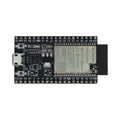
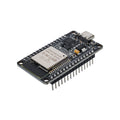
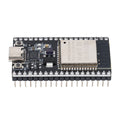
The D1 R32 is an ESP32-based development board cleverly built in the Arduino UNO form factor. It pairs the dual-core 240 MHz ESP32 with WiFi and Bluetooth on a footprint that accepts every standard Arduino UNO shield — motor shields, LCD shields, sensor shields. You get a CH340G USB-to-serial chip, Type-B USB connector, onboard 3.3V regulator, and a barrel jack for external power.
Compared to a vanilla ESP32 DevKitC, the D1 R32 trades the breadboard-friendly DIP layout for shield compatibility and the convenience of a barrel jack. With 4 MB of flash, all the ESP32's WiFi/BLE capabilities, and the entire Arduino IDE / PlatformIO ecosystem, it's an excellent step up from the UNO when you outgrow ATmega328P. Note that some Arduino shields expect 5V on certain pins — the D1 R32's GPIOs are 3.3V, so check your shield's voltage requirements first.
At a Glance
Specifications
| Parameter | Value |
| MCU | ESP32 (Tensilica Xtensa LX6 dual-core) |
| Clock Speed | Up to 240 MHz |
| Flash Memory | 4 MB |
| SRAM | 520 KB |
| Wireless | WiFi 802.11 b/g/n + Bluetooth 4.2 BR/EDR/BLE |
| USB Bridge | CH340G (USB-Serial) |
| USB Connector | Type-B (printer-style) |
| Operating Voltage | 3.3V (logic) |
| Input Voltage (VIN/Jack) | 5V - 12V (barrel jack accepts 7-12V) |
| Digital I/O | 20 pins (UNO-style header) |
| Analog Inputs | 6 channels (ADC1, 12-bit, 0-3.3V) |
| DAC | 2 channels (8-bit, GPIO 25 / 26) |
| PWM | All GPIOs (LEDC peripheral) |
| I2C / SPI / UART | Hardware support, configurable on most pins |
| Touch Pins | 10 capacitive touch inputs |
Pinout Diagram

Wiring Guide
Power and USB
Plug in via Type-B USB for power and programming. The barrel jack accepts 5-12V (7-12V recommended for clean 3.3V regulation under load). 5V from the USB or jack passes through an onboard regulator to make 3.3V for the ESP32.
| Source | Pin / Connector | Notes |
|---|---|---|
| USB | Type-B port | 500 mA from PC, 1A+ from a wall charger |
| Barrel jack | 5.5 x 2.1 mm DC plug | Center positive, 5-12V |
| VIN pin | Header pin | 5-12V external (alt to barrel jack) |
| 5V pin | Header pin | 5V output from USB rail (~500 mA) |
| 3V3 pin | Header pin | 3.3V output (~600 mA) |
I2C Devices
Default I2C pins (Wire) on the D1 R32 are mapped to the UNO's SDA/SCL header positions. Use 4.7k pull-ups on long bus runs (most modules already include them).
| D1 R32 Header | ESP32 GPIO |
|---|---|
| SDA (UNO header) | GPIO 21 |
| SCL (UNO header) | GPIO 22 |
| 3V3 | 3.3V output |
| GND | GND |
SPI Devices
The ICSP header and the standard UNO SPI positions map to ESP32's HSPI bus.
| SPI Function | UNO Pin | ESP32 GPIO |
|---|---|---|
| SCK | D13 | GPIO 18 |
| MISO | D12 | GPIO 19 |
| MOSI | D11 | GPIO 23 |
| SS / CS | D10 | GPIO 5 |
Using Arduino UNO Shields
The header layout matches Arduino UNO R3, but ALL signals are 3.3V. Shields that work safely:
- Display shields with 3.3V-tolerant interfaces (most TFT shields with level shifters)
- Motor driver shields that accept 3.3V logic (L293D shields, most newer designs)
- Sensor shields that just route signals to header pins
Shields to AVOID without level shifters:
- Old shields hard-wired for 5V logic (some keypad+LCD shields)
- Ethernet shields expecting 5V SPI
- SD card shields with 5V signaling
Code Examples
Arduino IDE — Blink Built-in LED
// D1 R32 ESP32 - Blink onboard LED
// Board: ESP32 Dev Module (or "WEMOS D1 MINI ESP32")
// Upload Speed: 460800

#define LED_PIN 2  // onboard LED on most D1 R32 boards

void setup() {
  pinMode(LED_PIN, OUTPUT);
}

void loop() {
  digitalWrite(LED_PIN, HIGH);
  delay(500);
  digitalWrite(LED_PIN, LOW);
  delay(500);
}
Arduino IDE — WiFi Hello World
// D1 R32 - Connect to WiFi and print the IP address

#include <WiFi.h>

const char* ssid     = "YOUR_WIFI_SSID";
const char* password = "YOUR_WIFI_PASS";

void setup() {
  Serial.begin(115200);
  delay(100);

  WiFi.begin(ssid, password);
  Serial.print("Connecting");
  while (WiFi.status() != WL_CONNECTED) {
    delay(500);
    Serial.print(".");
  }
  Serial.println();
  Serial.print("Connected, IP: ");
  Serial.println(WiFi.localIP());
}

void loop() {
  // your code
}
Arduino IDE — Read Analog and Print
// D1 R32 - Read analog on UNO header A0 (mapped to GPIO 36 / SVP)

const int analogPin = 36;  // UNO A0 header position

void setup() {
  Serial.begin(115200);
  analogReadResolution(12);  // 12-bit (0..4095)
}

void loop() {
  int raw = analogRead(analogPin);
  float volts = raw * 3.3 / 4095.0;
  Serial.printf("Raw: %d   V: %.2f\n", raw, volts);
  delay(500);
}
MicroPython — Blink and WiFi
# MicroPython on D1 R32 ESP32
# Flash latest ESP32 firmware first using esptool.py

from machine import Pin
import network, time

# Onboard LED
led = Pin(2, Pin.OUT)

# Connect to WiFi
wlan = network.WLAN(network.STA_IF)
wlan.active(True)
wlan.connect("YOUR_SSID", "YOUR_PASS")

while not wlan.isconnected():
    time.sleep(0.5)
    print("connecting...")

print("IP:", wlan.ifconfig()[0])

while True:
    led.value(not led.value())
    time.sleep(0.5)