Overview
Explore motion data from two MPU6050 sensors using an ESP32-S3 and a blue OLED. Bring up one sensor first, resolve the second sensor's I2C address, and add the display last.
What's included
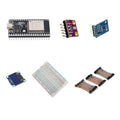
- 1 × ESP32-S3 DevKitC-1 board with pre-soldered headers
- 1 × two-pack of pre-soldered MPU6050 motion sensors: 2 sensors total
- 1 × 0.96-inch blue SSD1306 I2C OLED display
- 1 × 400-point solderless breadboard
- 1 × 120-piece, 10cm jumper wire set: male–male, male–female and female–female
What you need to supply
Assembly and your own firmware are required. Using both sensors on one I2C bus requires different sensor addresses. Connect the controller beside the breadboard with jumper wires. A suitable USB data cable, computer, power source and enclosure are not included.
At a Glance
Specifications and Component References
The table identifies the exact bundled sale units. Open each component manual for its pinout, applicable electrical limits and individual examples. The linked component may have other variants; use the bundled variant shown here.
Pinout and Connection Planning
Use the labelled pins and diagrams in the component references above. The connections below describe signal functions, not a physical header drawing. Select and record GPIO that match your chosen firmware and the exact controller board.
| Part or interface | Connection plan |
|---|---|
| ESP32-S3 | Place the controller beside the 400-point breadboard and wire it with jumpers. Use its own pinout; classic ESP32 GPIO examples are not automatically valid for this ESP32-S3 board. |
| MPU6050 pair | Share the intended I2C SDA/SCL bus and common ground. Configure the two sensors for different addresses using their documented address-selection input. |
| SSD1306 OLED | Connect the four-pin display's labelled power, ground, SDA and SCL as documented. Check its actual pin order rather than assuming it matches another OLED. |
| Power | Use GPIO-safe supply and I2C pull-up levels for the ESP32-S3, following the exact component manuals. Disconnect power before changing connections. |
Wiring Guide and First Checks
- Check the contents: one ESP32-S3 board, one two-pack containing two MPU6050 sensors, one blue OLED, one 400-point breadboard and one 120-piece 10cm wire set. Supply a suitable USB data cable, computer and power source.
- Program the ESP32-S3 by itself and confirm a simple serial-output example. Use the board's documented USB port, upload mode and GPIO labels.
- With power removed, connect one MPU6050 using the component manual and your selected ESP32-S3 I2C GPIO. Detect that sensor and read motion data before connecting the second one.
- Configure the second MPU6050 to a different I2C address using its address-selection connection. Add it to the same bus and confirm the two sensors can be read separately. Two identical default addresses do not identify two independent devices.
- Add the OLED and test its display example using the same selected bus. Match the display's address and dimensions in the driver configuration.
- Combine the independently working examples in your own firmware. Label the sensors so physical movement of each corresponds to the correct displayed data.
Check the result
Confirm upload, one-sensor operation, two distinct sensor addresses and display operation in that order. Move one sensor at a time and check the correct stream changes. The MPU6050 measures acceleration and angular rate; it does not add a compass or magnetometer to the kit.
Troubleshooting
| Symptom | Check |
| Only one motion sensor appears | Check the second sensor's address-selection wiring and the address passed to each driver instance. Disconnecting one sensor at a time can help identify which address is in use. |
| An example uses different GPIO | Use ESP32-S3 DevKitC-1 documentation and explicitly select the GPIO in your firmware. Do not copy classic ESP32 defaults without checking. |
| OLED is blank | Run the display example alone and verify its power, labelled pin order, bus assignment, address and display configuration before combining programs. |
Code Examples and Firmware
Use the ESP32-S3, MPU6050 and SSD1306 component manuals for board setup, drivers and individual examples. Integrated firmware must initialize the selected ESP32-S3 bus pins, address each MPU6050 separately and configure the display. No completed dual-sensor/display program is supplied with this parts kit.
The component references describe individual devices. Examples for another controller or a larger project need adaptation; they do not establish that this complete kit has been assembled and tested.
Frequently Asked Questions
Related Tutorials
Use the exact component manuals linked above for individual wiring and software references. When adapting a project tutorial, compare its complete parts list, controller version, power requirements and software settings with this kit before following its instructions.