Overview
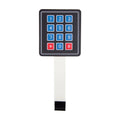
This 4x4 membrane matrix keypad gives you 16 buttons (numbers 0-9, letters A-D, *, and #) on a thin flexible PCB with adhesive backing — perfect for door locks, calculator projects, code-entry systems, and any DIY device that needs numeric input. The keypad is wired as a 4-row × 4-column matrix, so it only uses 8 GPIO pins despite having 16 buttons.
The 8-pin ribbon cable plugs into a standard 0.1" header. Reading the keypad is simple: drive each row LOW one at a time and read the columns; whichever column reads LOW is the pressed key. The Keypad library for Arduino does this for you in 3 lines of setup.
Use it for password entry, menu navigation, dialing pads, math input on calculator projects, or wherever a tactile numeric input is more usable than rotary encoders or touchscreens.
At a Glance
Specifications
| Parameter | Value |
| Type | Passive membrane matrix keypad |
| Layout | 4 rows × 4 columns (16 keys) |
| Keys | 1, 2, 3, A / 4, 5, 6, B / 7, 8, 9, C / *, 0, #, D |
| Pins | 8 (R1, R2, R3, R4, C1, C2, C3, C4) |
| Connector | 8-pin 0.1" (2.54 mm) male header on ribbon cable |
| Operating Voltage | Passive — works at any logic level (3.3V or 5V) |
| Switch Resistance | < 100Ω (closed) / > 10MΩ (open) |
| Bounce Time | ~5 ms typical |
| Mounting | Adhesive tape on back |
| Dimensions | ~70 × 77 mm |
| Cable Length | ~85 mm |
Pinout Diagram

Wiring Guide
Arduino Wiring
Eight wires total — four rows and four columns. Use any 8 free digital pins. The library scans them automatically. No external resistors needed; the firmware uses internal pull-ups.
| Keypad Pin | Arduino Pin |
|---|---|
| R1 (Row 1) | D9 |
| R2 (Row 2) | D8 |
| R3 (Row 3) | D7 |
| R4 (Row 4) | D6 |
| C1 (Col 1) | D5 |
| C2 (Col 2) | D4 |
| C3 (Col 3) | D3 |
| C4 (Col 4) | D2 |
ESP32 Wiring
Same idea — 8 GPIOs. Avoid GPIO0, GPIO2, GPIO15 (boot strapping) and GPIO34-39 (input-only). Any 8 of GPIO 4, 5, 12, 13, 14, 16-19, 21-23 work fine.
| Keypad Pin | ESP32 Pin |
|---|---|
| R1, R2, R3, R4 | GPIO 13, 12, 14, 27 |
| C1, C2, C3, C4 | GPIO 26, 25, 33, 32 |
Raspberry Pi Pico Wiring
Use any 8 free GPIOs. Pico's pull-up resistors handle debouncing.
| Keypad Pin | Pico Pin |
|---|---|
| R1, R2, R3, R4 | GP9, GP8, GP7, GP6 |
| C1, C2, C3, C4 | GP5, GP4, GP3, GP2 |
Code Examples
Arduino — Keypad Library
// 4x4 Keypad - Arduino Example
// Library: Keypad by Mark Stanley & Alexander Brevig (Library Manager)

#include <Keypad.h>

const byte ROWS = 4;
const byte COLS = 4;

char keys[ROWS][COLS] = {
  {'1','2','3','A'},
  {'4','5','6','B'},
  {'7','8','9','C'},
  {'*','0','#','D'}
};

byte rowPins[ROWS] = {9, 8, 7, 6};
byte colPins[COLS] = {5, 4, 3, 2};

Keypad keypad = Keypad(makeKeymap(keys), rowPins, colPins, ROWS, COLS);

void setup() {
  Serial.begin(9600);
}

void loop() {
  char key = keypad.getKey();
  if (key) {
    Serial.print("Pressed: ");
    Serial.println(key);
  }
}
Raspberry Pi Pico (MicroPython)
# 4x4 Keypad - Pico MicroPython
# Wire R1-R4 to GP9, GP8, GP7, GP6 / C1-C4 to GP5, GP4, GP3, GP2

from machine import Pin
import time

KEYS = [
    ['1','2','3','A'],
    ['4','5','6','B'],
    ['7','8','9','C'],
    ['*','0','#','D'],
]

rows = [Pin(p, Pin.OUT) for p in (9, 8, 7, 6)]
cols = [Pin(p, Pin.IN, Pin.PULL_UP) for p in (5, 4, 3, 2)]

def scan():
    for r_i, r in enumerate(rows):
        # Drive this row LOW, others HIGH
        for other in rows: other.value(1)
        r.value(0)
        time.sleep_ms(1)
        for c_i, c in enumerate(cols):
            if c.value() == 0:
                # Wait for release
                while c.value() == 0:
                    time.sleep_ms(5)
                return KEYS[r_i][c_i]
    return None

while True:
    k = scan()
    if k:
        print("Pressed:", k)
    time.sleep_ms(20)