

Project Overview
TPA3118 amplifier module build: Use a TPA3118 Class-D PBTL amplifier module to turn a phone or laptop 3.5mm audio output into a real 60W mono speaker amp powered from 12 to 24V.
The TPA3118 is a parallel-bridge-tied-load (PBTL) amplifier IC that drives a single speaker at up to 60W mono. With one small module, a 12 to 24V power supply, and a 4Ω or 8Ω speaker, you can build an amplifier that can fill a garage. Drive it from a phone, an Arduino DAC, an MP3 board, or a Bluetooth audio receiver.
- Time: ~30 minutes
- Skill level: Intermediate
- What you will build: A 60W mono speaker amplifier driven from a 3.5mm audio source (phone or laptop).

Parts List
From ShillehTek
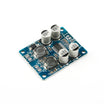
- TPA3118 PBTL 60W Amplifier Board - the Class-D power amp module for a single mono speaker.
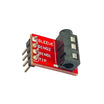
- 3.5mm Stereo Audio Jack Breakout - easy wiring from a phone or laptop headphone output to the amplifier input.
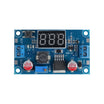
- LM2596 Buck Converter - optional step-down if your supply is higher than you want to run the amp (or for powering other add-ons).
- 120 PCS Dupont Jumper Wires - quick prototyping connections for audio input and accessories.
External
- 12 to 24V power supply (a laptop brick works well)
- 4Ω or 8Ω speaker (bookshelf speaker, car sub, garage speaker)
- Audio source (phone, laptop, Arduino DAC)
Note: At 60W the heatsink gets warm. That is normal for Class D. Do not run sustained max power without forced airflow.
Step-by-Step Guide
Step 1 - Inspect the module
Goal: Identify the power, audio input, and speaker output terminals before wiring.
What to do: Locate the VCC and GND power terminals, the audio input terminals (L, R, and GND), and the speaker output terminals (OUT+ and OUT-). Verify the heatsink is firmly attached.


Expected result: You can point to each terminal and know what it connects to.
Step 2 - Wire audio input
Goal: Feed your phone or laptop audio into the TPA3118 module using a 3.5mm jack breakout.
What to do: Connect the 3.5mm jack breakout to the amplifier input. In PBTL builds like this, L and R are combined to produce a single mono output.

- 3.5mm jack TIP (L) and RING (R) to the board L and R inputs (combined for PBTL mono output)
- 3.5mm jack SLEEVE to board GND
Expected result: The amplifier input is wired and ready for an audio source.
Step 3 - Connect power and speaker
Goal: Power the module and connect a real speaker to the output terminals.
What to do: With the power supply turned off or unplugged, wire the supply to VCC and GND. Wire the speaker to OUT+ and OUT-. Then apply power.

- Power: 12V to VCC, supply ground to GND
- Speaker: connect speaker + and - to OUT+ and OUT- (either polarity will work for basic operation in this PBTL setup)
Expected result: The module powers on and is ready to amplify audio to the connected speaker.
Step 4 - Play audio
Goal: Verify audio is amplified and coming through the speaker.
What to do: Plug your phone or laptop into the 3.5mm jack and start playback at low volume. Increase the source volume gradually.

Expected result: You hear clean, amplified audio from the speaker.
Step 5 - Where to take it next
Goal: Understand common add-ons and next project directions using the same amplifier.
What to do: Choose an upgrade path that fits your build and add it to the input side or system around the amp.
- Add a Bluetooth audio receiver module (BTM-825 or similar) for a wireless speaker
- Use an Arduino DAC or an I2S audio source for synth or chiptune projects
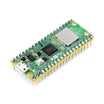
- Pair with a Pico W playing WAV via the 3.5mm jack for a Wi-Fi-controlled speaker
- Add a volume knob via a 10kΩ potentiometer on the gain pins
Expected result: You have a clear plan for expanding the build based on your audio source and control needs.
Conclusion
You built a 60W mono speaker amplifier using a TPA3118 Class-D PBTL module, a 12 to 24V supply, and a 3.5mm audio source from a phone or laptop. This is a simple way to turn low-power audio projects into something that can fill a room with sound.
Want the exact parts used in this build? Grab them from ShillehTek.com. If you want help customizing this project or building something for your product, check out our IoT consulting services.
Photo credit reference: Instructables.



.png?v=25000753014097803521791168436)

.png?v=68677308723310773341791168436)


