

Project Overview
STM32H723ZGT6 + STM32duino: In this guide, you will set up an STM32H723ZGT6 development board in Arduino IDE (via the STM32duino core), run a first blink sketch, and measure a simple high-speed loop benchmark.
The STM32H723ZGT6 is a Cortex-M7 running at 550 MHz with 1 MB Flash, 564 KB RAM, hardware FPU, DSP instructions, and enough peripherals for 3D printers, audio synthesis, real-time motor control, oscilloscopes, and CAN-bus gateway nodes.
- Time: 30 to 60 minutes
- Skill level: Beginner to Intermediate
- What you will build: An Arduino IDE setup for the STM32H723ZGT6 plus a blink test and a float-math timing benchmark over Serial
Parts List
From ShillehTek
- STM32H723ZGT6 Pre-Soldered Core Development Board - the H7 board used for setup and benchmarking
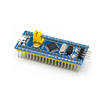
- STM32F103 Blue Pill - older sibling for performance reference
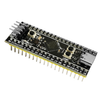
- STM32F411 Black Pill - mid-tier comparison
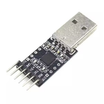
- CP2102 USB-to-TTL - for UART bootloader flashing when SWD is not available
External
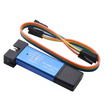
- ST-Link V2 programmer (or use the onboard one if your board has it)
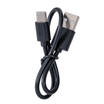
- USB-C cable
- Arduino IDE 2.x with the STM32duino board package installed
Note: Upload methods vary by board variant. Some boards expose USB DFU directly, while others are easiest to program via SWD (ST-Link) or the UART bootloader.
Step-by-Step Guide
Step 1 - Decide if the H7 is the right fit
Goal: Understand what makes the STM32H723 (H7 family) different from an ESP32 or older STM32 parts.
What to do: Use the list below to sanity-check whether you actually need the H7 class of performance and peripherals.

- 550 MHz Cortex-M7 - significantly faster per core than the ESP32’s 240 MHz LX6, plus a deeper pipeline.
- Single-precision + double-precision FPU - STM32F103 has none; ESP32-S3 has single only.
- DSP instructions - the M7 includes SIMD for parallel 16-bit math (audio, FFT, motor control).
- Real-time peripherals - advanced timers, hardware CAN-FD, and fast ADC options.
- Deterministic timing - no WiFi/BLE interrupts hijacking your control loop, unlike ESP32.
Expected result: You have a clear reason to use the H7 (real-time control, DSP-heavy workloads, or high-performance peripherals) instead of a smaller MCU or an ESP32.
Step 2 - Install STM32duino in Arduino IDE
Goal: Add ST’s STM32 Arduino core so Arduino IDE can build and upload sketches to the STM32H723.
What to do: Follow these menu steps in Arduino IDE 2.x.
- File → Preferences. Add this to Additional Boards URLs:
https://github.com/stm32duino/BoardManagerFiles/raw/main/package_stmicroelectronics_index.json. - Boards Manager → search “STM32” → install “STM32 MCU based boards” by ST-Microelectronics.
- Tools → Board → STM32 boards → Generic STM32H7 Series.
- Tools → Board part number → STM32H723ZG.
- Tools → Upload method → STM32CubeProgrammer (SWD) (or “DFU” if your board exposes USB DFU).
Expected result: Arduino IDE shows the STM32H7 board options, and you can select STM32H723ZG plus an upload method that matches your hardware.
Step 3 - Upload your first blink sketch
Goal: Confirm that your toolchain, board selection, and upload method work.
What to do: Create a new sketch and upload the code below (adjust the LED pin if your board uses a different pin).
Code:
const int LED = PA0;

void setup() {
  pinMode(LED, OUTPUT);
}

void loop() {
  digitalWrite(LED, HIGH);
  delay(500);
  digitalWrite(LED, LOW);
  delay(500);
}
Expected result: The LED toggles on and off every 500 ms.
Step 4 - Run a quick loop benchmark
Goal: Measure a simple float-math loop to get a feel for the H7’s performance and FPU capability.
What to do: Upload the benchmark sketch below, open Serial Monitor at 115200 baud, and watch the loop timing.
Code:
void setup() {
  Serial.begin(115200);
}

void loop() {
  uint32_t t = micros();
  float a = 1.0f;

  for (uint32_t i = 0; i < 1000000UL; i++) {
    a = a * 1.0001f + 0.00001f;
  }

  Serial.printf("loop = %lu us\n", micros() - t);
  delay(1000);
}
Expected result: You see a printed microsecond time for “loop = … us”. For reference, the original comparison numbers were:
- Arduino Nano (no FPU): ~1.4 seconds
- STM32F103 Blue Pill: ~85 ms
- ESP32 (LX6, hard FP): ~12 ms
- STM32H723 @ 550 MHz: ~1.6 ms
Step 5 - Map the H7 to real projects
Goal: Identify project types that actually benefit from the STM32H7 family’s real-time performance and peripherals.
What to do: Use the list below as a starting point for choosing a next build.
- 3D printer / CNC controller: Klipper, Marlin 2.x, GRBL HAL support H7 for smooth high-microstep motion.
- Audio synthesizer / effects pedal: Real-time FFT and effects benefit from FPU + DSP.
- Motor control (FOC, BLDC): High update rates and deterministic timing enable better control loops.
- Logic / hobby oscilloscope: Fast ADC into DMA and render to a display.
- CAN-FD gateway: Hardware CAN-FD support for real-time nodes.
- USB MIDI host / audio interface: High-speed USB OTG with isochronous endpoints.
Expected result: You have one concrete “next project” idea that matches what the H7 is good at.
Step 6 - Choose a flashing method (SWD, DFU, or UART)
Goal: Understand your options for getting firmware onto the board based on what hardware you have.
What to do: Pick one of the methods below and use it consistently while developing.
- SWD via ST-Link V2: Fastest and most reliable.
- USB DFU: Hold BOOT0 button and plug USB so the board appears as a DFU device.
- UART bootloader: Connect a CP2102 to A9/A10, pull BOOT0 high, then flash via stm32flash.
Expected result: You can reliably upload firmware using a method that matches your board and tools.
Step 7 - Know when not to use an H7
Goal: Avoid overkill and pick the right chip for the job.
What to do: If you need WiFi/BLE on the same chip, the H7 does not include it. Pair with an ESP32 over UART, or use an STM32WB55 instead. If your project is simply “blink an LED when a button is pressed”, the H7 is unnecessary.
Expected result: You understand the tradeoff: H7-class deterministic performance versus integrated wireless features.
Conclusion
The STM32H723ZGT6 is a strong choice when an ESP32 or STM32F103 has run out of headroom for real-time math, motor control loops, audio DSP, or high-performance peripherals. With STM32duino installed, you can validate your setup quickly with a blink sketch and a simple benchmark loop.
Want the exact parts used in this build? Grab them from ShillehTek.com. If you want help customizing this project or building something for your product, check out our IoT consulting services.
Inspiration: Automation With the Giant STM32F746G and ESP32 (Instructables).




.png?v=25000753014097803521791168436)

.png?v=68677308723310773341791168436)


