

Video Tutorial (Optional)
Watch first if you want to see how the CRUD calls (find, insert, update, delete) work with MongoDB Data API and a Raspberry Pi Pico W in real time.
Project Overview
This tutorial shows how to use a Raspberry Pi Pico W with a BME280 sensor to perform CRUD operations in a MongoDB database using the MongoDB Data API.
Before getting started, make sure you watch Part 1. In this walkthrough we read temperature, pressure, and humidity data from the BME280 and use that data in database operations. In reality, you can use any sensor you like.
- Time: 20 to 40 minutes
- Skill level: Intermediate
- What you will build: A Pico W script that reads BME280 values and demonstrates MongoDB Data API CRUD calls
Note: The code in this tutorial is intentionally repetitive for demonstration purposes. The video calls out where you comment and uncomment different lines to trigger different CRUD functions.
Parts List
From ShillehTek
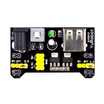
- Optional build supplies (breadboards, jumpers, and modules) - helpful for prototyping Pico W sensor projects
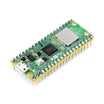
- Raspberry Pi Pico 2W - the WiFi microcontroller board used in this build
Additional parts
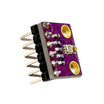
- BME280 Pre-Soldered
- MongoDB Atlas + Data API enabled (see MongoDB docs below)
- MongoDB Data API examples and documentation
Note: This code uses I2C0 on the Pico W with SDA = GP0 and SCL = GP1, and expects WiFi credentials to be stored in a separate constants file.
Step-by-Step Guide
Step 1 - Review prerequisites from Part 1
Goal: Make sure your MongoDB Data API endpoint and project setup are ready before running CRUD calls from the Pico W.
What to do: If you have not already, follow Part 1 to get MongoDB Data API configured and to understand the basic request structure.
Expected result: You have a working Data API URL endpoint and an API key available to paste into the code.
Step 2 - Set up your Pico W project files and dependencies
Goal: Prepare the MicroPython project so the script can read the BME280 sensor and make HTTP requests.
What to do: Ensure your environment includes:
- bme280 module import available as import bme280
- urequests available as import urequests as requests
- A constants file that provides constants.INTERNET_NAME and constants.INTERNET_PASSWORD
Expected result: Your Pico W can import the modules used by the script without import errors.
Step 3 - Paste the CRUD demo script and configure URL and API key
Goal: Run a single script that can perform find, insert, update, and delete operations by calling the MongoDB Data API.
What to do: Copy the code below into your MicroPython project. Replace <url> and <api key> with your MongoDB Data API values.
Code:
from machine import Pin, I2C, RTC
import json
import urequests as requests
import network
import ntptime
import time
import utime

import bme280

import constants


i2c = I2C(0,sda=Pin(0), scl=Pin(1), freq=400000)
URL = "<url>"
API_KEY = "<api key>"

def connect_to_wifi(ssid, psk):
    wlan = network.WLAN(network.STA_IF)
    wlan.active(True)
    wlan.connect(ssid, psk)

    while not wlan.isconnected() and wlan.status() >= 0:
        print("Waiting to Connect")
        time.sleep(10)
    if not wlan.isconnected():
        raise Exception("Wifi not available")
    print("Connected to WiFi")


def findOne(filter_dictionary):
    try:
        headers = { "api-key": API_KEY }
        searchPayload = {
            "dataSource": "Cluster0",
            "database": "BME280",
            "collection": "Readings",
            "filter": filter_dictionary,
        }
        response = requests.post(URL + "findOne", headers=headers, json=searchPayload)
        print("Response: (" + str(response.status_code) + "), msg = " + str(response.text))
        if response.status_code >= 200 and response.status_code < 300:
            print("Success Response")
        else:
            print(response.status_code)
            print("Error")
        response.close()
    except Exception as e:
        print(e)


def find(filter_dictionary):
    try:
        headers = { "api-key": API_KEY }
        searchPayload = {
            "dataSource": "Cluster0",
            "database": "BME280",
            "collection": "Readings",
            "filter": filter_dictionary,
        }
        response = requests.post(URL + "find", headers=headers, json=searchPayload)
        print("Response: (" + str(response.status_code) + "), msg = " + str(response.text))
        if response.status_code >= 200 and response.status_code < 300:
            print("Success Response")
        else:
            print(response.status_code)
            print("Error")
        response.close()
    except Exception as e:
        print(e)


def insertOne(temp, pressure, humidity, time):
    try:
        headers = { "api-key": API_KEY }
        documentToAdd = {"Device": "BME280",
                         "Temperature (C)": temp,
                         "Pressure": pressure,
                         "Humidity": humidity,
                         "Time": time}
        insertPayload = {
            "dataSource": "Cluster0",
            "database": "BME280",
            "collection": "Readings",
            "document": documentToAdd,
        }
        response = requests.post(URL + "insertOne", headers=headers, json=insertPayload)
        print(response)
        print("Response: (" + str(response.status_code) + "), msg = " + str(response.text))
        if response.status_code >= 200 and response.status_code < 300:
            print("Success Response")
        else:
            print(response.status_code)
            print("Error")
        response.close()
    except Exception as e:
        print(e)


def insertMany(document_list):
    try:
        headers = { "api-key": API_KEY }
        insertPayload = {
            "dataSource": "Cluster0",
            "database": "BME280",
            "collection": "Readings",
            "documents": document_list,
        }
        response = requests.post(URL + "insertMany", headers=headers, json=insertPayload)
        print("Response: (" + str(response.status_code) + "), msg = " + str(response.text))
        if response.status_code >= 200 and response.status_code < 300:
            print("Success Response")
        else:
            print(response.status_code)
            print("Error")
        response.close()
    except Exception as e:
        print(e)


def updateOne(filter_dictionary, update_dict):
    try:
        headers = { "api-key": API_KEY }
        update = {"set": update_dict}
        searchPayload = {
            "dataSource": "Cluster0",
            "database": "BME280",
            "collection": "Readings",
            "filter": filter_dictionary,
            "update": update_dict,
        }
        response = requests.post(URL + "updateOne", headers=headers, json=searchPayload)
        print("Response: (" + str(response.status_code) + "), msg = " + str(response.text))
        if response.status_code >= 200 and response.status_code < 300:
            print("Success Response")
        else:
            print(response.status_code)
            print("Error")
        response.close()
    except Exception as e:
        print(e)


def deleteOne(filter_dictionary):
    try:
        headers = { "api-key": API_KEY }
        searchPayload = {
            "dataSource": "Cluster0",
            "database": "BME280",
            "collection": "Readings",
            "filter": filter_dictionary,
        }
        response = requests.post(URL + "delete", headers=headers, json=searchPayload)
        print("Response: (" + str(response.status_code) + "), msg = " + str(response.text))
        if response.status_code >= 200 and response.status_code < 300:
            print("Success Response")
        else:
            print(response.status_code)
            print("Error")
        response.close()
    except Exception as e:
        print(e)


def main():
    connect_to_wifi(constants.INTERNET_NAME, constants.INTERNET_PASSWORD)
    #document_list = []
    while True:
        bme = bme280.BME280(i2c=i2c)
        temp, pressure, humidity = bme.values
        print(temp, pressure, humidity)
        rtc_time_tuple = RTC().datetime()
        formatted_time = "{:04}-{:02}-{:02} {:02}:{:02}:{:02}".format(
            rtc_time_tuple[0], rtc_time_tuple[1], rtc_time_tuple[2],
            rtc_time_tuple[4], rtc_time_tuple[5], rtc_time_tuple[6]
        )
        print(formatted_time)

        #insertOne(temp, pressure, humidity, formatted_time)

        #document_list.append({"Device": "BME280",
            #"Temperature (C)": temp,
            #"Pressure": pressure,
            #"Humidity": humidity,
            #"Time": formatted_time}
        #)
        #if len(document_list) == 10:
           #print(json.dumps(document_list))
           #insertMany(document_list)
           #document_list = []
        #findOne({"Temperature (C)": "23.26C", "Humidity": "53.69%"})
        #find({"Temperature (C)": "24.65C"})
        #updateOne({"Temperature (C)": "23.26C"}, {"Temperature (C)": "24.26C"})
        deleteOne({"Temperature (C)": "24.26C"})

main()
Expected result: The Pico W connects to WiFi, prints BME280 readings and the formatted RTC time, and then executes whichever CRUD call is currently active in main().
Step 4 - Comment and uncomment calls to test each CRUD operation
Goal: Use the same script to exercise different MongoDB Data API endpoints.
What to do: In main(), comment and uncomment the operation you want to run (as shown in the code):
- insertOne(...) to create a single reading document
- insertMany(...) to create multiple documents at once (the list-accumulation block)
- findOne({...}) to fetch a single matching document
- find({...}) to fetch matching documents
- updateOne(filter, update) to modify a matching document
- deleteOne({...}) to delete based on a filter (as currently written)
Expected result: You see HTTP status codes and response bodies printed in the console for each Data API call. The video shows this workflow more clearly.
Step 5 - Reference MongoDB Data API examples for payload variations
Goal: Understand how the payload changes between operations and where to find official examples.
What to do: Review MongoDB documentation examples here. The operations are very similar, with differences mainly in the URL extension and the payload fields.
Expected result: You have the basis to build most MongoDB Data API interactions you need from a microcontroller.
Conclusion
You now have a working CRUD demo using a Raspberry Pi Pico W, a BME280 sensor, and the MongoDB Data API. By commenting and uncommenting specific calls, you can quickly test find, insert, update, and delete operations against your Atlas collection.
Want the exact parts used in this kind of build? Grab what you need from ShillehTek.com. If you want help customizing this project or building a production-ready data pipeline for your device, check out our IoT consulting services.
Subscribe: Youtube
Support: https://www.buymeacoffee.com/mmshilleh






.png?v=25000753014097803521791168436)

.png?v=68677308723310773341791168436)


