

Project Overview

BBC micro:bit V2 vs Arduino UNO/Nano: This guide compares two popular education boards to help you choose the right starting platform for learning embedded programming and building beginner projects.
We compare what matters most for teachers and first-time makers: time-to-first-blink, built-in features, pin access, extension options, programming environments, voltage compatibility, and the path from simple demos to more serious builds.
- Time: 10 to 15 minutes
- Skill level: Beginner
- What you will build: A clear decision framework for picking micro:bit or Arduino for your first learning project
Parts List
From ShillehTek
- Arduino Nano V3.0 Pre-Soldered - UNO-equivalent in a smaller, breadboard-friendly form.
- 830-Point Breadboard - needed for most Arduino sensor and LED projects.
- 120-piece DuPont Wire Kit - makes Arduino prototyping and sensor wiring easy.
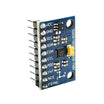
- MPU9250 9-DOF IMU - a common next-step sensor module when you outgrow basic built-in motion sensing.
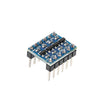
- I²C logic level converter - helps interface 3.3 V boards with 5 V devices when needed.
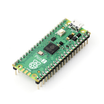
- Raspberry Pi Pico 2 - an alternative path if you want to start with MicroPython on a modern microcontroller.
External
- BBC micro:bit V2 - V2 includes speaker and microphone; V1 does not.
- USB cables and a battery pack - useful for portable classroom projects.
Note: BBC micro:bit uses 3.3 V I/O, while Arduino UNO/Nano uses 5 V I/O. Some 5 V modules require a level shifter when used with micro:bit.
Step-by-Step Guide
Step 1 - Compare what is built in
Goal: Understand what you can do immediately without extra wiring.
What to do: Compare the on-board features and how quickly each board can create an interactive project.

BBC micro:bit V2 includes: 5x5 LED matrix, two pushbuttons, accelerometer, magnetometer, microphone, speaker, capacitive touch logo, temperature sensor (CPU die), light sensor (via the LED matrix), and BLE radio.
Arduino UNO/Nano includes: 14 digital I/O pins, 6 analog inputs, USB, an LED on pin 13, and a power LED. Every sensor or actuator must be wired up externally.
This is a core difference: micro:bit can do motion-based or light-based projects quickly, while Arduino typically requires you to add the sensor hardware first.
Expected result: You can clearly identify whether built-in sensors (micro:bit) or flexible external modules (Arduino) better fit your first projects.
Step 2 - Choose the programming environment
Goal: Match the board to the learner’s coding style and learning curve.
What to do: Pick the toolchain that best suits the student’s age, comfort level, and long-term goals.
- micro:bit: MakeCode (block-based), MicroPython, and JavaScript, with a browser-based simulator before flashing.
- Arduino: Arduino C/C++ (based on real C++), plus MicroPython on some newer boards. Typically no browser simulator; you upload directly to hardware.
For younger beginners, MakeCode’s block environment is often faster. For learners targeting broader embedded development skills, Arduino C/C++ is typically more transferable.
Expected result: You can decide whether a simulator-first workflow (micro:bit) or a hardware-first workflow (Arduino) is the better fit.
Step 3 - Compare hardware extension and pin access
Goal: Understand how easily each board expands to larger projects.
What to do: Compare usable pins and what you need to break out additional connections.

The micro:bit has 25 edge connector pads, but many are tied up by the LED matrix. Without a breakout board, P0, P1, and P2 are the easiest to use for quick add-ons.
The Arduino UNO/Nano provides about 20 general-purpose I/O pins that are directly usable right away.
Expected result: You can judge whether your project will be limited by pin availability (micro:bit without a breakout) or benefit from Arduino’s I/O access.
Step 4 - Check operating voltage compatibility
Goal: Avoid mismatched sensors, modules, and damage from incorrect voltage levels.
What to do: Confirm whether your target modules are 3.3 V or 5 V and plan for level shifting if needed.
- micro:bit: 3.3 V I/O. Does not drive 5 V devices directly without a level shifter or relay.
- Arduino UNO/Nano: 5 V I/O. Works with many common 5 V sensors, relays, and motor drivers without translation.
Many low-cost hobby modules are 5 V devices. These often work natively with Arduino but can require a converter on micro:bit (for example, an I²C level converter).
Expected result: You can choose a board that matches the voltage needs of the parts you plan to use.
Step 5 - Estimate real first-project cost and ecosystem growth
Goal: Compare total startup cost and how far each ecosystem scales.
What to do: Add up what you need beyond the board itself and consider future project expansion.
- A BBC micro:bit V2 is commonly $20 to $25. The board alone can already support a complete first project.
- An Arduino Nano is commonly $10 to $15, but you typically also need a breadboard, jumper wires, and at least one sensor or LED.
First-project totals can end up similar, but the Arduino ecosystem has a very large library and module selection that stays cost-effective as projects get more complex.
Expected result: You can budget realistically for the first build and understand which ecosystem best supports long-term expansion.
Step 6 - Pick the board that matches the student
Goal: Make a practical choice based on age, learning goals, and classroom constraints.
What to do: Use the guidelines below to match the board to the learner profile.

- Ages 8 to 12, first exposure to coding: micro:bit for quick wins with MakeCode and built-in sensors.
- Ages 13+ who want to go deeper: Arduino, where wiring and circuits are part of the learning.
- Adult hobbyist starting in 2026: Arduino, or a Raspberry Pi Pico 2 if you want a MicroPython-first experience.
- Mixed-age classroom with limited sensor budget: start with micro:bit, then graduate to Arduino as projects become more hardware-heavy.
Expected result: You can confidently choose micro:bit or Arduino based on how the student learns and what the next projects will require.
Conclusion
The BBC micro:bit and the Arduino UNO/Nano are not direct competitors. The micro:bit prioritizes quick results with built-in sensors and minimal wiring, while Arduino emphasizes hands-on electronics skills and scalable hardware expansion.
Want the exact parts used in this guide? Grab them from ShillehTek.com. If you want help choosing the right hardware for a classroom, curriculum, or product prototype, check out our IoT consulting services.
Source inspiration: Comparison Between Micro:bit and Arduino (Instructables).





.png?v=25000753014097803521788741467)

.png?v=68677308723310773341788741467)


