

Project Overview
ESP32 SSD1306 OLED ISS Pass Tracker: Build an ESP32 desk display that uses a 0.96 inch SSD1306 I2C OLED to show a live countdown to the next International Space Station pass, plus rise and set directions, peak elevation, and a visibility alert with a buzzer and LED.
The International Space Station circles the Earth roughly every 90 minutes, about 400 km up and moving at close to 28,000 km/h. It passes over most places several times a day, but you can only see it when the station is lit by the sun while your sky is dark, around dawn and dusk. This project asks a free pass-prediction service for the next five passes over your exact location, keeps time with NTP, and cycles through a countdown, the rise and set directions, the maximum elevation, and whether the pass will be visible. A minute before the station rises it beeps and flashes, and during the pass a tiny ISS glides across the screen.
- Time: ~45 minutes
- Skill level: Beginner-Intermediate
- What you will build: A desk display that shows the next ISS pass for your location with a live countdown, look directions, peak elevation and a visibility flag, plus a buzzer and LED alert at pass time.

Parts List
From ShillehTek
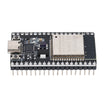
- ESP32 Dev Board (38-pin, CP2102, USB-C) - main controller with Wi-Fi for fetching pass predictions
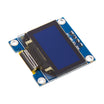
- 0.96" I2C OLED (SSD1306) - displays countdown, directions, elevation, and visibility
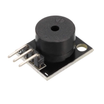
- KY-006 Passive Buzzer - audible alert one minute before rise
- 400-Point Breadboard - quick prototyping
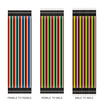
- Dupont Jumper Wires - connections for I2C power and signal
External
- A 2.4 GHz Wi-Fi network and your location's latitude and longitude (any maps app shows them)
Note: The pass data comes from a free, key-less API run by Pollux Labs, built as a replacement for the old Open Notify service that went offline. Be a good neighbour: the sketch asks for new predictions only every six hours, which is plenty, because orbit predictions stay accurate for days.
Step-by-Step Guide
Step 1 - Wire the Display and Buzzer
Goal: An OLED on I2C, a buzzer, and the on-board LED for alerts.
What to do: OLED: VCC to 3V3, GND to GND, SDA to GPIO21, SCL to GPIO22. KY-006: S to GPIO4, minus to GND, middle pin to 3V3. The alert LED is the blue on-board LED on GPIO2, so it needs no wiring.

Expected result: Four wires to the screen and two to the buzzer.
Step 2 - Find Your Coordinates and Time Zone
Goal: Predictions for your sky, times on your clock.
What to do: Right-click your location in a maps app to copy its latitude and longitude in decimal degrees (south and west are negative). Then pick the POSIX time-zone string for your region, which also handles daylight saving automatically: EST5EDT,M3.2.0,M11.1.0 for US Eastern, CST6CDT,M3.2.0,M11.1.0 for Central, PST8PDT,M3.2.0,M11.1.0 for Pacific, GMT0BST,M3.5.0/1,M10.5.0 for the UK and CET-1CEST,M3.5.0,M10.5.0/3 for most of Europe.
Expected result: Three numbers and a string ready to paste into the sketch.
Step 3 - The Sketch
Goal: Compile and upload the ESP32 code that fetches pass predictions, keeps time via NTP, and renders the OLED screens and alerts.
What to do: Install ArduinoJson (version 7) and Adafruit SSD1306 from the Library Manager. Fill in your Wi-Fi, coordinates, altitude and time-zone string, select "ESP32 Dev Module" and upload.
Code:
#include <WiFi.h>
#include <WiFiClientSecure.h>
#include <HTTPClient.h>
#include <ArduinoJson.h>
#include <Wire.h>
#include <Adafruit_GFX.h>
#include <Adafruit_SSD1306.h>
#include <time.h>
const char* SSID = "YourNetwork";
const char* PASS = "YourPassword";
const float LAT = 40.7128, LON = -74.0060; // your location in decimal degrees
const int ALT_M = 10; // your altitude in metres
const char* TZ_INFO = "EST5EDT,M3.2.0,M11.1.0"; // POSIX time zone, used only for display
const int LED_PIN = 2, BUZZER_PIN = 4;
Adafruit_SSD1306 oled(128, 64, &Wire, -1);
struct Pass { time_t rise, set; int duration; float maxEl; char from[4], to[4]; bool visible; };
Pass passes[5];
int passCount = 0;
time_t lastFetch = 0, lastTry = 0, alertedFor = 0;
time_t parseUtc(const char* iso) { // "2026-10-11T17:03:18Z" -> Unix time
int y, mo, d, h, mi, s;
if (sscanf(iso, "%d-%d-%dT%d:%d:%d", &y, &mo, &d, &h, &mi, &s) != 6) return 0;
y -= mo <= 2; // days since 1970, no time-zone surprises
int era = (y >= 0 ? y : y - 399) / 400;
unsigned yoe = (unsigned)(y - era * 400);
unsigned doy = (153 * (mo + (mo > 2 ? -3 : 9)) + 2) / 5 + d - 1;
unsigned doe = yoe * 365 + yoe / 4 - yoe / 100 + doy;
long days = era * 146097L + (long)doe - 719468L;
return (time_t)days * 86400 + h * 3600L + mi * 60L + s;
}
bool fetchPasses() {
WiFiClientSecure client;
client.setInsecure(); // hobby project: skip certificate checks
HTTPClient http;
String url = String("https://iss-api.polluxlabs.io/iss-pass?lat=") + String(LAT, 4) +
"&lon=" + String(LON, 4) + "&alt=" + ALT_M + "&n=5";
if (!http.begin(client, url)) return false;
if (http.GET() != 200) { http.end(); return false; }
JsonDocument doc;
DeserializationError err = deserializeJson(doc, http.getString());
http.end();
if (err) return false;
passCount = 0;
for (JsonObject p : doc["passes"].as<JsonArray>()) {
if (passCount >= 5) break;
Pass &x = passes[passCount++];
x.rise = parseUtc(p["rise"]["time"] | "");
x.set = parseUtc(p["set"]["time"] | "");
x.duration = p["duration_sec"] | 0;
x.maxEl = p["culmination"]["elevation_deg"] | 0.0;
strlcpy(x.from, p["rise"]["compass"] | "?", sizeof x.from);
strlcpy(x.to, p["set"]["compass"] | "?", sizeof x.to);
x.visible = p["visible"] | false;
}
lastFetch = time(nullptr);
return passCount > 0;
}
int nextPass(time_t now) { // first pass that hasn't finished yet
for (int i = 0; i < passCount; i++) if (passes[i].set > now) return i;
return -1;
}
void header(const char* title) {
oled.clearDisplay();
oled.setTextSize(1);
oled.setCursor(0, 0);
oled.print(title);
oled.drawFastHLine(0, 10, 128, SSD1306_WHITE);
}
void drawIss(int x, int y) { // 16 x 9 pixel station: two wings and a module
oled.drawRect(x, y, 5, 9, SSD1306_WHITE);
oled.drawRect(x + 11, y, 5, 9, SSD1306_WHITE);
oled.drawFastHLine(x + 5, y + 4, 6, SSD1306_WHITE);
oled.fillRect(x + 7, y + 2, 2, 5, SSD1306_WHITE);
}
void showWaiting(const Pass &p, time_t now) {
char buf[24];
struct tm lt;
header(p.visible ? "NEXT PASS: VISIBLE!" : "NEXT ISS PASS");
int page = (now / 5) % 3; // flip pages every 5 seconds
if (page == 0) {
localtime_r(&p.rise, <);
strftime(buf, sizeof buf, "%a %d %b %H:%M", <);
oled.setCursor(0, 16);
oled.print(buf);
long left = (long)(p.rise - now);
snprintf(buf, sizeof buf, "%ld:%02ld:%02ld", left / 3600, (left / 60) % 60, left % 60);
oled.setTextSize(2);
oled.setCursor(0, 34);
oled.print(buf);
} else if (page == 1) {
oled.setCursor(0, 16); oled.printf("Rises in the %s", p.from);
oled.setCursor(0, 28); oled.printf("Sets in the %s", p.to);
oled.setCursor(0, 40); oled.printf("Peaks %.0f deg up", p.maxEl);
oled.setCursor(0, 52); oled.printf("Lasts %dm %02ds", p.duration / 60, p.duration % 60);
} else {
oled.setCursor(0, 16);
oled.print(p.visible ? "Station sunlit, sky\ndark: look up!" : "Daylight or Earth's\nshadow: not visible.");
localtime_r(&lastFetch, <);
strftime(buf, sizeof buf, "Updated %H:%M", <);
oled.setCursor(0, 52);
oled.print(buf);
}
oled.display();
}
void showOverhead(const Pass &p, time_t now) {
header("ISS OVERHEAD NOW");
oled.setCursor(0, 16); oled.printf("Look %s to %s", p.from, p.to);
oled.setCursor(0, 28); oled.printf("Peak %.0f deg", p.maxEl);
int x = (int)((now - p.rise) * 112 / max(p.duration, 1)); // glide across during the pass
drawIss(x, 46);
oled.display();
}
void setup() {
Serial.begin(115200);
pinMode(LED_PIN, OUTPUT);
Wire.begin(21, 22);
oled.begin(SSD1306_SWITCHCAPVCC, 0x3C);
oled.setTextColor(SSD1306_WHITE);
header("ISS PASS TRACKER");
oled.setCursor(0, 20);
oled.print("Connecting...");
oled.display();
WiFi.begin(SSID, PASS);
while (WiFi.status() != WL_CONNECTED) delay(250);
configTzTime(TZ_INFO, "pool.ntp.org", "time.nist.gov"); // UTC from NTP, local time for display
while (time(nullptr) < 1700000000) delay(250); // wait for a real clock
}
void loop() {
time_t now = time(nullptr);
int i = nextPass(now);
bool stale = now - lastFetch > 6 * 3600; // refresh predictions every 6 hours
if ((i < 0 || stale) && now - lastTry > 60) { // and retry at most once a minute
lastTry = now;
if (fetchPasses()) i = nextPass(now);
}
if (i < 0) {
header("ISS PASS TRACKER");
oled.setCursor(0, 20);
oled.print("Fetching passes...");
oled.display();
delay(1000);
return;
}
const Pass &p = passes[i];
long toRise = (long)(p.rise - now);
if (toRise <= 0) { // the station is above your horizon
digitalWrite(LED_PIN, HIGH);
showOverhead(p, now);
} else {
digitalWrite(LED_PIN, toRise <= 60 && (now % 2)); // flash during the last minute
if (toRise <= 60 && alertedFor != p.rise) { // one beep per pass
alertedFor = p.rise;
tone(BUZZER_PIN, 2000, 300);
}
showWaiting(p, now);
}
delay(250);
}Expected result: "Connecting...", then within a few seconds the next pass: its local date and time with a countdown, followed every five seconds by the directions and peak elevation, then the visibility verdict.
Step 4 - Read the Passes
Goal: Know which passes are worth going outside for.
What to do: Each pass in the API's answer has a rise (time, compass direction and azimuth), a culmination (the highest point, with its elevation) and a set, plus the duration and a visible flag. Visible means the station will be in sunlight while the sun is at least 6 degrees below your horizon, which is the only time you can actually see it. Elevation is the big one for spotting: under 20 degrees the station skims the horizon behind trees and buildings, above 40 degrees it climbs high and bright. Be outside a minute or two early and look toward the "rises" direction, low on the horizon; the ISS appears as a bright, steady point that crosses the sky in a few minutes. Passes shown without the VISIBLE tag still happen, either your sky is still too bright or the station is in Earth's shadow.
Expected result: You catch the ISS with your own eyes on the next "VISIBLE" pass.
Step 5 - Upgrades
Goal: More useful, more fun.
What to do: Show only visible passes by skipping entries whose visible field is false in nextPass(). Turn the azimuth numbers in the response into an arrow, or mount a small servo on a compass rose that points to where the station will rise. Send yourself a Telegram or MQTT message an hour before a visible pass, or run the whole thing from a battery and an e-paper display so it can sit by the window for months.
Expected result: A space-station alarm that never lets a good pass slip by.
Conclusion
An ESP32, a 0.96 inch SSD1306 OLED and a KY-006 buzzer, plus a free pass-prediction API and NTP time, make a tracker that tells you exactly when and where to look for the International Space Station and flags the passes you can actually see. Once the alert triggers and a bright dot rises right where the screen said it would, the payoff is immediate.
Want the exact parts used in this build? Grab them from ShillehTek.com. If you want help customizing this project or building something for your product, check out our IoT consulting services.
Credits: Photos and the original reference build are credited to Pollux Labs on Hackster.io (MIT license).


.png?v=25000753014097803521791168436)

.png?v=68677308723310773341791168436)


