

Project Overview
ESP32 + HC-SR501 PIR mailbox notifier: Mount an HC-SR501 PIR motion sensor inside your mailbox so an ESP32 can detect the door opening and send Telegram alerts to your phone, so you stop checking an empty mailbox.
- Time: ~1 hour
- Skill level: Intermediate
- What you will build: A battery-powered ESP32 and PIR setup inside your mailbox that sends a Telegram message each time the mailbox is opened.

Parts List
From ShillehTek
- HC-SR501 PIR Motion Sensor - detects motion when the mailbox door opens.
- ESP32-WROOM Dev Board (USB-C) - connects to Wi-Fi and sends the Telegram alert.
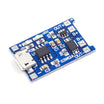
- TP4056 LiPo Charger - charges and protects a single-cell battery for portable power.
- 120 PCS Dupont Jumper Wires - quick wiring between the ESP32, PIR, and power.
External
- 18650 LiPo cell or 3xAA battery pack - powers the build in the mailbox.
- Telegram account + a created bot (free) - used to deliver the notification.
Note: Use ESP32 deep-sleep mode; it can run for months on a single 18650 by sleeping between PIR triggers.
Step-by-Step Guide
Step 1 - Create a Telegram Bot
Goal: Get a bot token and your chat ID so the ESP32 can send you messages.
What to do: In Telegram, search for @BotFather and send /newbot. Name your bot and copy the bot token.
Send any message to your bot, then visit api.telegram.org/bot<TOKEN>/getUpdates to find your chat ID.
Expected result: You have a bot token and a chat ID ready to paste into the sketch.
Step 2 - Wire It Up
Goal: Connect the HC-SR501 PIR output to the ESP32 so the microcontroller can detect motion.
What to do: Wire the PIR sensor to the ESP32 as shown: HC-SR501 VCC to 5V, GND to GND, and OUT to GPIO 13.

Power the ESP32 from your battery setup. If you are using an 18650, the TP4056 module is used for charging.

Expected result: The PIR is powered and its OUT pin is connected to ESP32 GPIO 13.
Step 3 - Upload the Sketch
Goal: Connect the ESP32 to Wi-Fi and send a Telegram message when the PIR goes HIGH.
What to do: In the Arduino IDE, install UniversalTelegramBot by Brian Lough using the Library Manager. Then paste the code below and fill in your Wi-Fi SSID, password, bot token, and chat ID.

Code:
#include <WiFi.h>
#include <WiFiClientSecure.h>
#include <UniversalTelegramBot.h>

const char* SSID = "YOUR_WIFI";
const char* PASS = "YOUR_PASS";
const char* TOKEN = "YOUR_BOT_TOKEN";
const char* CHAT  = "YOUR_CHAT_ID";

WiFiClientSecure client;
UniversalTelegramBot bot(TOKEN, client);
const int PIR = 13;

void setup() {
  pinMode(PIR, INPUT);
  WiFi.begin(SSID, PASS);
  while (WiFi.status() != WL_CONNECTED) delay(500);
  client.setCACert(TELEGRAM_CERTIFICATE_ROOT);
}
void loop() {
  if (digitalRead(PIR) == HIGH) {
    bot.sendMessage(CHAT, "📬 Mail just arrived!");
    delay(60000);   // debounce - one alert per minute max
  }
  delay(200);
}
Expected result: When the PIR triggers, the ESP32 sends a Telegram message to your chat.
Step 4 - Where to Take It Next
Goal: Extend the project based on your power and feature needs.
What to do: Pick one of the upgrade ideas below and implement it when you are ready.
- Add deep-sleep with EXT0 wake-on-PIR for battery life measured in months
- Snapshot a photo with an ESP32-CAM the moment the PIR triggers
- Distinguish "mail" from "raccoon" with a second sensor (door reed switch)
- Stream events to Home Assistant via MQTT instead of Telegram
Expected result: You have a clear next improvement to build on top of the basic notifier.
Conclusion
You built an ESP32 mailbox notifier using an HC-SR501 PIR sensor that sends Telegram alerts when the mailbox opens. This gives you a quiet, simple notification system without repeatedly checking the mailbox.
Want the exact parts used in this build? Grab them from ShillehTek.com. If you want help customizing this project or building something for your product, check out our IoT consulting services.
Project photos credited to Instructables. The original guide served as the reference for this ShillehTek version.





.png?v=25000753014097803521791168436)

.png?v=68677308723310773341791168436)


