

Project Overview
Arduino + WCS1700 current sensor: In this build, an Arduino reads live DC current (in amps) from a WCS1700 70A Hall-effect sensor so you can safely monitor heavy-load wiring with galvanic isolation.
The wire whose current you are measuring passes through a hole in the module and never electrically connects to your Arduino. That makes it a strong choice for solar arrays, EV chargers, motor controllers, and battery-bank monitoring.
- Time: ~20 minutes
- Skill level: Beginner / Intermediate
- What you will build: An Arduino reading live DC current (in amps) through a high-current wire.

Parts List
From ShillehTek
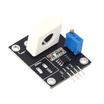
- WCS1700 70A Hall Current Sensor - measures current via a pass-through Hall sensor (isolated from the Arduino).
- Arduino Nano V3.0 Pre-Soldered - reads the sensor analog output and prints amps over Serial.
- 120 PCS Dupont Jumper Wires - quick connections between the module and Arduino.
External
- A high-current circuit you want to monitor (battery + load, motor controller, etc.)
- Hookup wire heavy enough for the actual current (AWG 10 / AWG 8 for tens of amps)
Note: The current-carrying conductor passes through the hole in the module. It is not connected to the Arduino. That isolation is the whole point.
Step-by-Step Guide
Step 1 - Inspect the Module
Goal: Identify the WCS1700 pins and key onboard features before wiring.
What to do: Locate the pass-through hole (where the high-current wire goes) and the module pins for power and outputs. Note the trim-pot and status LED if your board includes them.


Expected result: You know which pins to use for 5V power, ground, and the analog output used for current measurement.
Step 2 - Wire It Up
Goal: Connect the WCS1700 analog output to the Arduino so it can be read on an analog input.
What to do: Wire power and ground, then connect the analog output (AOUT) to A0 on the Arduino.

- VCC to 5 V
- GND to GND
- AOUT to A0
- Thread the high-current wire through the hole (one full pass per x1 gain)
Expected result: The Arduino is powered and can read a voltage on A0 coming from the WCS1700 AOUT pin.
Step 3 - Calibrate Zero
Goal: Record the no-current baseline so you can measure positive/negative current offset from that point.
What to do: With no current flowing through the hole, the sensor outputs about VCC/2 (around 2.5 V on a 5 V supply). Read the value once and treat it as your zero point. Every reading is then offset from there.
Expected result: You have a baseline (zero) voltage that represents 0 A for your specific module and setup.
Step 4 - Upload the Sketch
Goal: Convert analog readings into volts and then into amps using the sensor sensitivity.
What to do: Upload the sketch below, then open the Serial Monitor at 9600 baud. The code averages samples to stabilize readings and prints voltage and current.
Code:
const int PIN = A0;
const float VCC = 5.0;
const float SENS = 0.044;   // V/A for WCS1700 (datasheet typical)
float zeroV = 0;

void setup() {
  Serial.begin(9600);
  long sum = 0;
  for (int i = 0; i < 500; i++) sum += analogRead(PIN);
  zeroV = (sum / 500.0) * (VCC / 1023.0);
  Serial.print("Zero V: "); Serial.println(zeroV, 3);
}

void loop() {
  long sum = 0;
  for (int i = 0; i < 50; i++) sum += analogRead(PIN);
  float v = (sum / 50.0) * (VCC / 1023.0);
  float amps = (v - zeroV) / SENS;
  Serial.print("V="); Serial.print(v, 3);
  Serial.print("  I="); Serial.print(amps, 2);
  Serial.println(" A");
  delay(250);
}
Expected result: The Serial Monitor prints a stable baseline near 0 A when no current flows through the sensor.
Step 5 - Measure a Real Load
Goal: Measure live current through a real high-current wire and observe how it changes over time.
What to do: Thread your load wire through the module hole, power up the load, and watch the current readings update. If you want more sensitivity, multiple passes through the hole can increase the effective signal (follow your module guidance).


Expected result: The Serial Monitor shows current changing with your load, including spikes such as motor startup inrush.
Step 6 - Where to Take It Next
Goal: Extend the same measurement into logging, energy calculations, or automation.
What to do: Use the measured current value as an input for any of the ideas below.
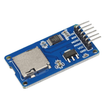
- Log to an SD card to profile battery discharge curves
- Compute watt-hours over time (multiply by voltage, integrate)
- Trigger a relay above an overcurrent threshold (software-driven breaker)
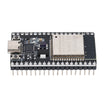
- Stream to a dashboard via ESP32 for live solar / EV charge monitoring
Expected result: You have clear next steps to expand the Arduino + WCS1700 current measurement into a full monitoring system.
Conclusion
You built an Arduino-based current monitor using the WCS1700 Hall-effect sensor to measure up to 70 A with galvanic isolation, then converted the analog output into live amps over Serial.
Want the exact parts used in this build? Grab them from ShillehTek.com. If you want help customizing this project or building something for your product, check out our IoT consulting services.





.png?v=25000753014097803521791168436)

.png?v=68677308723310773341791168436)


