

Project Overview
Arduino Nano + 5V relay module + transistor/MOSFET switching: Learn how to choose the right electronic switch so a small Arduino pin can safely control bigger loads like lamps, motors, solenoids, and LED strips.
Relays and transistors do the same job: they let a tiny signal switch a much bigger load. But they work in completely different ways. A relay is a mechanical switch driven by a magnet. A transistor is a piece of silicon with no moving parts. Picking the wrong one is often the difference between a clean, silent build and one that clicks loudly every time you turn on the lights.
This guide explains the difference in beginner-friendly terms, shows the wiring side by side, and tells you exactly when to use which for AC mains loads, DC motors, LED strips, solenoids, and small signals.

- Time: 15 to 25 minutes
- Skill level: Beginner
- What you will build: A clear decision guide plus reference wiring examples for relay vs transistor vs MOSFET switching.
Parts List
From ShillehTek
- 1-Channel 5V Relay Module - simple relay option for switching loads.
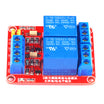
- 2-Channel 5V Relay Module - two relay outputs for multiple loads.
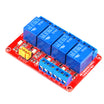
- 4-Channel 5V Relay Module - multi-load relay projects.
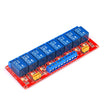
- 8-Channel 5V Relay Module - higher channel count relay control.
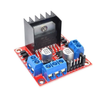
- L298N Motor Driver Board - transistor-based H-bridge for DC motors.
- Arduino Nano V3.0 - example controller used for the wiring sketches.
External
- A 2N2222 / 2N3904 NPN transistor (or a logic-level MOSFET like the IRLZ44N for higher currents).
- 1 ka9 resistor for the base of the transistor.
- A 5 V DC LED strip or a small motor as the test load.
- A flyback diode (1N4007) if you ever switch an inductive load (relay coil, motor, solenoid).
Note: Many relay modules are active-low (the relay turns on when the input pin is driven LOW). Pre-built relay modules usually include a flyback diode for the relay coil, but bare motors, solenoids, and discrete transistor circuits still need one.
Step-by-Step Guide
Step 1 - Understand how a relay works
Goal: Learn what a relay is doing internally so you know when it is the right tool.
What to do: A relay module contains a coil of copper wire. When current flows through the coil, it becomes an electromagnet that pulls a metal armature, closing a pair of contacts (like a wall switch). This gives you an electrically controlled mechanical switch.

Expected result: You can explain why relays provide isolation, can switch AC or DC, and why they click and wear over time.
- Galvanic isolation - the high-voltage side never touches the low-voltage Arduino side.
- Handles AC and DC equally well.
- Slow - usually 5 to 15 ms to actuate, not for PWM.
- Clicks when it actuates.
- Wears out - rated for about 100,000 mechanical operations.
Step 2 - Understand how a transistor switches a load
Goal: Understand NPN transistor switching so you know when a solid-state switch is better.
What to do: A transistor is a 3-pin device. A small current into the base allows a much larger current to flow from collector to emitter. In switching circuits, this is commonly used as a low-side switch for DC loads.

Expected result: You can describe why transistors are silent and fast, why they are usually for DC loads, and why grounds must be shared.
- No moving parts - silent, vibration-proof, no wear.
- Fast - nanoseconds to microseconds, good for PWM.
- DC only - a standard NPN will not switch AC mains.
- No isolation - the low-voltage and load grounds are connected.
- Cheap - pennies per part.
Step 3 - Upgrade the transistor to a MOSFET when needed
Goal: Know why a logic-level MOSFET is often the best choice for higher-current DC switching.
What to do: A MOSFET is voltage-controlled instead of current-controlled, so your Arduino draws almost zero current to switch it on. Pick a logic-level MOSFET (gate fully on at 5 V or 3.3 V) like the IRLZ44N or AOD4184 for high-current loads.

Expected result: You can state when to use a MOSFET instead of an NPN transistor for efficient, higher-current DC switching.
Step 4 - Choose a relay for the right jobs
Goal: Identify scenarios where a relay is the correct switch.
What to do: Use a relay when you need AC mains switching, isolation, or NO/NC terminals.
Expected result: You can confidently pick a relay for these cases:
- Switching AC mains (lamps, fans, water pumps from a wall outlet).
- Switching high-current DC where you do not need PWM (garage door, 12 V solenoid).
- Anything that legally requires galvanic isolation (consumer-facing AC project).
- You need both NO (Normally Open) and NC (Normally Closed) terminals at the same time.
Our 1-channel, 2-channel, 4-channel, and 8-channel 5 V relay boards drop in for exactly this.
Step 5 - Choose a transistor or MOSFET for the right jobs
Goal: Identify scenarios where solid-state switching is better than a relay.
What to do: Use a transistor or MOSFET when you want fast switching, PWM control, silence, and no mechanical wear.
Expected result: You can confidently pick a transistor or MOSFET for these cases:
- Driving an LED strip or a single high-power LED (PWM brightness control).
- Driving a DC motor (motor drivers like the L298N are transistors in an H-bridge).
- Anywhere you need fast switching, silent operation, or no mechanical wear.
- Battery-powered projects - transistors draw far less continuous current than holding a relay coil on.
Step 6 - Wire a relay and a transistor (side by side reference)
Goal: Use the correct basic wiring for a relay module and for a discrete NPN transistor switch.
What to do: Follow the wiring notes below for your chosen switch type. The relay example assumes an active-low 5 V relay module.
Code:
// RELAY (active-LOW module, 5V coil)
//   Arduino 5V -> Relay VCC
//   Arduino GND -> Relay GND
//   Arduino D7  -> Relay IN
//   Load wired to COM + NO terminals
pinMode(7, OUTPUT);
digitalWrite(7, LOW);   // relay engaged
digitalWrite(7, HIGH);  // relay released

// NPN TRANSISTOR (2N2222 / 2N3904)
//   Arduino D7 -> 1k ohm -> BASE
//   Load+ -> +supply
//   Load- -> COLLECTOR
//   EMITTER -> GND
pinMode(7, OUTPUT);
digitalWrite(7, HIGH);  // load on
analogWrite(7, 128);    // PWM, ~50% brightness
Expected result: Your relay toggles when D7 changes state, and your DC load can be switched (and PWM-dimmed) through the transistor circuit.
Step 7 - Add the flyback diode for inductive loads
Goal: Prevent voltage spikes from damaging your transistor, MOSFET, or microcontroller.
What to do: Whenever you switch an inductive load (a relay coil, motor, solenoid), the magnetic field collapses when you turn it off and produces a high-voltage spike. Add a flyback diode across the load, cathode to the +supply, anode to the collector/common side.
Expected result: Switching becomes reliable and you reduce the risk of random resets or damaged parts. Pre-built relay modules typically include this protection for the relay coil; discrete loads often do not.
Conclusion
Relays and transistors are different tools for different jobs. Use a relay when you need to switch AC mains or you want galvanic isolation. Use a transistor or a logic-level MOSFET when you need silent, fast, PWM-capable DC switching with no mechanical wear.
Want the exact parts used in this guide? Grab them from ShillehTek.com. If you want help customizing this project or designing switching into your product, check out our IoT consulting services.
Attribution: This guide was inspired by the foundational tutorial How Electronic Switches Work for Noobs: Relays and Transistors on Instructables. Images credited to the original author of the source tutorial.




.png?v=25000753014097803521791168436)

.png?v=68677308723310773341791168436)


