

Project Overview
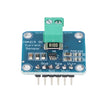
Arduino Nano + INA219 wattmeter: In this build, an Arduino Nano reads live current (mA), voltage (V), and power (mW) from an INA219 precision current sensor over I2C so you can measure low-power devices accurately.
The INA219 is a precision current, voltage, and power meter designed for low-current measurement. It is a good fit for solar panels, LiPo battery monitoring, low-power IoT devices, and energy-budget calculations.
- Time: ~15 minutes
- Skill level: Beginner
- What you will build: An Arduino reading live current (mA), voltage (V), and power (mW) over I2C from the INA219.

Parts List
From ShillehTek
- INA219 I2C Current Sensor - measures shunt voltage, bus voltage, current, and power over I2C
- Arduino Nano V3.0 Pre-Soldered - runs the example sketch and prints readings to Serial
- 120 PCS Dupont Jumper Wires - quick wiring between the Arduino and INA219 I2C pins
External
- A load (LED strip, motor, ESP32, or anything pulling current)
- Power supply for the load
Note: INA219 default I2C address is 0x40. Solder A0/A1 jumpers to use up to 4 addresses on one bus.
Step-by-Step Guide
Step 1 - Inspect the Module
Goal: Identify the measurement terminals and the I2C interface pins.
What to do: Locate Vin+ and Vin- (these carry the measured current) and the I2C pins (VCC, GND, SDA, SCL) that connect to your microcontroller.


Expected result: You know which terminals go inline with the load and which pins go to the Arduino for I2C communication.
Step 2 - Wire It In Series With Your Load
Goal: Place the INA219 inline so it can measure current through the load.
What to do: Wire the I2C pins to the Arduino, then put the INA219 between the power supply positive and the load positive (series connection on the positive rail).

- VCC -> 5V (or 3.3V on ESP32/Pico)
- GND -> GND
- SDA -> A4, SCL -> A5
- Vin+ -> power supply +
- Vin- -> load + (measured current flows here)
Expected result: The load still powers normally, and the INA219 is physically inline so all load current flows from Vin+ to Vin-.
Step 3 - Upload the Sketch
Goal: Read voltage, current, and power from the INA219 and print values to Serial.
What to do: In the Arduino IDE, install Adafruit INA219 via the Library Manager, then upload the sketch below.
Code:
#include <Wire.h>
#include <Adafruit_INA219.h>
Adafruit_INA219 ina;
void setup() {
  Serial.begin(9600);
  if (!ina.begin()) { Serial.println("INA219 not found"); while(1); }
}
void loop() {
  float shunt = ina.getShuntVoltage_mV();
  float bus   = ina.getBusVoltage_V();
  float ma    = ina.getCurrent_mA();
  float mw    = ina.getPower_mW();
  Serial.print("V="); Serial.print(bus, 2);
  Serial.print(" I="); Serial.print(ma, 2); Serial.print("mA");
  Serial.print(" P="); Serial.print(mw, 2); Serial.println("mW");
  delay(500);
}
Expected result: The sketch uploads successfully and the Arduino is ready to stream measurements over the Serial port.
Step 4 - Watch the Output
Goal: Confirm that readings update in real time.
What to do: Open the Serial Monitor at 9600 baud and power your load. You should see voltage, current, and power update about twice per second.


Expected result: You see stable, repeating lines with V, I (mA), and P (mW) that change when the load changes.
Step 5 - Where to Take It Next
Goal: Extend the same INA219 measurements into a more complete power-monitoring project.
What to do: Choose an upgrade path and build on the same wiring and sketch structure.
- Build a coulomb counter - integrate current over time for battery state-of-charge
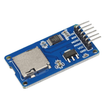
- Solar-panel monitor - log Vin + I + W to a CSV via SD adapter
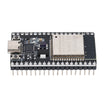
- ESP32 deep-sleep power profiling - see exactly how many µA your project draws
- Combine with INA219 boards at multiple addresses to monitor a whole battery bank
Expected result: You have a clear next step that still uses the same core INA219 readings.
Conclusion
You built an Arduino Nano INA219 wattmeter that measures bus voltage, current, and power over I2C and prints live values to the Serial Monitor. This setup is ideal when you need precision at low currents for battery, solar, or low-power IoT measurement.
Want the exact parts used in this build? Grab them from ShillehTek.com. If you want help customizing this project or building something for your product, check out our IoT consulting services.
Credit: INA219 photos and code are credited to Instructables. The original guide served as the reference for this ShillehTek version.





.png?v=25000753014097803521791168436)

.png?v=68677308723310773341791168436)


