

Project Overview
Arduino Nano + HC-SR04 + KY-006: Build an ultrasonic theremin where hand distance above the HC-SR04 controls pitch, and a KY-006 passive piezo buzzer plays the tone.
Wave your hand closer for a higher pitch and farther away for a lower pitch. This is a simple gesture-controlled instrument you can build quickly with inexpensive parts.
- Time: ~20 minutes
- Skill level: Beginner
- What you will build: An ultrasonic-distance theremin that plays musical tones in response to hand height.

Parts List
From ShillehTek
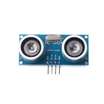
- HC-SR04 Ultrasonic Sensor - measures hand distance for pitch control.
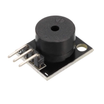
- KY-006 Passive Buzzer - outputs the tone generated by the Arduino.
- Arduino Nano V3.0 - reads the sensor and generates the audio frequency.
- Dupont Jumper Wires - quick connections between modules and the Nano.
External
- Optional: a real 8Ω speaker + small amp for louder sound
Note: This build uses Arduino digital pins D9/D10 for the HC-SR04 and D8 for the buzzer, as shown in the wiring images below.
Step-by-Step Guide
Step 1 - Wire it
Goal: Connect the HC-SR04 sensor and KY-006 buzzer to the Arduino Nano.
What to do: Wire the HC-SR04 TRIG to D9 and ECHO to D10. Wire the KY-006 signal pin to D8. Provide power and ground to both modules from the Arduino.


Expected result: Your Nano, sensor, and buzzer are fully connected and ready for code.
Step 2 - Upload the sketch
Goal: Read distance from the HC-SR04 and convert it into an audio frequency on the buzzer.
What to do: Upload the following sketch to your Arduino Nano. It measures the pulse time from ECHO, converts it to centimeters, maps roughly 5 to 50 cm into a 200 to 2000 Hz tone range, and plays it on the buzzer.
Code:
const int TRIG = 9, ECHO = 10;
const int BUZZ = 8;
void setup() {
  pinMode(TRIG, OUTPUT);
  pinMode(ECHO, INPUT);
}
void loop() {
  digitalWrite(TRIG, LOW); delayMicroseconds(2);
  digitalWrite(TRIG, HIGH); delayMicroseconds(10);
  digitalWrite(TRIG, LOW);
  long us = pulseIn(ECHO, HIGH, 30000);
  if (us > 0 && us < 20000) {
    long cm = us * 0.0343 / 2.0;
    // Map 5-50cm to a 200-2000Hz tone range
    int freq = map(cm, 5, 50, 2000, 200);
    tone(BUZZ, freq);
  } else {
    noTone(BUZZ);
  }
  delay(50);
}
Expected result: After upload, moving your hand above the sensor should change the tone pitch.
Step 3 - Play it
Goal: Use your hand distance to control pitch like a theremin.
What to do: Hover your hand about 5 to 50 cm above the sensor and move it up and down. Closer should produce a higher pitch; farther should produce a lower pitch.

Expected result: You hear a continuous tone that smoothly changes pitch as your hand moves.
Step 4 - Where to take it next
Goal: Explore optional enhancements after the core build works.
What to do: If you want to extend the project, consider these ideas:
- Add a second HC-SR04 for volume control (two-handed theremin)
- Quantize to a musical scale (C major) so it always sounds in key
- Run it through a TPA3118 amplifier for a real speaker
- Add MIDI output (Pro Micro) so the theremin controls software synths
Expected result: You have clear next steps to expand the same core sensor-to-tone concept.
Conclusion
You built an Arduino Nano ultrasonic theremin using an HC-SR04 distance sensor to control pitch and a KY-006 passive buzzer to play the tone. With a few wires and a short sketch, you get a gesture-controlled instrument that responds instantly to hand height.
Want the exact parts used in this build? Grab them from ShillehTek.com. If you want help customizing this project or building something for your product, check out our IoT consulting services.




.png?v=25000753014097803521791168436)

.png?v=68677308723310773341791168436)


