

Project Overview
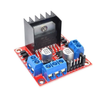
Arduino Nano + L298N motor driver: In this build, you will use an Arduino Nano to control a DC motor with an L298N dual H-bridge so you can run it forward, reverse, and at variable speed using PWM.
Microcontrollers cannot source enough current to spin a real motor; the L298N solves that with a dual H-bridge that handles up to 2 A per channel at 6 to 46 V. Two motors, four wires, full forward / reverse / PWM control.
- Time: ~20 minutes
- Skill level: Beginner
- What you will build: An Arduino driving one DC motor forward, reverse, and at variable speed.

Parts List
From ShillehTek
- L298N Motor Driver Board - dual H-bridge module to drive DC motors with direction and PWM control
- Arduino Nano V3.0 Pre-Soldered - microcontroller board that generates the direction signals and PWM speed control
- 120 PCS Dupont Jumper Wires - quick wiring between the Arduino and L298N pins
External
- One or two 6 to 12 V DC motors
- External 6 to 12 V power supply or battery pack for the motors
Note: USB cannot supply enough current to spin a real motor. Always power the L298N VS pin from a separate battery or power brick, and share ground with the Arduino.
Step-by-Step Guide
Step 1 - Identify the pinout
Goal: Understand which L298N terminals and header pins handle motor power, motor outputs, direction, and PWM speed control.
What to do: Locate the motor power input (VS and GND), the motor outputs (OUT1 and OUT2 for one motor channel), and the control pins (ENA, IN1, IN2). ENA is typically used for PWM speed control, while IN1 and IN2 set direction.


Expected result: You can point to the exact pins you will wire for motor power (VS/GND), PWM (ENA), and direction (IN1/IN2).
Step 2 - Wire the Arduino to the L298N and motor
Goal: Build a working single-motor circuit using the L298N A channel (ENA, IN1, IN2, OUT1, OUT2).
What to do: Wire the motor power supply to the L298N, connect the Arduino control pins, and make sure the Arduino ground and motor supply ground are tied together.

- VS battery + (6 to 12 V)
- GND battery - and Arduino GND (common ground)
- ENA D9 (PWM-capable)
- IN1 D8, IN2 D7
- OUT1, OUT2 motor terminals
Leave the on-board 5 V regulator jumper installed only if your motor supply is 12 V or less; remove it for higher voltages.
Expected result: The motor is connected to OUT1/OUT2, the Arduino is connected to ENA/IN1/IN2, and all grounds are common.
Step 3 - Upload the Arduino sketch
Goal: Run the motor forward and reverse, and change speed using PWM on ENA.
What to do: Upload the following sketch to your Arduino. It drives forward at 60% speed, reverses at 80% speed, then stops, looping continuously.
Code:
const int ENA = 9;
const int IN1 = 8;
const int IN2 = 7;

void setup() {
  pinMode(ENA, OUTPUT);
  pinMode(IN1, OUTPUT);
  pinMode(IN2, OUTPUT);
}

void loop() {
  // Forward at 60% speed
  digitalWrite(IN1, HIGH);
  digitalWrite(IN2, LOW);
  analogWrite(ENA, 153);
  delay(2000);

  // Reverse at 80% speed
  digitalWrite(IN1, LOW);
  digitalWrite(IN2, HIGH);
  analogWrite(ENA, 204);
  delay(2000);

  // Stop
  analogWrite(ENA, 0);
  delay(1000);
}
Expected result: The motor spins forward for about 2 seconds, reverses for about 2 seconds, then stops for about 1 second, repeating.
Step 4 - Verify the motor motion
Goal: Confirm that direction control (IN1/IN2) and speed control (ENA PWM) are working correctly.
What to do: Watch the motor during each part of the loop and confirm it changes direction and speed, then stops. If it does not respond, re-check that VS is powered from the external supply and that grounds are common.


Expected result: The motor direction changes when IN1/IN2 swap states, and speed changes with different analogWrite values on ENA.
Step 5 - Extend the project
Goal: Use the same L298N control pattern to build more advanced motion projects.
What to do: Keep the same wiring and code concepts (ENA for PWM, IN pins for direction) and expand from one motor to more functionality.
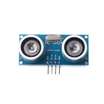
- Two motors + an HC-SR04 = obstacle-avoiding robot
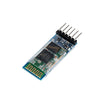
- Pair with a Bluetooth module (HC-05) for phone-controlled tank drive
- Add encoders for closed-loop speed control
- Swap to a higher-current driver (BTS7960) for motors above 2 A
Expected result: You have a clear path to scale from one DC motor to a two-motor robot platform using the same L298N fundamentals.
Conclusion
You built an Arduino Nano project that drives a DC motor through an L298N motor driver with forward, reverse, and PWM speed control. The key takeaways are using an external motor supply on VS and keeping a shared ground between the battery and Arduino.
Want the exact parts used in this build? Grab them from ShillehTek.com. If you want help customizing this project or building something for your product, check out our IoT consulting services.




.png?v=25000753014097803521790645985)

.png?v=68677308723310773341790645985)


