

Project Overview
Arduino + HX711 load cell amplifier digital scale: In this project, you will wire an Arduino (Nano) to an HX711 24-bit ADC module and a strain-gauge load cell to build a calibrated digital scale that prints live grams to the Serial Monitor.
The HX711 is purpose-built for weigh-scale (Wheatstone-bridge) load cells, so with two GPIO pins and one library you can reach hobbyist-grade weighing accuracy, such as 1 g resolution on a 5 kg cell once calibrated.
- Time: ~30 minutes
- Skill level: Beginner / Intermediate (calibration matters)
- What you will build: A digital scale that prints live grams to the Serial Monitor.

Parts List
From ShillehTek
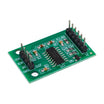
- HX711 Pre-Soldered Load Cell Amplifier - reads the strain-gauge bridge with a 24-bit ADC and provides a simple 2-pin digital interface.
- Arduino Nano V3.0 Pre-Soldered - runs the HX711 library and prints weight readings to the Serial Monitor.
- 120 PCS Dupont Jumper Wires - makes it easy to connect the HX711 to the Arduino and load cell.
External
- 1 kg / 5 kg / 20 kg strain-gauge load cell (Wheatstone-bridge type)
- A known reference weight (a labelled grocery item works)
Note: Mount the load cell rigidly between two surfaces so it can flex. If it is loose or flapping in the air, you will see noise instead of stable readings.
Step-by-Step Guide
Step 1 - Identify the Pins
Goal: Confirm the HX711 header pins and the load cell wire mapping before wiring.


Expected result: You know which pins on the HX711 go to power, the Arduino (DT/SCK), and the load cell (E+/E-/A+/A-).
Step 2 - Wire It Up
Goal: Connect the HX711 to the Arduino and the load cell using the correct pins.

What to do:
- VCC to 5 V, GND to GND
- DT (data) to D3
- SCK (clock) to D2
- Load cell colors to E+/E-/A+/A- per the module silkscreen
Expected result: The Arduino, HX711, and load cell are fully wired with common ground and correct DT/SCK pin connections.
Step 3 - Install the Library
Goal: Add the Arduino library needed to talk to the HX711.
What to do: In the Arduino IDE Library Manager, install HX711 by Bogdan Necula.
Expected result: Your Arduino IDE can compile sketches that include HX711.h.
Step 4 - Calibrate, Then Read
Goal: Upload a sketch that tares the scale and prints live readings in grams, then tune the calibration factor using a known weight.
Code:
#include <HX711.h>

const int DT  = 3;
const int SCK = 2;
HX711 scale;

float CAL_FACTOR = 420.0;   // start here; you’ll tune this

void setup() {
  Serial.begin(9600);
  scale.begin(DT, SCK);
  scale.set_scale(CAL_FACTOR);
  scale.tare();
  Serial.println("Tared. Place known weight...");
}

void loop() {
  Serial.print("Weight: ");
  Serial.print(scale.get_units(10), 1);
  Serial.println(" g");
  delay(500);
}
What to do: Run the sketch with no weight on the load cell. Then place a known reference weight (for example, a 200 g object). Adjust CAL_FACTOR until the printed weight matches the real weight.
Expected result: The Serial Monitor prints stable gram readings that match your reference weight after calibration.
Step 5 - Watch the Numbers
Goal: Verify your live readings are stable and repeatable.

Expected result: The displayed weight changes when you add or remove load, and returns close to zero after removing the weight (depending on your mounting and tare).
Step 6 - Where to Take It Next
Goal: Use the same HX711 readings as an input for a bigger project.
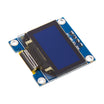
- Wire an OLED for a stand-alone digital scale
- Stream weights to MQTT for a smart hen-house feeder
- Trigger a relay above a threshold (over-fill alarm)
- Use four load cells plus an instrumentation amplifier for full-pallet weighing
Expected result: You have a working baseline scale project that can be extended into displays, automation, or IoT logging.
Conclusion
You built an Arduino digital scale using an HX711 load cell amplifier and a strain-gauge load cell, then calibrated it to print real-time grams in the Serial Monitor. With two signal pins and a simple calibration factor, the HX711 takes load cell readings from raw strain to usable weight.
Want the exact parts used in this build? Grab them from ShillehTek.com. If you want help customizing this project or building something for your product, check out our IoT consulting services.
Credits: The HX711 photos and wiring diagrams in this tutorial are credited to Instructables, which served as the reference for this version.






.png?v=25000753014097803521791168436)

.png?v=68677308723310773341791168436)


